

Windows workloads remain a critical part of modern cloud environments. From business applications and identity services to databases and internal tooling, Windows Server hosts often support some of the most important pieces of the enterprise stack.
Upwind is extending runtime protection and visibility to Windows Server hosts running in private cloud and on-premises environments, including VMware, co-location facilities, and alternative cloud providers.
Windows Runtime Protection, Wherever the Host Lives
Enterprise Windows infrastructure spans more than AWS, Azure, and GCP. VMware clusters, private data centers, co-location facilities, sovereign clouds, Windows Server hosts running business-critical workloads live across all of them. Upwind now covers all of it, with the same runtime visibility, detection, and vulnerability assessment that cloud teams already rely on.
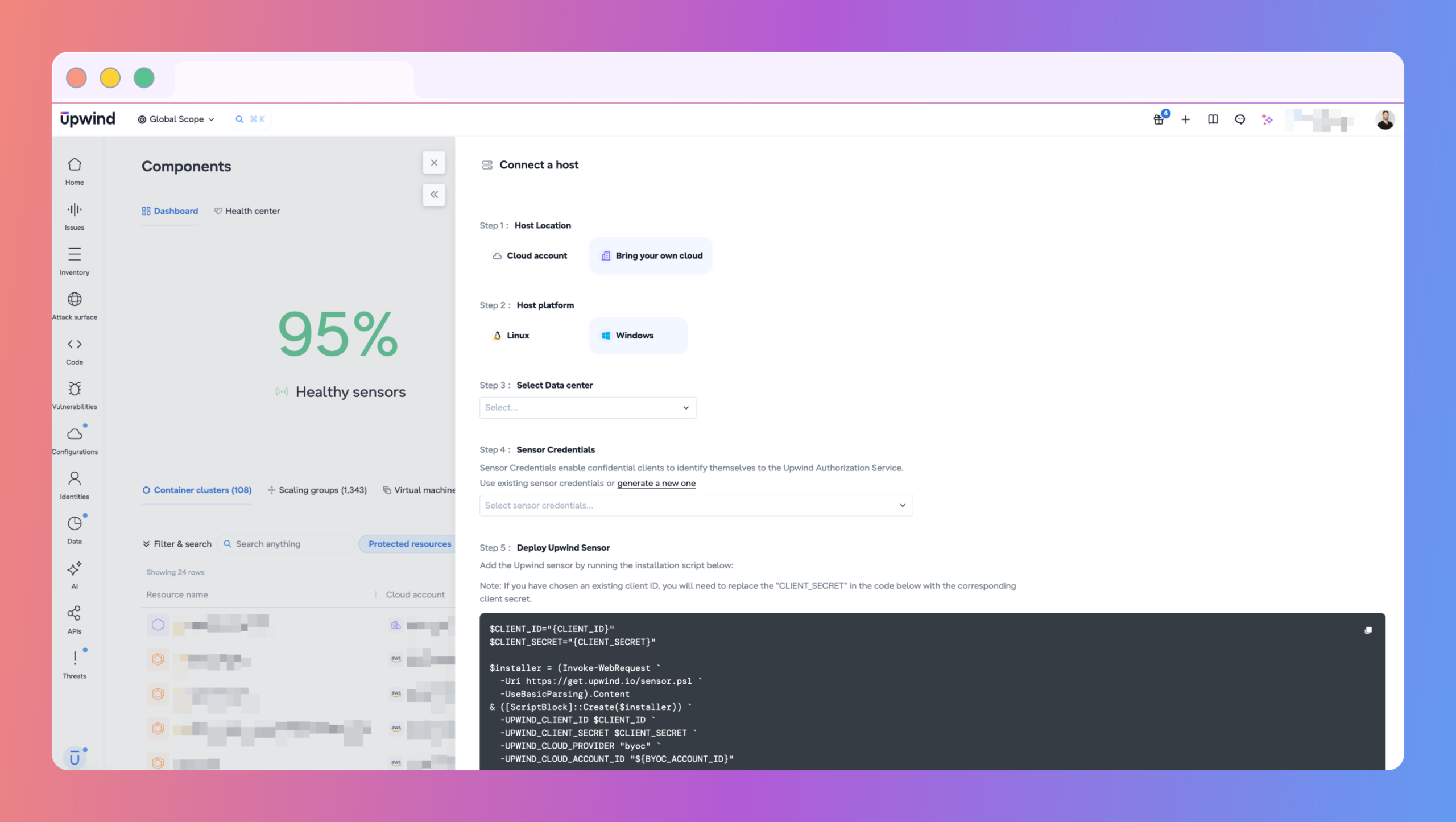
Set up runs through the same Connect a Host flow used across the platform. Select Bring your own cloud as the host location and Windows as the host platform, choose the relevant data center or account, specify the infrastructure type, including VMware, and run the installation script Upwind generates with the required parameters pre-populated.
Once connected, those hosts are part of the same environment picture as every other Upwind-monitored workload.
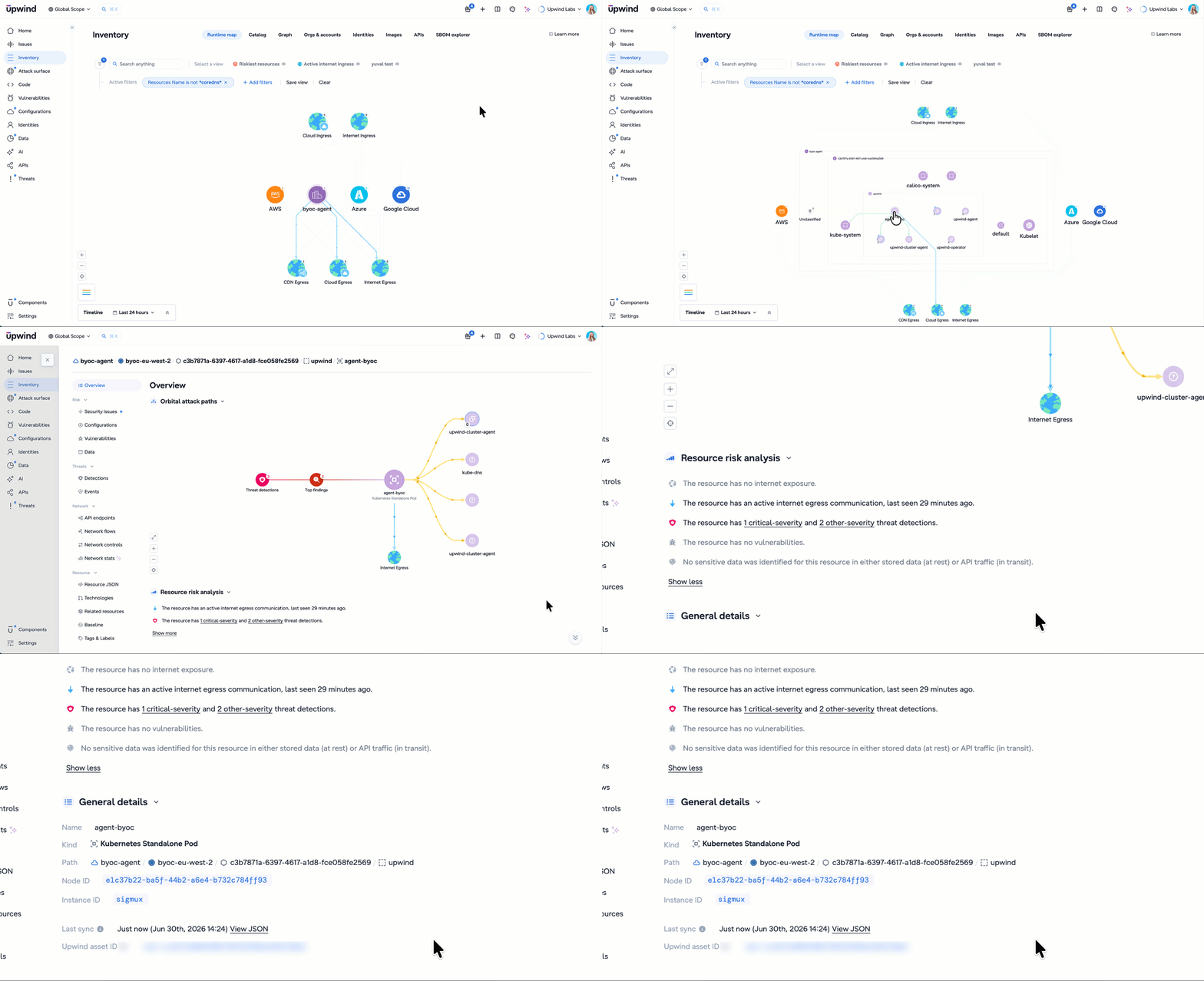
- Runtime Map visibility: On-premises and private cloud Windows hosts are automatically discovered and visualized in the Upwind Runtime Map alongside cloud workloads. Process activity, network connections, and DNS telemetry surface in a single view.
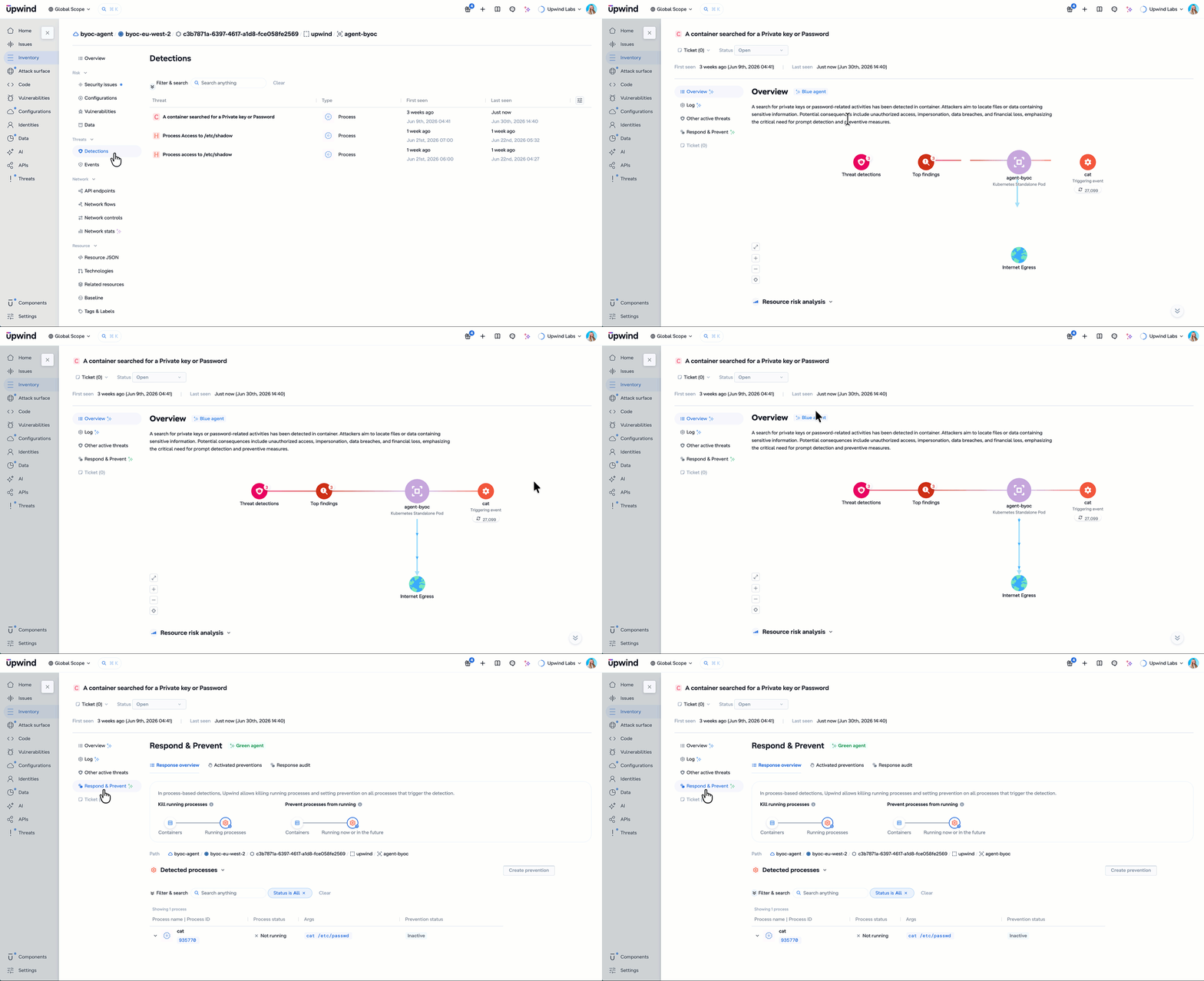
- Real-time detections: On-premises and private cloud hosts are included in Upwind’s detection workflows. Behavioral anomalies, suspicious process execution, and lateral movement indicators generate detections the same way they do for cloud-hosted workloads.
- Continuous vulnerability and configuration assessment: Findings are prioritized using runtime context, not static severity scores. A Windows host that is actively running and externally reachable is treated differently from one that is idle and isolated.
- Unified sensor management: Every sensor, regardless of where the host runs, appears in Upwind’s Components view. One place to monitor health, track coverage, and manage deployment across cloud, private cloud, and on-premises environments.
What Security Teams Actually Get
For teams managing Windows infrastructure across cloud and non-cloud environments, the outcomes are concrete:
- One investigation workflow: when an alert touches an on-premises or private cloud Windows host, teams don’t pivot to a separate tool to understand what happened. Process telemetry, network connections, and detection context are all in the same place as every other workload in the environment.
- Detection continuity across the cloud boundary: lateral movement that originates in the cloud and lands on an on-premises Windows host, or vice versa, doesn’t fall out of the detection stack the moment it crosses environments. Private cloud and on-premises hosts are part of the same detection pipeline.
- Runtime-prioritized findings on every host: Remediation effort goes to what’s actively running, reachable, and exploitable, not what scores highest on a static scan. That distinction now applies uniformly across the full Windows fleet.
- Coverage reports that match the environment you actually run: with private cloud and on-prem hosts in the same inventory and detection pipeline, there’s no manual reconciliation to produce an accurate picture of Windows workload coverage. What’s in Upwind is what’s in the environment.
A Complete View of Windows Risk Across Every Environment
For security teams managing hybrid Windows environments, the outcome is consistent visibility and detection across cloud and on-prem environments. Runtime context shows the difference between a vulnerability that’s exploitable and one that isn’t, and applies everywhere Upwind is deployed.
Windows Sensor support for private cloud and on-prem environments is available now. Schedule a demo to see how it fits your environment.