
Cloud environments don’t care about your org chart, and neither do attackers. Whether your workloads run on AWS, Azure, or GCP, your security team needs to investigate threats, query inventory, and understand risk without mentally translating between three different provider schemas. That translation work is slow, error-prone, and reduces time to remediation.
Today, we’re excited to announce that Virtual Machines are now fully normalized across all cloud providers.
What This Means for Your Team
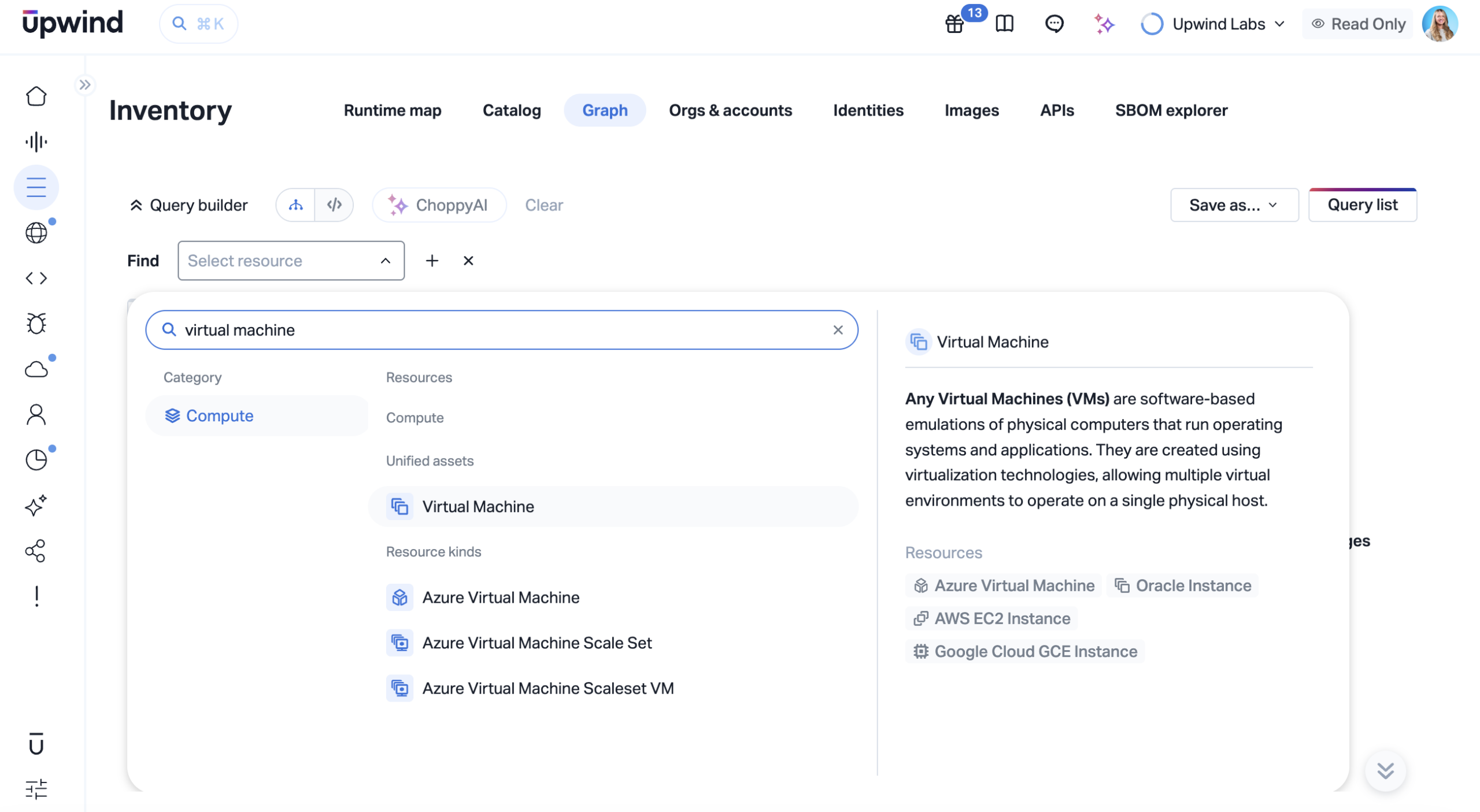
Until now, querying VM inventory across cloud providers meant dealing with fragmented representations, different field names, different data structures, and different semantics depending on whether you were looking at an EC2 instance, an Azure VM, or a GCE compute instance. Teams account for differences manually, which slows down investigations and makes cross-cloud analysis unnecessarily painful. VM Graph normalization removes that friction.
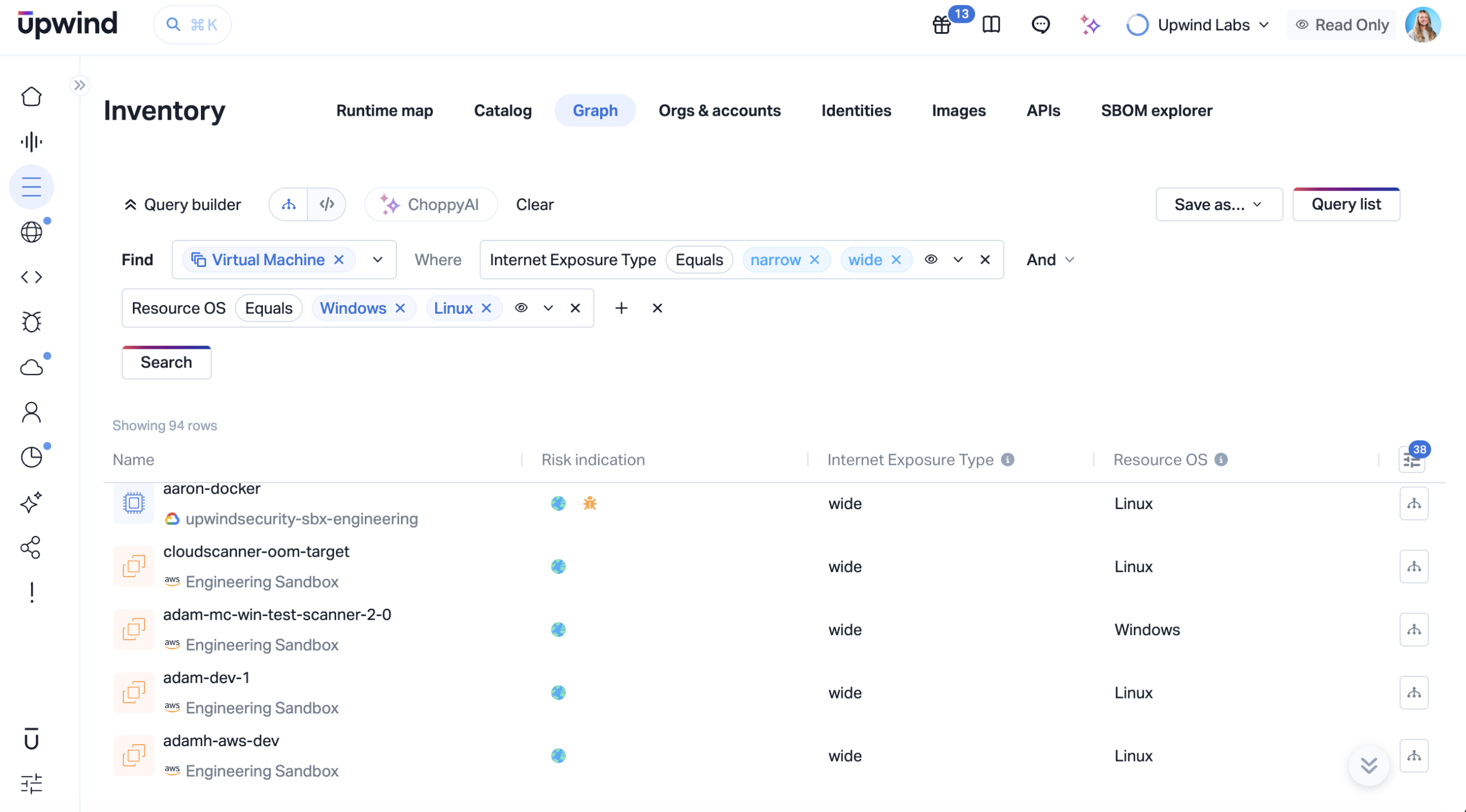
When you query Upwind’s Inventory graph for Virtual Machines, you now get a single, unified result set consistent across all cloud providers in your environment.
Cross-Cloud Visibility That Actually Works
Modern security operations don’t stop at inventory; they require runtime context. To understand risk, teams need to see not just where a VM exists, but how it behaves, what it’s connected to, and what’s happening on it in real time.
With normalized VM data, you can investigate any VM regardless of whether it runs on AWS, Azure, or GCP and immediately understand its network exposure, active processes, and relationships without switching tools or translating between schemas.
Faster Investigation Flows
When an alert fires, context is everything. Without it, responders end up stitching together data across consoles, slowing down triage and increasing the risk of missed signals.
With a unified VM layer, you can move from an alert directly into the asset’s full context, seeing what the VM is doing, who or what initiated the activity, and what it’s communicating with. Instead of pivoting across tools, you can trace suspicious behavior and make containment decisions in a single workflow.
Consistent Queries Across Your Entire Environment
Security teams typically start with the same questions: which assets are exposed, which are vulnerable, and which are behaving abnormally. In a multi-cloud environment, answering those questions often means rewriting the same logic multiple times.
A normalized asset model lets you ask those questions once and apply them everywhere. Whether you’re identifying internet-exposed VMs running vulnerable software or hunting for anomalous behavior, your queries work consistently across your entire environment.
From Inventory to Security Intelligence
Traditional inventory tells you what exists. Modern security requires understanding what matters.
By connecting VM inventory with runtime behavior, you can analyze risk in context, correlating exposure, vulnerabilities, identity activity, and live behavior. This makes it possible to prioritize the assets that are not just present, but actively at risk, and to understand how an issue on one VM could propagate across your environment.
See It In Action
Cloud security works best when your tools think in terms of your environment, not your cloud provider’s data model. VM Graph Normalization is a meaningful step toward that reality: unified visibility, consistent queries, and faster investigations across your entire fleet.
If you’d like to see how this feature fits into your environment or to explore how Upwind can help you prioritize and remediate risk more effectively, schedule a customized demo with us.
We’ll walk through your use cases, integrations, and security goals to show how Upwind delivers actionable cloud security at scale.