
Security teams need confidence that the cloud environments they rely on are covered. In fast-moving organizations, that confidence can be difficult to maintain as new accounts are added, workloads shift, and infrastructure changes across teams, regions, and providers.
The Upwind Coverage Dashboard helps teams validate cloud security coverage across connected accounts, sensors, and environments, so they can find gaps before they affect prioritization, investigation, or reporting.
Coverage Builds Confidence in Every Security Decision
Every security program depends on coverage. Before a team can prioritize risk, investigate threats, prove compliance, or report progress, they need to know which environments are actively monitored.
When coverage data lives across spreadsheets, manual checks, and one-off conversations with cloud owners, teams spend too much time validating visibility and not enough time acting on risk. A centralized coverage view gives security teams a stronger foundation for day-to-day work and executive reporting.
Teams need a centralized view of where coverage exists across connected cloud accounts and runtime sensors, enabling more informed security decisions with greater confidence.
Centralize Coverage Across Cloud Accounts and Runtime Sensors
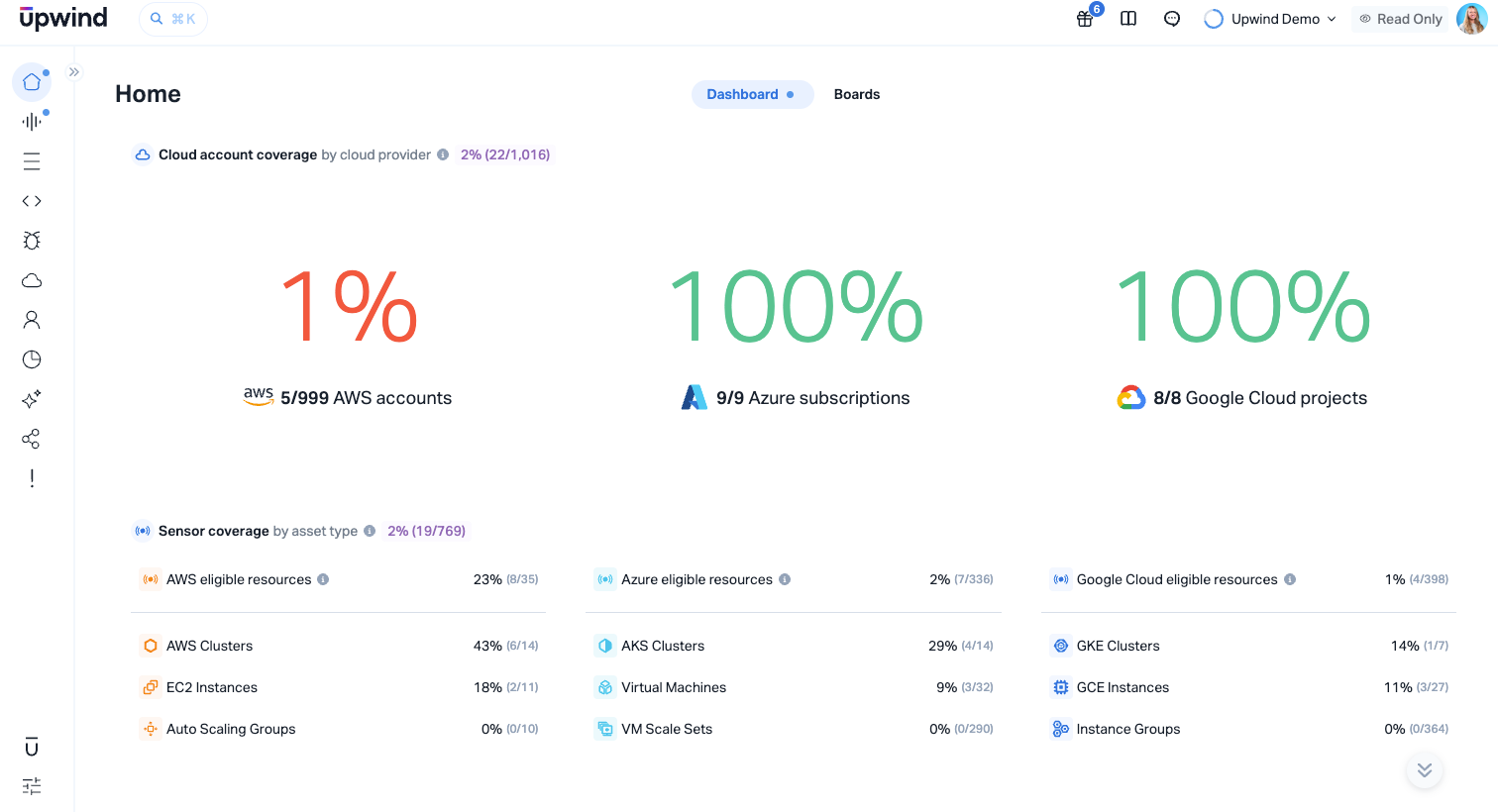
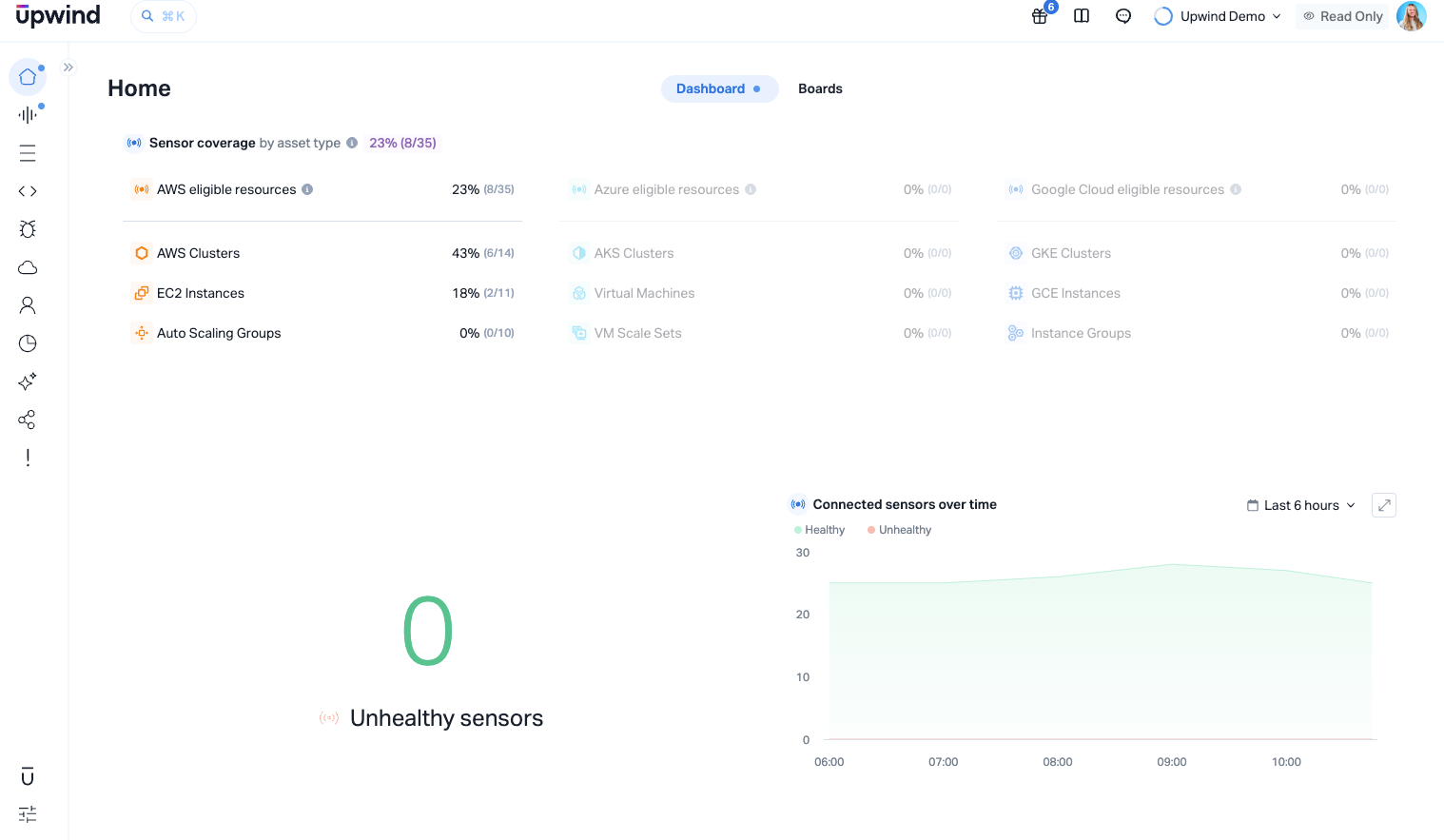
The Coverage Dashboard provides a clear way to review cloud security coverage across environments. From the Upwind console, teams can see which cloud accounts are connected, where runtime sensors are deployed, how sensor coverage is distributed, and how coverage changes over time.
The dashboard includes:
- Cloud account coverage: See which cloud accounts are connected to Upwind across AWS, Azure, GCP, and other supported environments. This helps teams validate that the right cloud accounts are represented in their security program.
- Filter by cloud provider, account, organization, and more: Focus the view on the scope that matters. Security engineers can review specific environments, leaders can assess broader coverage trends, and compliance teams can gather evidence for defined audit scopes.
- Runtime sensor coverage and status: See where runtime sensors are deployed, which workloads they are monitoring, and how sensor status is distributed across your environment. This gives teams a clear view of where runtime visibility is active.
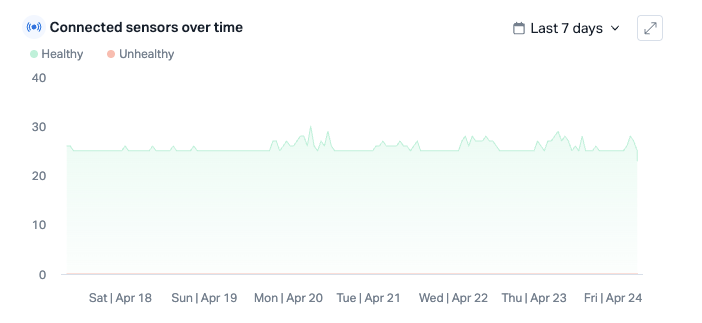
- Connected sensors over time: Track coverage trends to understand how runtime visibility evolves across deployments, teams, regions, and cloud providers.
Turn Coverage Data Into Everyday Security Workflows
Coverage data becomes most valuable when teams can use it in everyday workflows, not just during quarterly reporting or audit preparation. With the Coverage Dashboard, security teams can make coverage validation part of their operations.
Start the week with a coverage review
A cloud security engineer opens the Coverage Dashboard on Monday morning to review coverage by account, organization, and sensor status. This gives the team a current view of runtime visibility before they move into investigations, prioritization, or planning for the week.
Validate coverage after cloud changes
When teams add cloud accounts, update infrastructure, or change deployment patterns, security can use the dashboard to confirm coverage across the updated environment. This helps teams keep visibility aligned with cloud change.
Support post-acquisition onboarding
After an acquisition, security teams often need to bring a new cloud footprint into their existing program. The Coverage Dashboard helps them review connected accounts, runtime sensor coverage, and coverage trends as they onboard the new environment.
Strengthen executive and board reporting
Security leaders can use coverage data to support risk conversations with clearer evidence. Instead of relying on broad assumptions, they can show where coverage exists and how visibility is maintained across the cloud environment.
Make audits easier to support
Compliance teams often need evidence that the right environments are monitored. With coverage organized by account, provider, and organization, teams can gather supporting evidence faster and reduce manual follow-up with infrastructure owners.
Strengthen Runtime Visibility With Trusted Coverage
Upwind’s runtime-first approach depends on real visibility into how cloud environments actually run. Runtime context helps teams prioritize risk based on live activity, exposure, and real-world impact, but that context works best when teams can clearly validate where coverage is active.
The Coverage Dashboard strengthens that foundation by helping teams review coverage across cloud accounts and runtime sensors as environments change. With clearer coverage data, security teams can trust the context they use to investigate threats, prioritize vulnerabilities, and report on risk.
See Coverage Clearly With Upwind
Coverage is the foundation of every security claim. Before you can prioritize risk, investigate threats, or report progress, you need to know what is actually being monitored.
The Coverage Dashboard gives Upwind customers a single, filterable view of cloud account coverage, sensor status, and coverage trends, so teams can validate visibility, maintain confidence, and make security decisions with better context.
To see how Upwind’s runtime-first approach gives teams clearer visibility into what is running, exposed, and at risk across their cloud environments, explore the Upwind CNAPP Platform.