
We are excited to announce a powerful new capability – the ability to view activity baselines for resources in your cloud environment, which we refer to as “cloud baselines.”
The Upwind Cloud Security Platform continuously monitors your application’s activity over hours, days and weeks to build baseline models of normal and abnormal activity. This deep, continuous analysis enhances and deepens your understanding of typical resource activity, and quickly identifies anomalies when they occur.
Viewing Resource Cloud Baselines
Cloud baselines have long been a part of the Upwind Platform, working behind the scenes to monitor process executions, network communications, and file system accesses across Kubernetes workloads and virtual machines, detecting abnormal threats. Now, we are bringing this powerful capability to the forefront.
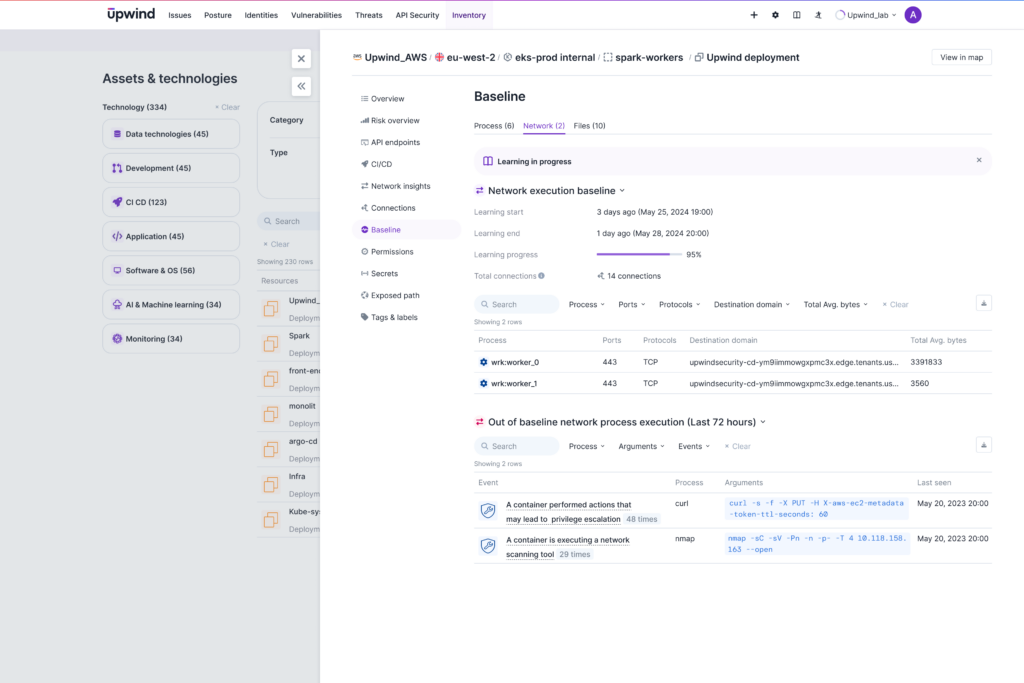
Starting now, these cloud baselines are accessible directly within the Upwind Topology Map. This update provides enhanced visibility and a deeper understanding of your cloud environment’s normal activity, allowing for more proactive and informed security operations.
With this update, you gain immediate access to crucial process and network baseline information for each resource. This empowers you to quickly identify and investigate deviations, enabling rapid response to potential threats within your cloud infrastructure, and enhancing the overall security posture of your cloud infrastructure.
How Upwind Creates Cloud Baselines
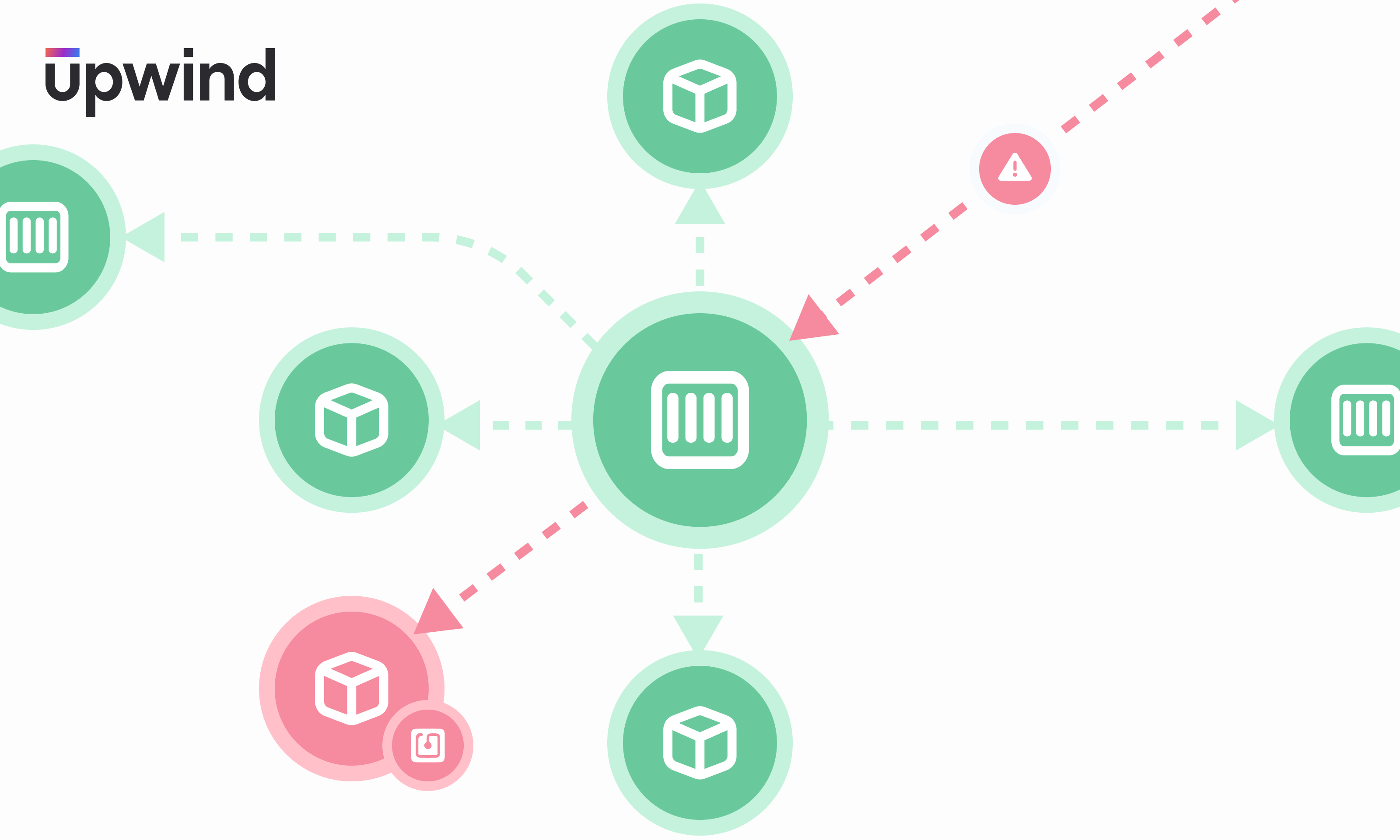
Upwind generates cloud baselines by taking a deep, DevOps-grade inventory of your cloud infrastructure and continuously monitoring process executions, network communications, and file system accesses across Kubernetes workloads and virtual machines using the Upwind eBPF sensor. The Upwind sensor provides real-time insights into Layer 3, Layer 4 and Layer 7, giving you insights into normal activity for workloads, resources and APIs.
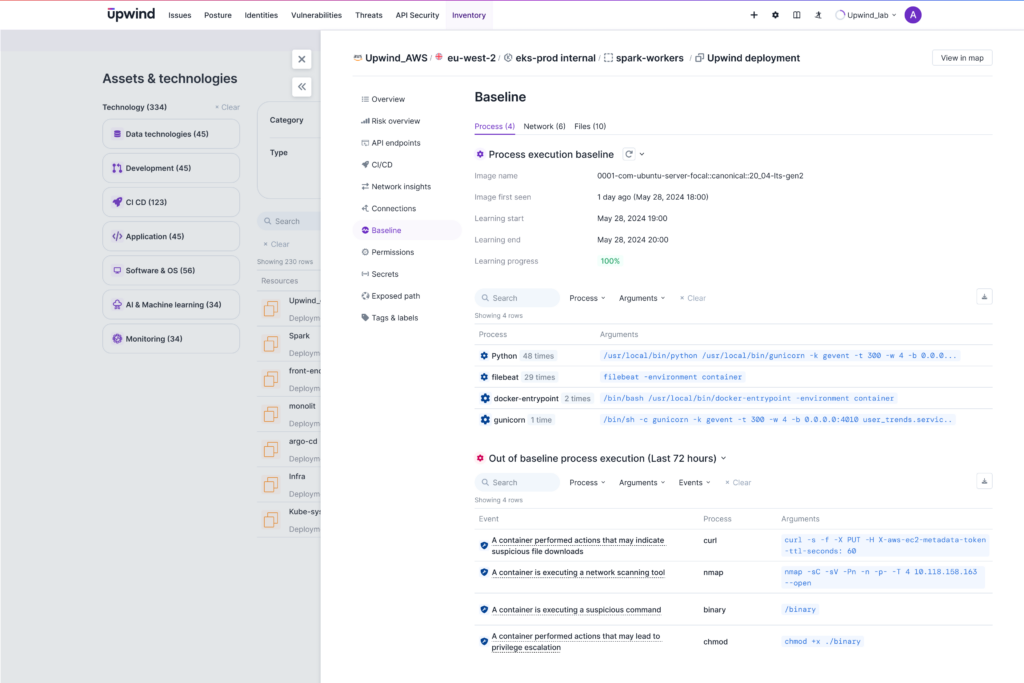
By continuously monitoring workloads and virtual machine activity over time, including normal process execution patterns and network communication, builds highly accurate models. These models effectively protect resources from potential threats and risks, ensuring your cloud infrastructure is deeply secure.
Using Cloud Baselines for Advanced Threat Detections
Upwind uses machine learning to analyze typical activity patterns for your resources and proactively alerts you to any suspicious or malicious activity that deviates from these established baselines.
By generating cloud baselines, Upwind surpasses typical threat detection methods, like scanning for known malware signatures. Instead, we proactively identify abnormal human and machine activities within your cloud environment, which gives you an advanced defense for detecting and responding to potential threats.
Upwind’s security baselines give you:
- Enhanced Visibility: Easily view the established baseline for each resource, such as all processes associated with the resource and the domains they communicate with, giving you a clear understanding of typical activity within your cloud environment.
- Contextualized Investigations: See a resource’s baseline alongside any flagged activity, streamlining your investigation process and enabling a more informed response to potential threats.
- Enforced Container Immutability: As part of best practices for container security, container images should remain unchanged from build to runtime, with no additional packages, software, or files added. Upwind detects and alerts you if your container images violate these immutability best practices, ensuring that runtime environments match their build configurations and enhancing overall security.
Use this new functionality to leverage Upwind’s cloud baseline capabilities and quickly identify normal or abnormal resource activity, automatically flag potential threats and streamline investigations.
Learn More
To learn more about Upwind’s cloud baselines, visit the Upwind Documentation Center (login required), or schedule a demo.