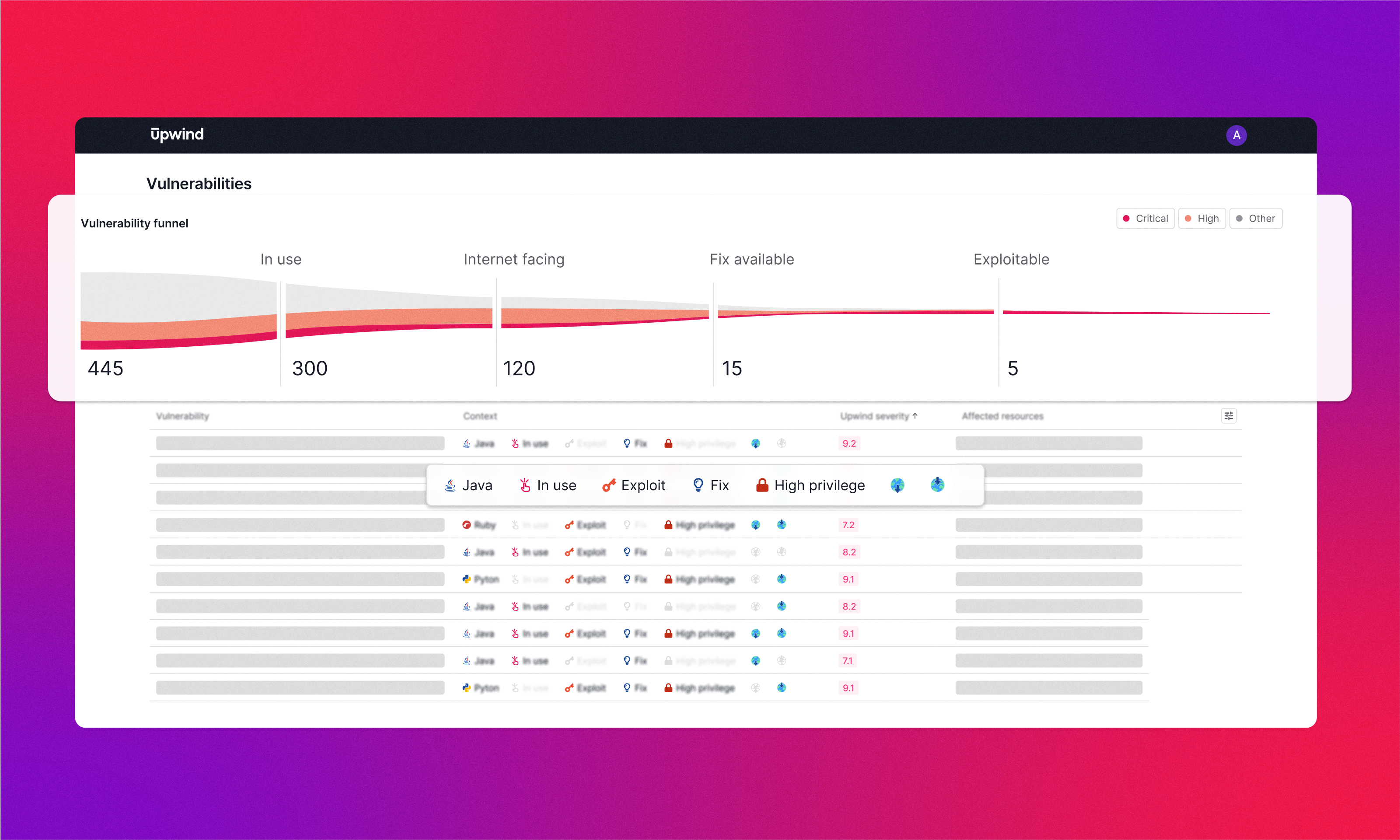

We’re excited to release an important capability for our Runtime Vulnerability management. Starting today, you can view an end-to-end funnel of your vulnerabilities, apply critical filters to your vulnerabilities data and answer these tough questions within seconds:
- Is the package loaded into memory or actively in use?
- Is the package exposed to the Internet?
- Is remote execution possible?
- Is there active ingress or egress traffic related to the package?
- Does the package have access to sensitive data?
- Is there an available exploit for the vulnerability?
- Is a vendor-supplied fix available?
You can now customize your vulnerability reports and filter vulnerabilities that are in use, Internet facing, have a fix available and are exploitable – helping you rapidly filter and prioritize the alerts that actually matter to your organization.
Use Upwind’s Vulnerability Funnel to run custom reports by vulnerability, image or resource type and streamline your remediation by getting highly personalized alert information to the right members of your security team, in record time.