
A recent CrowdStrike Falcon sensor update has caused a massive Windows Blue Screen of Death (BSOD) outage. CrowdStrike offers endpoint protection and other services that are used on a widespread scale worldwide, and this sensor update issue is causing global issues.
Impact
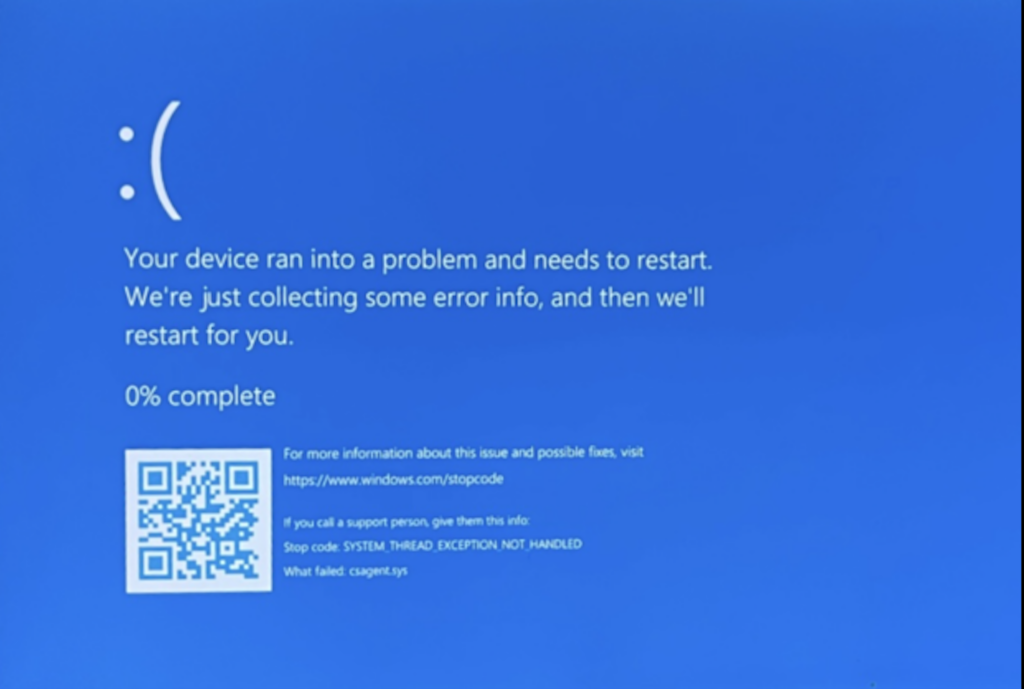
There are widespread reports of BSOD error on Windows hosts, all of which are associated with multiple versions of CrowdStrike sensors. This update is believed to have sent servers, desktops, laptops and computer endpoints into a spiral of reboots that are commonly referred to as the “blue screen of death,” wilth the error message, “DRIVEN_OVERRAN_STACK_BUFFER.”
Details of the CrowdStrike Update
Symptoms of the Windows crash include hosts experiencing a bugcheck message or the Blue Screen of Death error, both of which are related to CrowdStrike Falcon Sensor update. CrowdStrike has indicated that channel file C-00000291*.sys with timestamp of 0409 UTC is the problematic version, and that channel file C-00000291*.sys with timestamp of 0527 UTC (July 19) or later is the reverted (good) version.
CrowdStrike has also indicated that Windows hosts that are brought online after 0527 UTC, Hosts running Windows 7/2008 R2, and Mac- or Linux-based hosts will not be impacted.
Current Actions for Remediation
Workaround Steps for individual hosts:
- Reboot the host to give it an opportunity to download the reverted channel file. If the host crashes again, then:
- Boot Windows into Safe Mode or the Windows Recovery Environment
- NOTE: Putting the host on a wired network (as opposed to WiFi) and using Safe Mode with Networking can help remediation.
- Boot Windows into Safe Mode or the Windows Recovery Environment
- Navigate to the
%WINDIR%\System32\drivers\CrowdStrikedirectory - Locate the file matching
C-00000291*.sysand delete it. - Boot the host normally.
- Note: Bitlocker-encrypted hosts may require a recovery key.
Workaround Steps for public cloud or similar environment including virtual:
Option 1:
- Detach the operating system disk volume from the impacted virtual server
- Create a snapshot or backup of the disk volume before proceeding further as a precaution against unintended changes
- Attach/mount the volume to to a new virtual server
- Navigate to the
%WINDIR%\System32\drivers\CrowdStrikedirectory - Locate the file matching
C-00000291*.sysand delete it. - Detach the volume from the new virtual server
- Reattach the fixed volume to the impacted virtual server
Option 2:
- Roll back to a snapshot before 0409 UTC.
Get Assistance
As many are affected worldwide, we understand that you might be impacted by the recent CrowdStrike agent issue and are working to fix it. We are here to help you. Upwind has put together a dedicated team available 24/7 to provide you with the support needed to get you back up and running. Please do not hesitate to reach out to us at any time.
For Upwind customers, please reach out to us in the console chat. For all others, please fill out the following form or email us at [email protected] and will reach out to you within minutes of submission.