

Container runtime security means protecting containerized workloads against external threats while actively executing their instructions after launch. But that’s often easier said than done, as best practices can require continuous monitoring and careful coordination within dynamic environments. This blog post takes a deep dive into the tools, processes, and challenges of container runtime security as well as security best practices.
Let’s Review: What is Container Runtime Security?
Broadly speaking, container runtime security involves the best practices, tools, and strategies for protecting containerized applications during the execution phase of the container lifecycle. This phase is critical, as containers can run continuously and be exposed to potential threats in production environments. Key aspects of runtime phase security include:
- Anomaly detection
- Access control and privilege management
- Vulnerability scanning and patching
- Network security and micro-segmentation
- Runtime integrity protection
- Real-time threat response
- Comprehensive logging and auditing
The runtime phase of the container lifecycle is one fraught with unique and evolving challenges that can only be managed effectively once workloads are active. While pre-deployment scans and secure container images can help secure code before launch, they’re not foolproof. Critical threats often emerge at runtime, so runtime security is a core component of container security.
Security tooling can’t be static; it must include anomaly detection to anticipate and respond to new kinds of threats.
— Joshua Burgin I Chief Product Officer, Upwind
In the complex cloud ecosystem, where applications must be agile and scalable, runtime security provides real-time monitoring and threat detection, allowing teams to catch vulnerabilities and anomalous behaviors before potential damage is done. Coordinating these protections in a continuously monitored and dynamic environment is challenging but essential to minimizing performance impacts.
Who Is Responsible for Container Runtime Security?
The best practices and big challenges in container runtime security stem from the shifting sands of responsibility for cloud infrastructure and security.
Historically, the DevOps movement has spawned a corresponding push to make security a collaborative effort among the multiple technical stakeholders inside organizations. The idea of shift-left security is part of this push, with organizations increasingly integrating secure coding practices and security testing as early as possible in the software development lifecycle.
“Security leadership must implement tighter integration and bidirectional understanding, empowering DevOps teams to create shared cyber risk ownership.”
— The Cloud Native Computing Foundation’s Cloud-Native Security Whitepaper
Yet, as developers increasingly take responsibility for security, they also bear the overwhelming responsibility of expanding their security expertise, applying it at every stage of the workflow, and owning accountability for secure code. Without runtime insights, they do so with a scattered focus on potentially thousands of known vulnerabilities, any of which could impact the code execution phase.
In “shift right” security, security teams working with runtime insights fix critical problems when they happen. That approach tames overwhelm, but without feeding that insight back to developers for future builds, container runtime security can’t realize its full potential.
Developers can:
- Write secure code: Following secure coding practices reduces the possibility of vulnerabilities entering the final application. This limits what threat actors can use at runtime to compromise any containers.
- Resolve vulnerabilities: Developers must be vigilant in identifying and resolving vulnerabilities during the development phase. This can prevent many security issues at runtime.
- Use security tools: Solutions like SAST and IDE plugins can help identify vulnerabilities prior to deployment.
- Employ runtime insights in future builds: Being aware of what security and operations teams find at runtime should inform more secure builds including a continuous improvement cycle.
Operations and security teams can:
- Monitor applications during runtime: Application monitoring solutions examine application performance and provide early warning systems for potential issues.
- Handle incident response: As first responders for security incidents, Operations teams must be able to react swiftly to potential issues.
- Secure critical infrastructure: Ensuring that infrastructure is patched and secure results in a safe environment for the code execution.
Ultimately, DevSecOps teams at every phase bear some responsibility for container runtime security. Developers, security specialists, and operations teams all play a role in ensuring security throughout the development, deployment, and runtime phases.
Modern Threats and Challenges in Container Runtime Security
Securing container runtimes poses distinct challenges, as vulnerabilities often emerge only during execution. While scanning container images for known issues and minimizing image size are essential pre-launch steps, the runtime environment exposes new threats like malicious code that activates only after launch, privilege escalation tracks, and configuration drift. Attackers can exploit runtime weaknesses such as unpatched images, kernel vulnerabilities, and container breakouts, which require continuous monitoring and adaptive defenses to manage effectively.
Let’s tackle some of those issues in more detail.
Configuration Drift
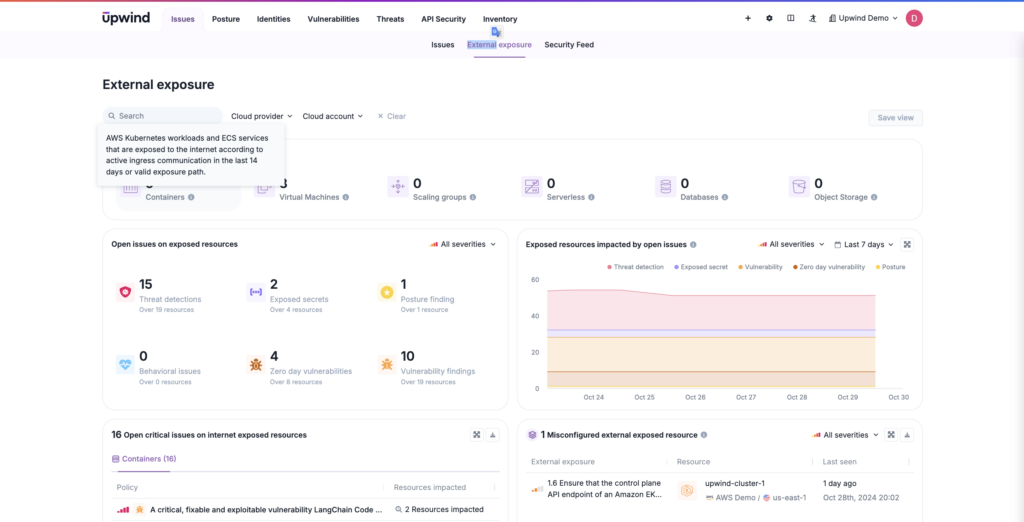
Configuration drift occurs when a developer, attacker, or automated process changes the configuration of a container without authorization and does not document alterations. Changes can include file permissions, network configurations, and other security controls.
Drift isn’t necessarily malicious. It can result from manual errors or automated updates. However, when they go undetected, they can introduce vulnerabilities, weakening security posture and exposing containers to compromises.
Vulnerabilities in Previously Deployed Images
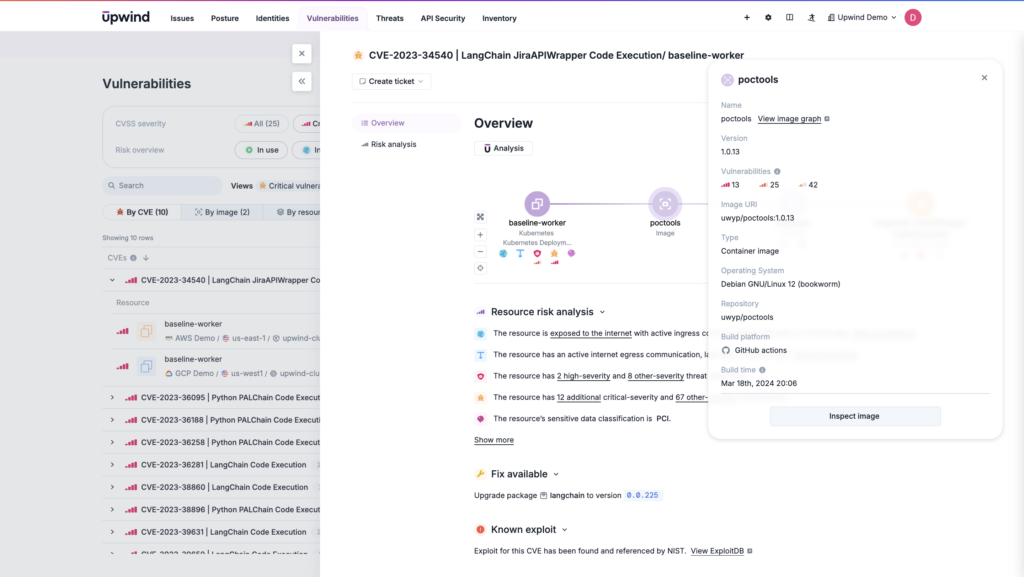
Vulnerability scanning of container images for known vulnerabilities is fundamental for container security, as even a previously secure image may become vulnerable over time. Newly discovered vulnerabilities, such as common exposures and vulnerabilities (CVEs), can affect images that were once considered safe. To counter this, automated scans against updated vulnerability databases can help catch emerging risks. Runtime monitoring continuously verifies that containers remain secure post-deployment.
Kernel Exploits
Because containers share the same kernel as their host operating system, securing the running host OS is a vital component in protecting container runtimes. Kernel-level exploits, such as privilege escalation or malicious code execution, can compromise not only individual containers but the entire container environment. A shift-left approach alone may miss vulnerabilities that surface only when containers are live, underscoring the need for ongoing runtime security.
Container Breakouts
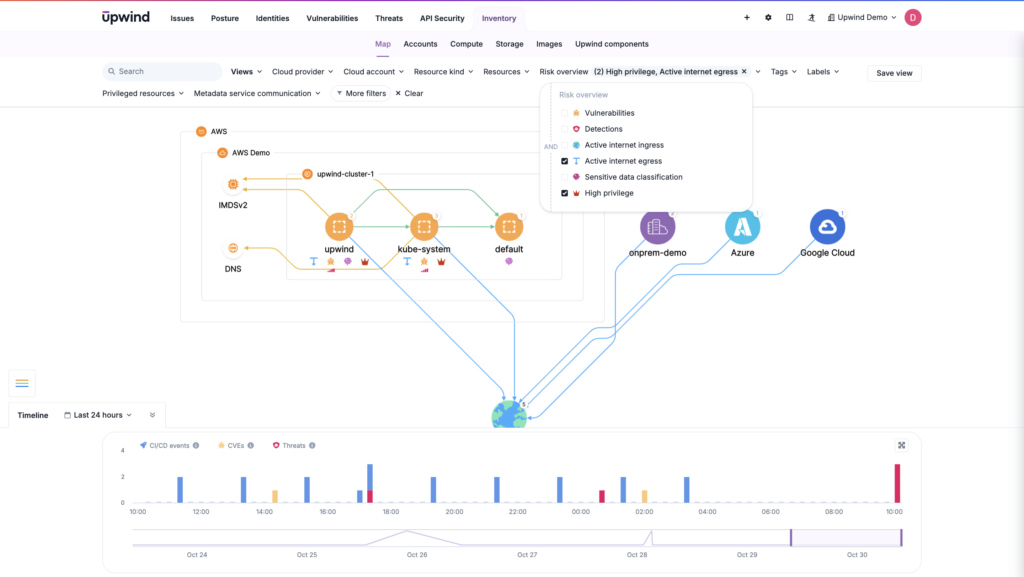
A container breakout occurs when an attacker escapes from a container and gains unauthorized access to the host system. This breach undermines container isolation and could enable the threat actor to control other containers or the host itself.
Ensuring isolation measures, such as restricting container privileges, setting namespaces, and enforcing strict access policies, can reduce the risk of a breakout. However, while shift-left security may address some risks at build time, runtime monitoring is required to prevent active breakout attempts that could go unnoticed without continual oversight.
Data Exposure
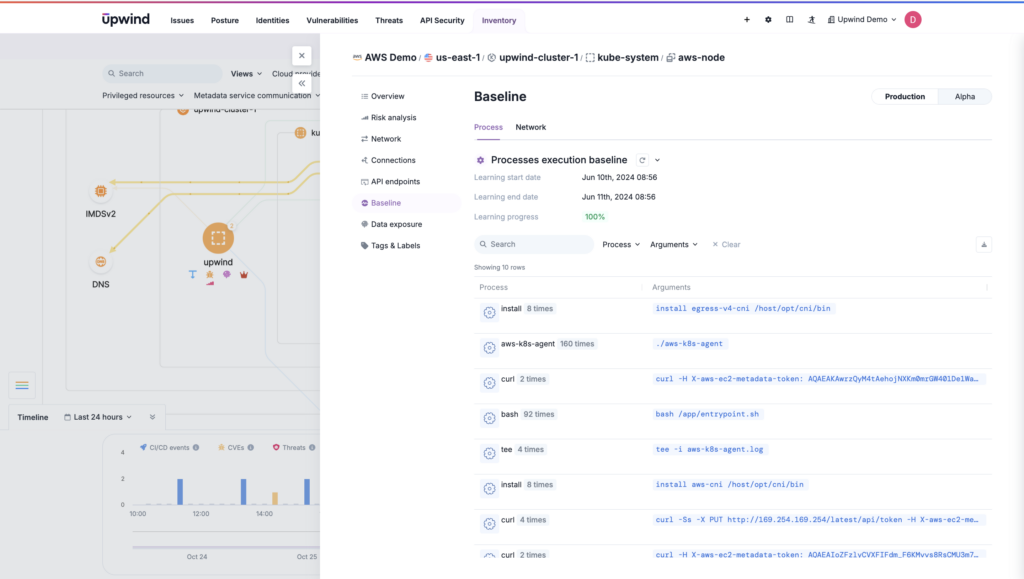
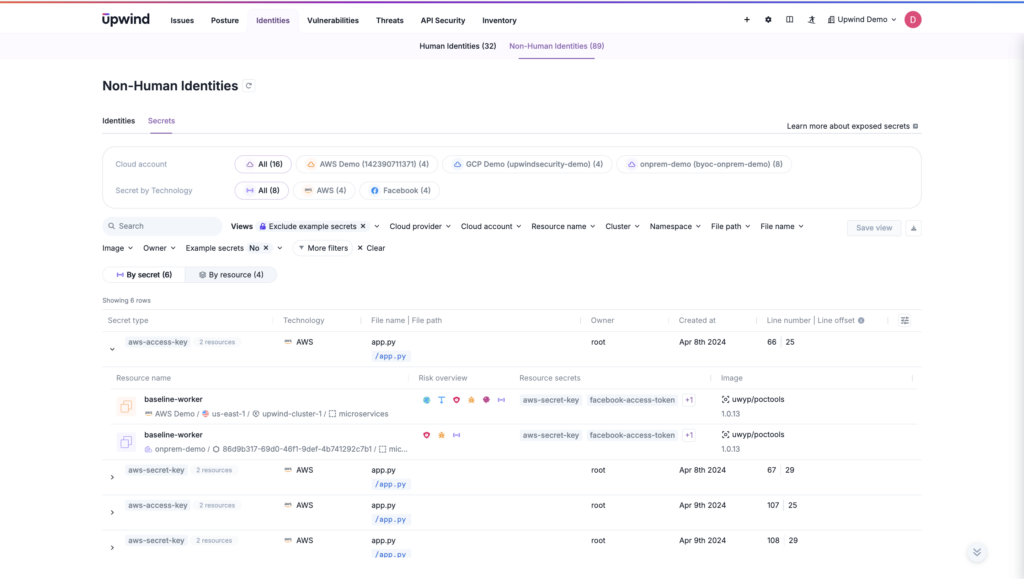
Data exposure risks include leaking secrets like API keys or privileged credentials through either misconfigurations, weak security controls, or vulnerabilities within the container. This data exposure may result in additional compromises, as attackers can use leaked credentials to access more sensitive resources. Runtime monitoring helps catch exposures as they occur, ensuring sensitive data is locked down before it’s exploited.
Container Runtime Security Best Practices
Teams can handle container runtime security challenges like those above with a straightforward set of best practices:
- Restrict access to any necessary APIs – Any APIs, like the Docker API, that are used in the container process should not be exposed to the open internet. Always authenticate access to ensure security.
- Update libraries and applications – This shift-left practice doesn’t happen at runtime, but it can have an oversized impact on runtime security. All applications and libraries within containers should be regularly updated with new versions. Effective patch management can mitigate known vulnerabilities.
- Monitor containers for anomalous behavior – Security monitoring must be extended into the container ecosystem to monitor for unusual behavior or potential compromise.
- Use just-in-time access – Some container solutions like Amazon EC2 Instance Connect offer just-in-time access to containers and hosts. But that’s not a universal feature of cloud computing. Limiting the amount of time these containers are accessed can reduce the possibility of compromise with long-lived credentials, as well as offer multi-factor authentication.
- Create and maintain inventories of containers – An inventory of all active container images and instances can help security teams understand what activity is occurring on a host. Knowing what should and should not be running can be key to understanding when an attack may or may not be in progress.
- Keep the Host OS Updated – Ensure the host OS is free from as many vulnerabilities as possible and includes built-in patches to the newest ones.
- Restrict permissions – Apply the principle of least privilege, including at runtime, by continuously enforcing restricted access.
Many of these broad best practices are included in runtime security solutions like cloud workload protection platforms (CWPP) or the broader cloud native application protection platform (CNAPP), which ideally helps organizations effectively use their runtime insights to improve every phase of development. Taking a holistic approach to runtime security is one way to minimize security “must-dos” into a manageable strategy and a single application with automation to help realize all best practices without slowing software production.
Container Runtime Security: Key Environment Settings
Building on these broad practices, environmental-specific settings enhance runtime security by addressing configuration and access at a deeper level. These environment-specific configurations prevent risks associated with container-host interactions, reinforcing isolation and limiting access within the runtime itself.
CWPPs, and runtime-centric CNAPPs, should ideally help organizations handle all these components of runtime security:
Run Containers as Non-Root Users
Running containers as non-root users is a critical security best practice, as root privileges allow extensive access that can compromise the container and host system. To enforce this, define the user ID in the container’s Dockerfile and ensure it runs as that user. This setup not only reduces the risk of unauthorized system-level changes but also simplifies the implementation of role-based access controls (RBACs).
By limiting permissions, you mitigate the potential impact of security incidents and ensure that no container has unnecessary privileges that could be exploited.
Set Root Filesystems to Read-Only
Configuring the root filesystem to read-only is a foundational security measure that limits unauthorized modifications to the container and host. By defaulting to read-only mode, you prevent attackers from writing malicious code or gaining control over the machine through unauthorized changes. Read-only also prevents unintentional errors from being made in the root filesystem.
Locking down the filesystem in this way supports the integrity of both the host OS and the container.
Restrict Access to Container Hosts
Limiting access to container hosts helps maintain isolation and prevent possible attacks on the host OS. Disabling direct SSH access, for example, minimizes the risk of unauthorized access, reducing the ability of attackers or malware to escape containers and compromise the host environment.
This practice strengthens the security boundary between containers and their underlying infrastructure, providing an additional layer of protection for workloads.
Avoid Privileged Mode for Runtimes
Privileged mode in container runtimes bypasses standard isolation mechanisms, allowing containers access to the host system directly, which can expose the entire environment to elevated security risks.
Ensuring containers run without privileged access secures the runtime environment and prevents unauthorized access to sensitive host components.
Scan the Runtime for Misconfigurations
Misconfigurations can easily occur in cloud and container environments, often due to manual errors or complex setup requirements. Regularly scanning the runtime for configuration issues can identify permissive access controls, insecure network settings, or exposed secrets.
Proactively addressing these misconfigurations in the live environment means fewer containers run exposed to risk for long periods of time.
Upwind Powers Container Runtime Security
Upwind’s CNAPP is designed to help organizations see all their workloads in real time and identify critical issues sooner. It’s also made to make the most of runtime insights, sending valuable information back to development teams for more secure builds.
Upwind also offers even more key container runtime security functionality, including:
- Securing container runtimes no matter the environment – Upwind offers security for Kubernetes with support for environments like Amazon EKS & ECS, Google GKE, Microsoft AKS, OpenShift, and Kops. Security teams can unify their container runtime security in one centralized platform that supports k8s and protection for data centers, multi-cloud, and hybrid-cloud environments that include on-premises infrastructure.
- Accelerating container runtime security with context – With real-time graph-based network and process-level topology of the container infrastructure, teams can correlate CI/CD events to understand the root cause of changes and container events.
- Detecting and correlating events in real-time – Identify and react to container and Kubernetes threats in real-time, like abnormal data access, lateral movements, and privilege escalations. It’s easy to stop malicious processes and automate prevention policies for k8s.
To learn more about Upwind’s container runtime security solution and get advice on best practices, schedule a demo.