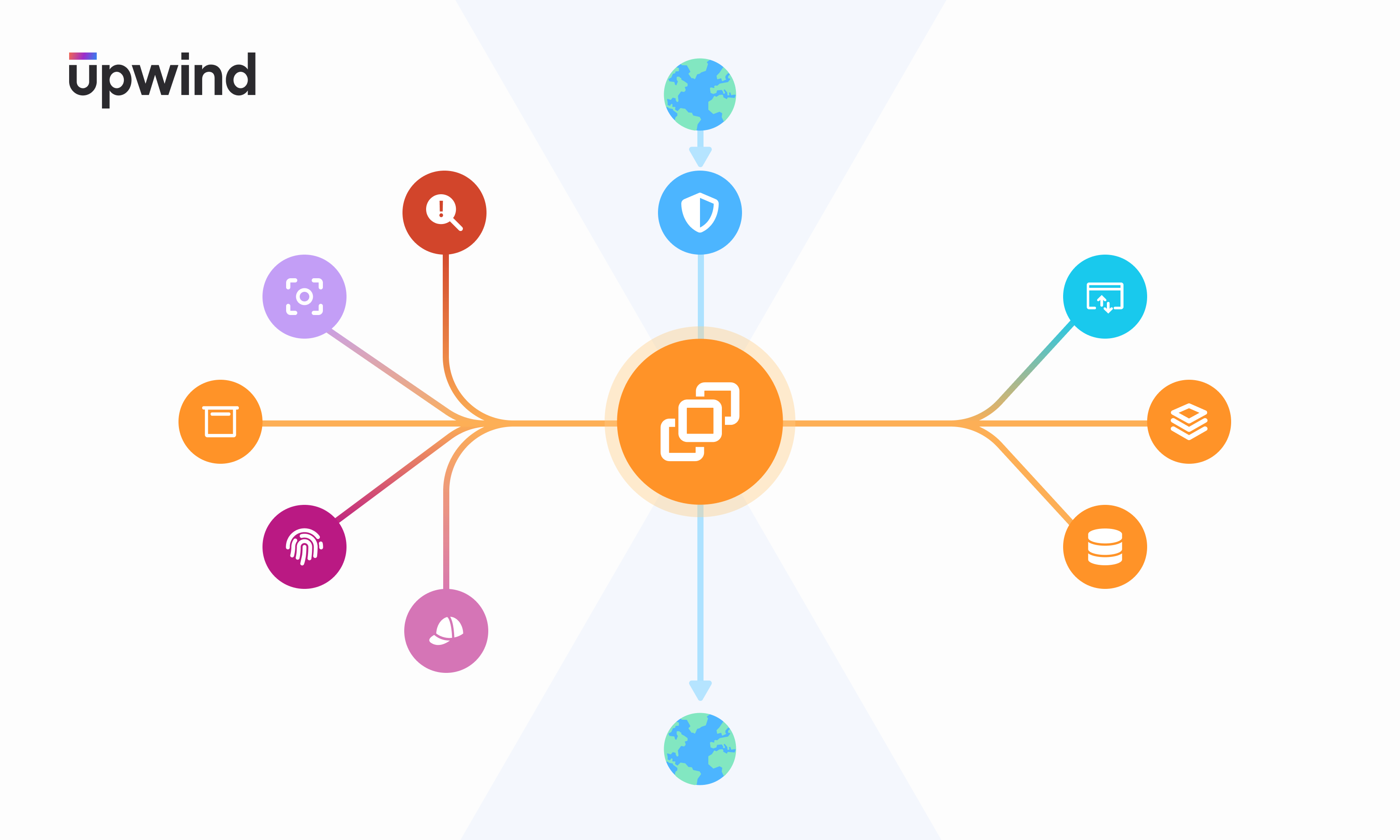
Diagram illustrating a central orange circle with various colorful icons branching out, representing concepts like security, communication, and technology. The Upwind logo is in the top left corner, and Earth icons connect vertically.

Automatically Discover Resource Connections & Behaviors with Upwind’s Orbital View

Denise Ashur September 03, 2024

Automatically Discover Resource Connections & Behaviors with Upwind’s Orbital View

We are excited to announce Upwind Orbital View – an easy, new way to visualize your most important resource information through holistic inventory mapping and dynamic network analysis, helping you rapidly understand your resources’ behavior and risks.

The Upwind Orbital View can be found in the Resource Overview section of the Upwind Topology Map, giving you the ability to easily visualize resource context, such as related images, storage, privilege attributes, identity roles with access, internet traffic, security groups, resource communication, compute resources and API endpoints.
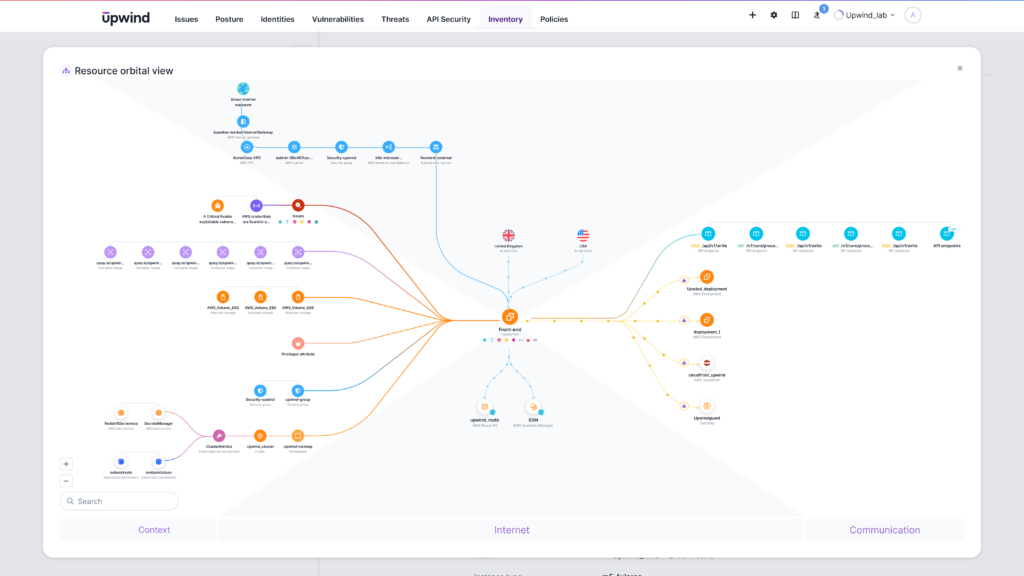
Upwind-Orbital-View-Full-View-1024x576

You can use the Orbital View to instantly understand the most important environmental context for each of your running resources, as well as drilling down on any of the categories for additional information, such as diving into specific ingress communication including ports, protocols and throughput. 
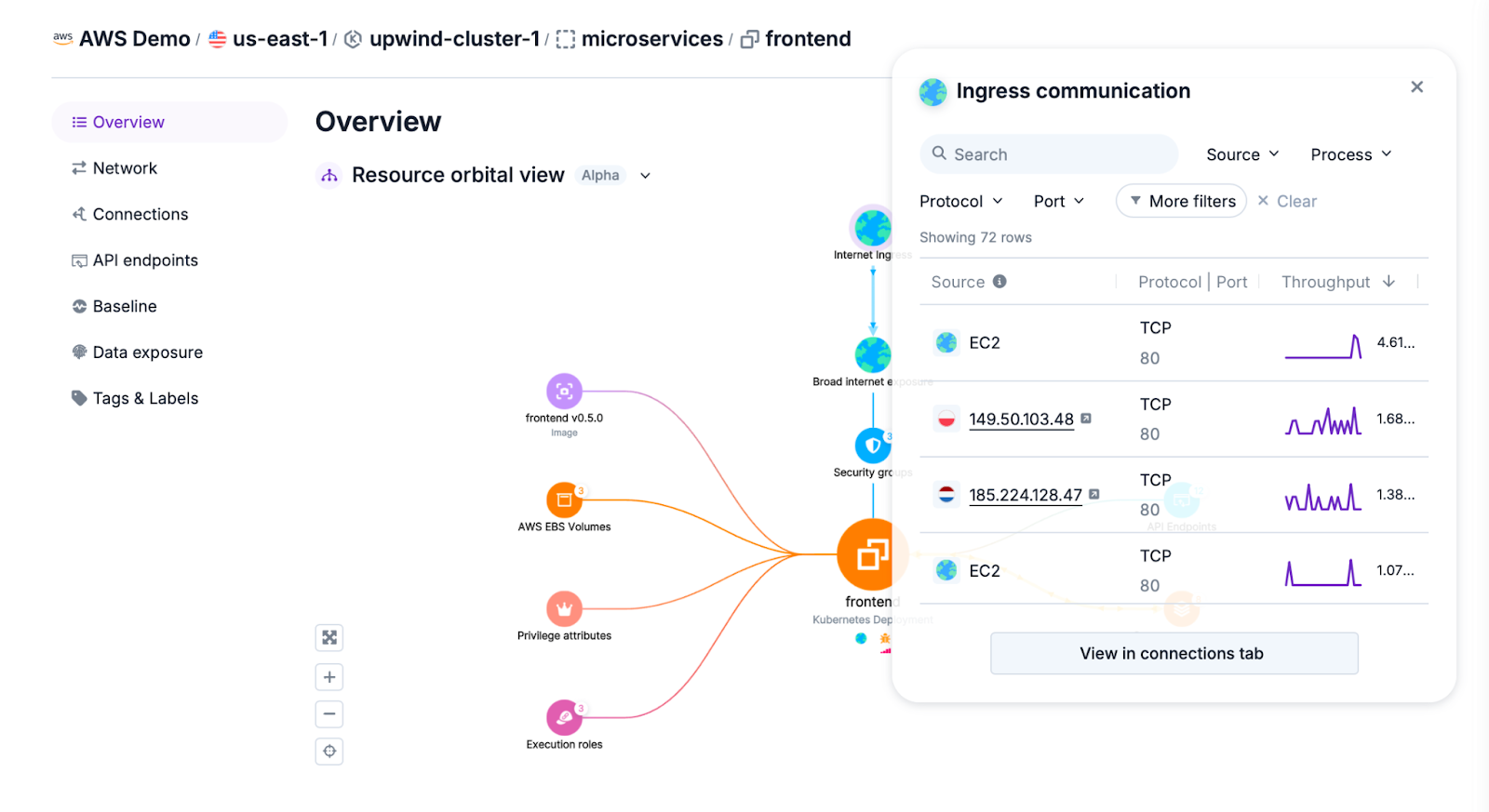
AD_4nXeYfIdgkc90cCROUM5W9ifPd83Up90qF5ePdAjH8pQG4LqKgVkmAz__kU1SHlL6d0euBNyKqxwew9843b93R7QXK1Jw6xtt3pzvF2HCuDSmcyhnJ88_OHm7s6jhlcLXyVzgs6SNUin00w9Baqtsar-ADgg?key=RtpjanCKnJeEg-4ysU47aA

The Upwind Orbital View brings together data from across the Upwind Cloud Security Platform, aggregating and correlating relevant context to help you easily visualize and prioritize resource behavior and risks.
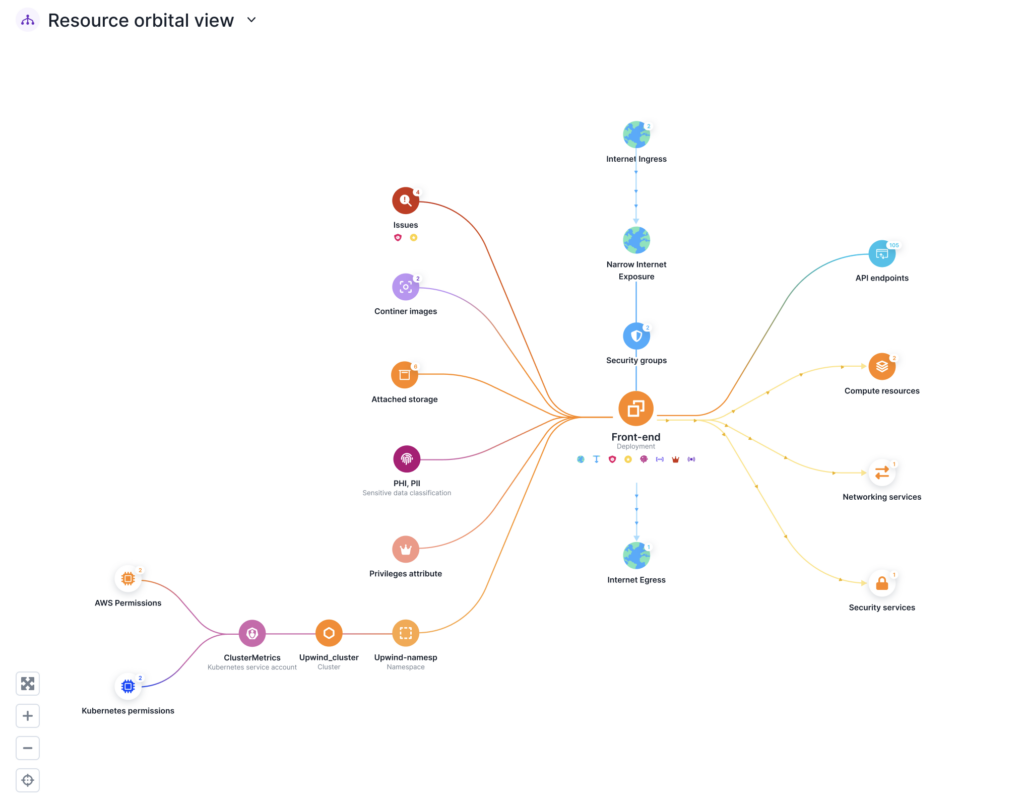
Screenshot-2024-08-28-at-8.45.45 AM-1024x805

Use Upwind Orbital View to quickly investigate resource connections and behaviors, giving you increased visibility, monitoring and risk prioritization for all of your running resources.
To learn more about Upwind Orbital View, schedule a demo.
Contents

Further Reading

Let Me Speak to Your Manager (Account)

Let Me Speak to Your Manager (Account)

The management account is the most privileged account in any AWS Organization. It controls SCPs, creates and deletes member accounts, manages IAM Identity Center, and is itself exempt from SCPs. Getting its 12-digit account ID is the first step in targeting it. The documented way to get it is organizations:DescribeOrganization - but security-conscious environments restrict…
Configuration-Focus

Introducing the new Configurations experience in Upwind

Compliance should not be a fire drill! Ask a security team how audit season goes and you will often hear a version of the same story. Someone pulls a list of cloud accounts. Someone else exports findings into a spreadsheet that is already outdated by the time it is shared. Screenshots get pasted into a…
What You Could Build If IAM Let You

What You Could Build If IAM Let You: New Policies From Undocumented Condition Keys

In the previous post, we mapped 36 condition keys that the IAM engine evaluates but has never documented. The decomposition model, the service-specific resource identifiers, the organizational metadata - all of it sitting in the request context, invisible unless you probe for it. That post was about discovery. This one is about what you can…
Add the Upwind RSS Feed to Slack
Connect the Upwind RSS Feed to your Slack.
Follow the how-to here.
Threat RSS
Add the Upwind RSS Feed to Slack
Connect the Upwind RSS Feed to your Slack.
Follow the how-to here.
Main RSS