
Upwind’s Non-Human Identity (NHI) Security streamlines your identity management and gives you the ability to easily view cross-account roles and their associated permissions.
Cross-account roles are incredibly useful for organizations with multiple AWS accounts and permissions, but they can also be difficult to monitor and secure. Upwind helps solve this problem by providing increased visibility and streamlining the monitoring of cross-account roles.
What are Cross-Account Roles?
Cross-account roles are IAM roles that enable an IAM user or AWS service in one AWS account to access resources in another AWS account.
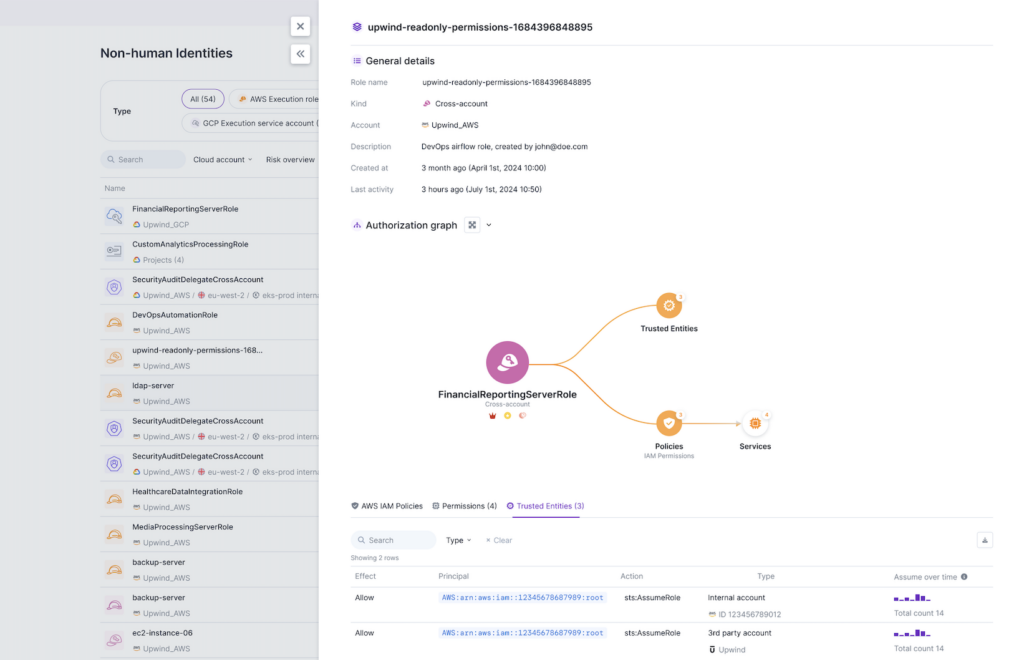
Cross-account roles are generally used to establish and grant access by sharing temporary security credentials between an account that is “trusting entity” and an account that is a “trusted entity” in AWS. In this case, the trusting entity contains resources and services that will be accessed by users belonging to the trusted entity, which is granted through a “trust policy.”
Once a trust relationship has been set up and the cross-account role is established, the user or group can then assume a role with temporary security credentials that allow it to access resources in the trusting account.
For example, if you wanted to allow a different AWS account to access a service in your account, such as a DynamoDB table, you could use a cross-account role to leverage an IAM role in your account (the “trusting entity”) and allow the other AWS account user (the “trusted entity”) to assume it for a specific duration, rather than creating an IAM user in your account and assigning it a long-term password or access keys.
Similarly, if you wanted to allow an EC2 instance in another account to access a service in your account, such as Apache Airflow, you could use a cross-account role to allow them to assume an IAM role in your account in order to access it for a set period of time.
How to Secure Cross-Account Roles
Upwind gives you the ability to view all cross-account roles and relevant information about their uses and permissions, answering the question of “who can assume a role, and what permissions do they have on which resources?”
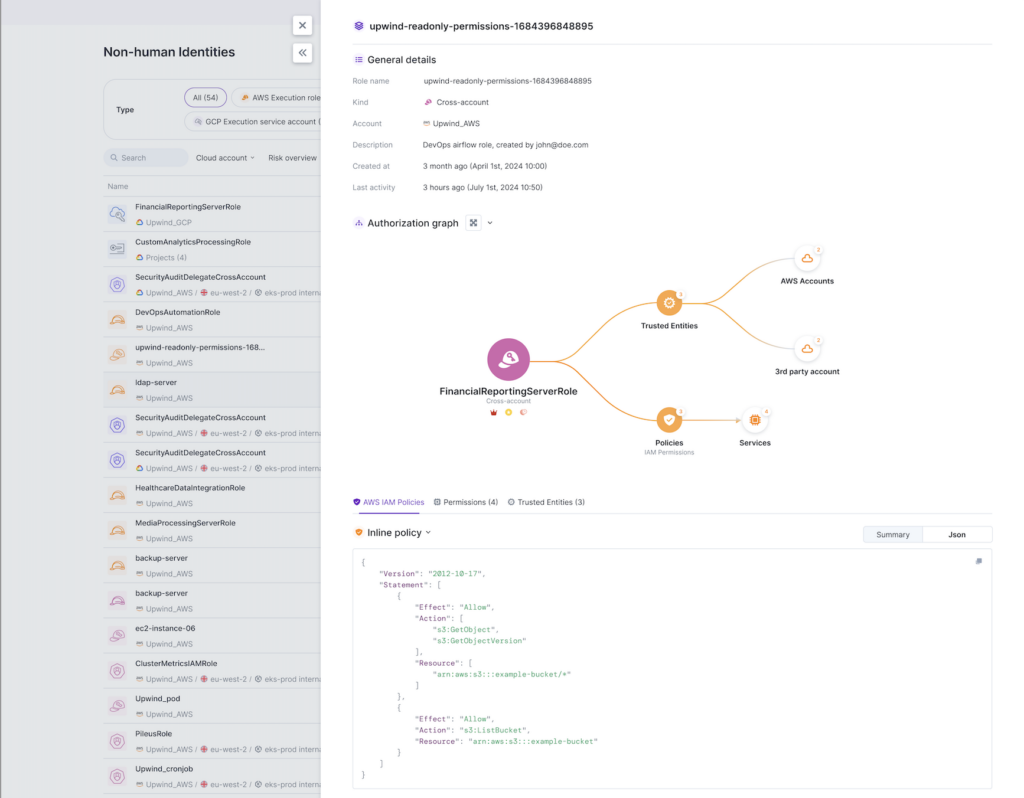
Using the Upwind’s Non-Human Identity Security, you can view the following:
- Cross-Account Role Details: Discover the name of the role, the associated account, and when it was created.
- Authorization Graph: Visually understand who can assume a role and what permissions they have on which resources.
- Trusted Entities: View a list of AWS users who are “trusted entities,” meaning that a trust policy has granted them access to an account’s resources and services, or allowed them to assume a particular IAM role and its associated permissions.
- Resources overview: View all resources currently assuming a given role
- Highly Privileged Permissions: Automatically identify if a cross-account role’s permissions include highly privileged permissions.
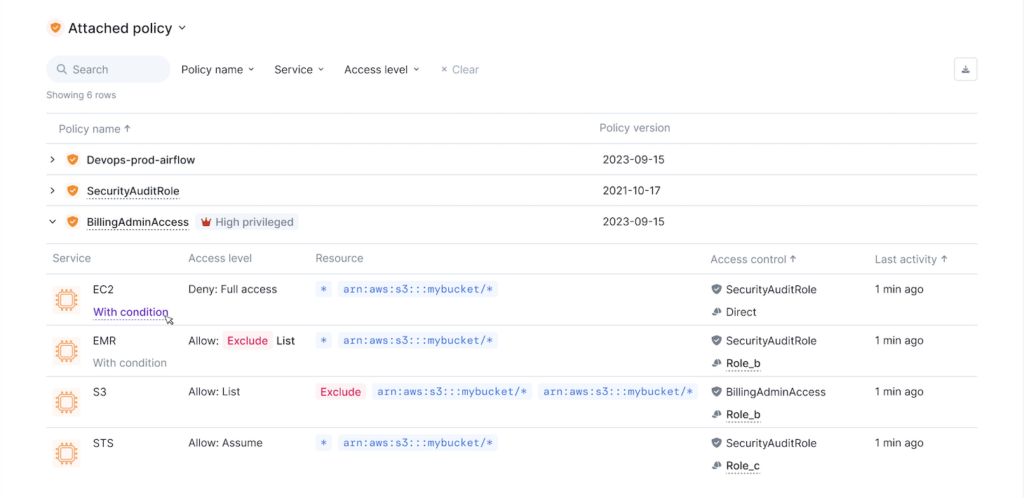
Use Upwind’s Non-Human Identity Security to easily monitor your cross-account roles, view resources currently assuming roles, and easily understand who can assume a role and what permissions they have on which resources.
To learn more about Upwind’s Non-Human Identity Security, visit the Upwind Documentation Center (login required) or schedule a demo.