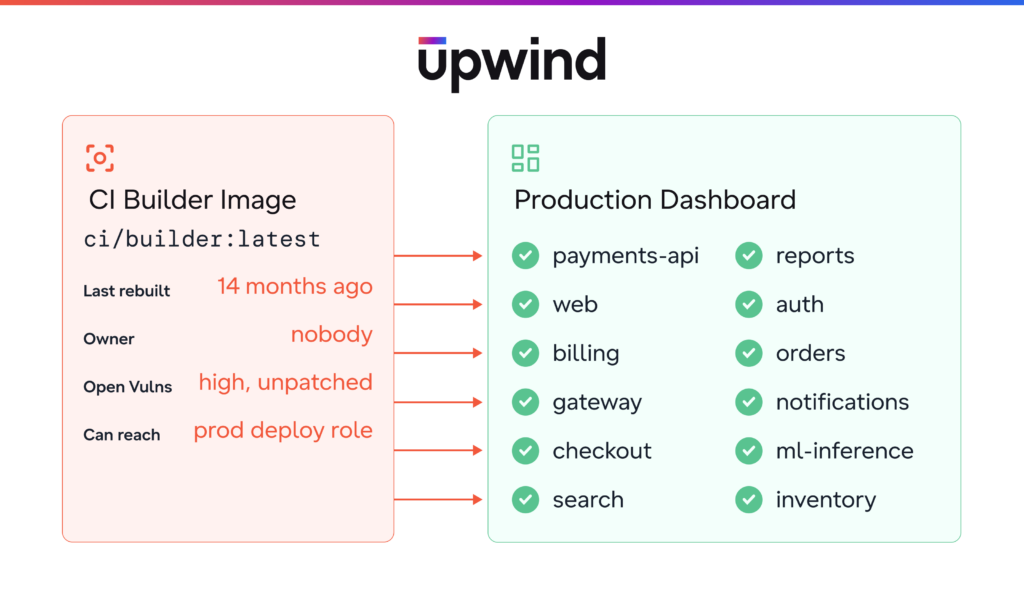

How to find, rank, and trace the most privileged containers in your cloud before an attacker does
Key Takeaways
- Build images hold deploy roles, registry push rights, and signing keys. Yet risk models that rank by internet exposure score a CI builder below a public API.
- Build jobs finish before a scheduled scan arrives. And the runner image often has no owner: security assumes platform owns it and platform assumes security scans it.
- Cloud and AI security platforms already scan registries. Upwind also ties each CI image to what it can reach and what it built, so “are we affected?” takes minutes instead of days.
Every recent supply-chain attacks hit the build path
Someone reports a compromise in a popular CI dependency, and security asks one question in the incident channel: “Are we affected?” Production dashboards are green, runtime alerts are quiet, and vulnerability reports show nothing new on any internet-facing workload. Three days later, the team is still exporting registry lists into spreadsheets. Nobody can say what the build agents can reach.
That’s how some of the best-known supply-chain attacks played out. In 2020, attackers compromised SolarWinds’ build system rather than the product itself. A backdoored update reached about 18,000 customers. In 2021, attackers used a credential exposed in Codecov’s Docker image build process to tamper with a CI script. For about 2 months, that script stole secrets from customer pipelines. In 2024, a poisoned build pipeline published crypto-mining releases of Ultralytics, a popular computer vision library. And in 2025, a compromised GitHub Action dumped CI secrets into build logs. That action, tj-actions/changed-files, ran in more than 23,000 repositories.
Every one of these attacks landed on the build path. Yet production monitoring had nothing to say about any of them. The stakes are high because build images hold deploy roles, registry push rights, and signing keys. If an attacker compromises one, every image it ever produced becomes suspect.
CI/CD images slip past standard security controls, and ranking them by exposure gets the risk backwards. Here is how to scan, classify, rank, and trace them, including when your CI runs on someone else’s infrastructure.
Images build images, and nobody ranks the builder
Take a pipeline running in a tool like Buildkite. An agent pulls a container image, which might be a builder, a deploy tool or an ML training image. That container checks out source code, takes on a cloud role, builds new images, signs them, pushes them to the registry and deploys them to production. Then it disappears.
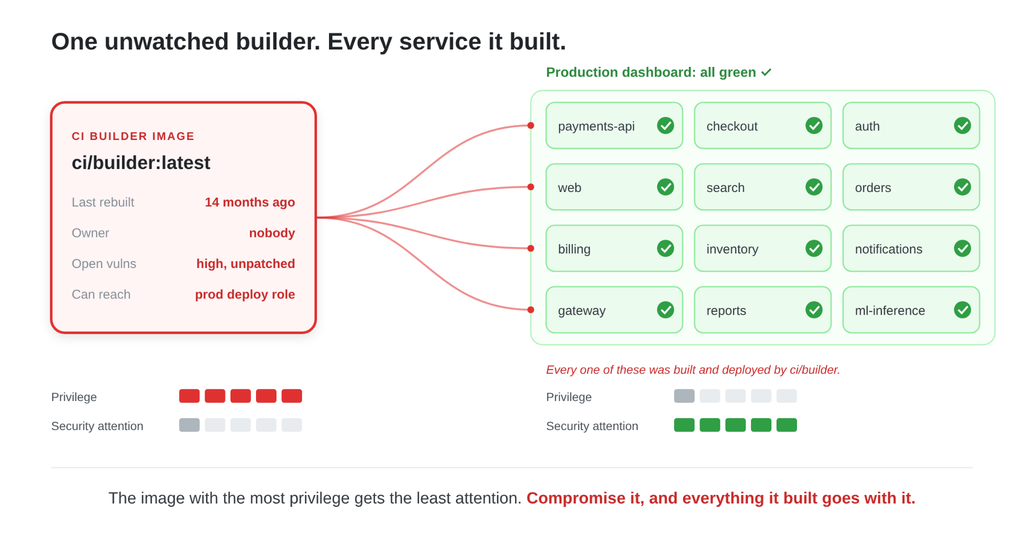
Security controls focus on what the pipeline produces, while the privilege lives in the image that runs it.
Because these images carry the label “not production,” three things go wrong:
- Prioritization ignores them. Most risk models rank findings by production and internet exposure, so a critical vulnerability in a builder image scores below a medium one in a public API.
- Runtime scanning misses them. A build job lasts seconds or minutes and is gone before a scheduled scan arrives.
- Nobody owns them. The platform team built the runner image once, over a year ago. Since then, security has assumed platform owns it, and platform has assumed security is scanning it.
Put the control in the registry and at runtime
We considered four places to put the control.
In the pipeline
Scanning inside the pipeline is the most common answer. But it only checks the images a pipeline builds, not the image the pipeline runs on. If an attacker compromises the builder itself, the scan runs inside a compromised job.
In the registry
The registry is where every image waits between build and run. It’s also the one place a short-lived CI image stays put. Every agent pulls from it, however long the job runs. It also keeps working when you don’t own the runner, because you don’t install anything where the job runs.
At admission
Admission control can stop unapproved images from entering a cluster. But build agents often run outside those clusters, and an approved image says nothing about what that image can access.
At runtime
Runtime is the ground truth. When the Upwind Sensor sits on a self-hosted build agent, it sees what the job did: which role it assumed, what it pulled, what it pushed, and whether it ever loaded a vulnerable package. The problem is the jobs it can’t see. A hosted runner is gone in 90 seconds, and you can’t install a sensor on infrastructure you don’t own.
So the answer is both: the Upwind Sensor wherever it can run, and the registry for everything it can’t see.
Find the builders that can hurt you
Most vulnerabilities in cloud workloads come from the packages and base images inside container images and, increasingly, from the tools that build them. The registry is where all of those sit. Registry scanning answers “what’s in the image?” But to answer “does it matter?”, you need three more pieces of context: the image’s role, its reach, and its lineage.
Scan where the images sit still
Start by connecting every registry your build agents pull from, not just the repositories that hold application images. That means the repositories for CI tools, base images, deploy tooling, and ML, plus any mirrors or caches in between.
One lesson we learned early is that an image’s name doesn’t tell you which version ran. “builder:latest” today may be a different image from “builder:latest” last month. Track findings against each exact version (its digest), and map every tag that points to it back to that digest. Otherwise, there’s no reliable way to answer “was this image vulnerable when it ran?”
Classify every image by role
You can’t prioritize what you can’t name. Upwind labels each image as a production workload, CI/CD tooling, test or dev, a base image, or an ML training image. It bases the label on where the image runs, what it is, and how it gets pulled.
In practice, one image can play more than one role. For example, teams often reuse a “tools” image for both CI jobs and a long-running operations service. It’s safer to treat role as a set of labels and to judge the image by its most privileged use.
Rank CI images by what they can reach
A build image is almost never internet-facing, so exposure-based scoring consistently underrates it. Instead, Upwind ranks it by what it can reach: deploy roles, registry push rights, signing keys, and secrets. For ML images, that also means sensitive data. That reverses the usual ranking:
| Image | Worst vulnerability | Internet-facing | What it can reach | Priority |
| CI builder | High | No | Deploy rights in every production account | 1 |
| ML training image | Medium | No | Raw customer data | 2 |
| Public API | Critical | Yes | One service and one storage bucket | 3 |
| Test runner | Critical | No | Nothing outside the test account | 4 |
The riskiest settings often hide in cloud trust policies. A single overly broad rule can let any pipeline, on any branch, take on a production deploy role. Tightening those rules to specific pipelines and branches turned out to be one of the fastest wins.
Trace each builder to everything it built
When an attacker compromises a builder, the question changes from “is this image vulnerable?” to “what did it produce, and where is that running now?” For each builder, Upwind lists every image it produced. For each of those images, it shows where the image runs today, whether it’s internet-facing, and who owns it.
That single view is both the blast radius and the remediation list: what to rebuild, who owns it, and which credentials to rotate. Older images often have no build record at all. It’s worth flagging them as findings in their own right rather than leaving them out.
When you don’t own the runner
Many teams run their pipelines on third-party hosted CI, such as GitHub-hosted runners, Buildkite hosted agents, CircleCI, or Bitbucket Pipelines. The job runs on the vendor’s infrastructure. There’s no way to install a sensor on the runner or deploy a scanner next to it. Jobs also tend to pull public images and third-party plugins that never pass through your own registry. tj-actions hit exactly there: a third-party action running on hosted runners, outside anything its victims controlled.
You may not own the runner, but the job still has to touch three things you do own.
The images it pulls
Route public images through a registry you control and pin them to a specific version. That brings them into view of registry scanning without installing anything on the runner. Third-party actions and plugins are code rather than images, so pin and review them in the pipeline itself.
The cloud role it uses
The runner belongs to the vendor, but you define the role it takes on in your own cloud account, so Upwind can still measure what that role can reach. Your cloud audit logs also record every time a pipeline uses the role. With no sensor in the job, your warning sign is an unexpected pipeline taking on a deploy role, or a CI role that starts reading secrets.
The images it produces
Outputs land back in your registry and run in your clusters, so tracing each builder to the workloads it created works as it does with self-hosted agents.
Hosted CI takes the runner out of reach, and with it visibility inside the job and into third-party plugins. But it doesn’t take away your registry, your cloud permissions, or your audit logs. You keep visibility of everything the job can touch. For blast radius, that’s the part that matters.
Give build images the same scrutiny as production
A builder that can push, sign, or deploy is as dangerous as anything in production. Rank it by the deploy roles, signing keys, and secrets it can reach. Start with these five steps:
- Connect every registry your build agents pull from, including mirrors and base-image repos.
- Route public images through a registry you control, and pin third-party actions to a full commit SHA.
- Scope every CI trust policy to specific pipelines and branches.
- Flag runner images older than 6 months, or with credentials baked into layers.
- For each builder, list the images it produced and where they run today.
If you want to see which of your runner images can deploy to production today, book a demo, and we’ll map your build path with you.