
Introduction
When you deploy an AI agent to AWS Bedrock AgentCore Runtime, your code runs inside a Firecracker microVM – but it doesn’t run alone. In this three-part series, we tear down the platform internals, document what we found, and assess how well the isolation holds up.
Setting the Stage
AWS Bedrock AgentCore Runtime is pitched as a managed execution environment for AI agents. You bring your agent code and AWS provides the runtime with pillars of enterprise capability such as: identity management, sandboxed tooling, microVM isolation, gateway, observability, etc.
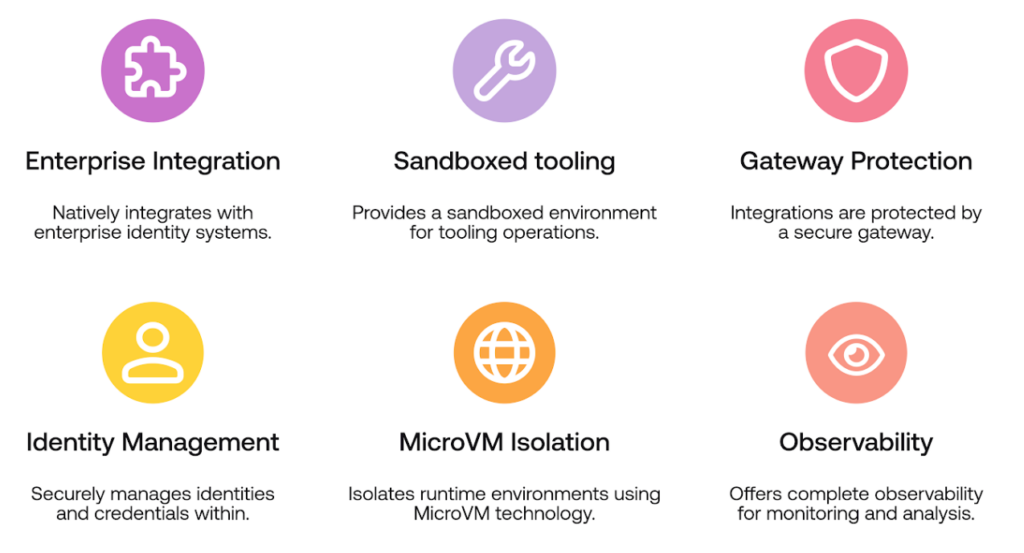
AgentCore Runtime feature overview core pillars
The research question was straightforward: what actually runs inside this microVM alongside your code?
AgentCore supports two deployment methods – uploading agent code to S3, or pointing to an ECR container image. We chose ECR because it was easier to bake arbitrary tools into the image.

AgentCore console showing the “Agent source” picker – S3 Source vs ECR Container
We built a container image with netcat installed, deployed it as an AgentCore Runtime, and connected back with a reverse shell. From that terminal session, we started probing.
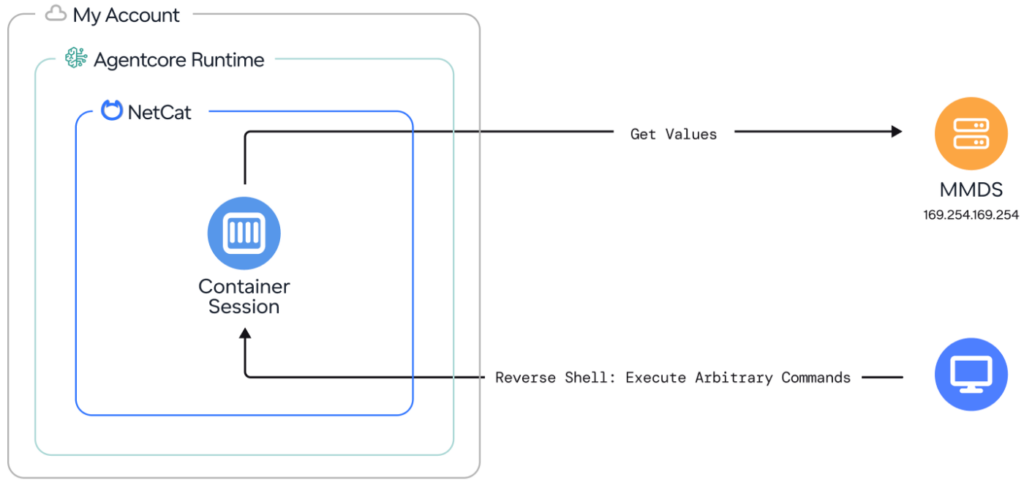
Research setup: reverse shell via netcat into the container session, then probe MMDS
The MicroVM Metadata Service
The first target was the metadata service at 169.254.169.254. In a Firecracker microVM, this is the MMDS (MicroVM Metadata Service) – the equivalent of EC2’s Instance Metadata Service (IMDS), but provided by the Firecracker hypervisor directly.
Enumerating the MMDS paths revealed these entries:
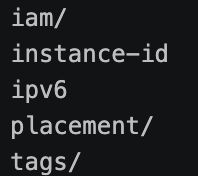
MMDS path enumeration results
A quick check of the IAM credentials confirmed they belonged to our own configured role – not a foreign identity.
The tags endpoint was more interesting. Alongside standard metadata, two entries stood out:
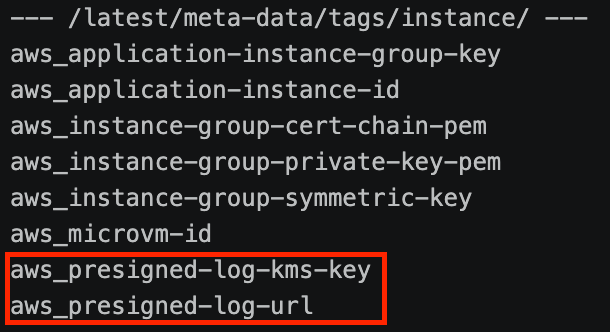
Unusual MMDS tags
Curling the presigned log URLs revealed something we weren’t expecting:
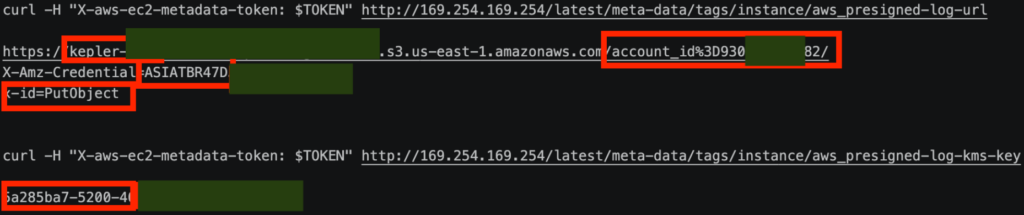
Presigned log URL output showing “kepler” bucket name, AWS-internal account ID, ASIA credentials, and PutObject action.
The URL pointed to an S3 bucket in an AWS-internal account – kepler-... – with embedded temporary credentials (ASIA...) and a single allowed action: PutObject. A KMS key ID was provided alongside it for server-side encryption.
We were looking at the logging pipeline for “Project Kepler.” The Runtime ships internal platform logs to an AWS-owned S3 bucket using pre-signed URLs delivered through the metadata service.
We confirmed the write path worked – a PutObject to the kepler bucket succeeded with HTTP 200 and returned the full KMS key ARN:
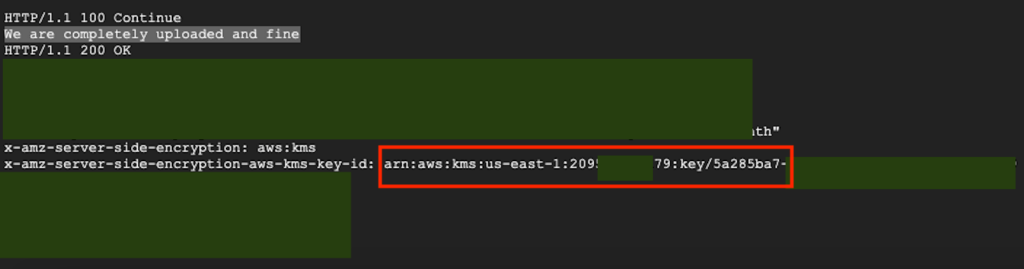
Successful PutObject returning the full KMS key ARN
To understand who’s behind the identity embedded in the presigned URL, we used two techniques:
First, we ran aws sts get-access-key-info against the ASIA… access key embedded in the presigned URL to identify the owning account:

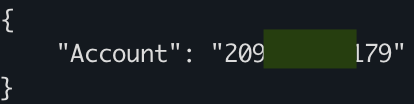
Result: the credentials belong to an AWS-internal account
This confirmed the credentials belong to an AWS-internal account, not our own – the logging pipeline runs under AWS’s identity.
Second, we set a VPC Endpoint Policy with an explicit deny and replayed the PutObject request – the resulting AccessDenied error leaked the full IAM role ARN:
VPC Endpoint Policy deny error leaking the IAM role ARN behind the presigned URL credentials
Meanwhile, running tcpdump revealed constant metadata pulls – something inside the microVM was periodically requesting the presigned log URL from MMDS:
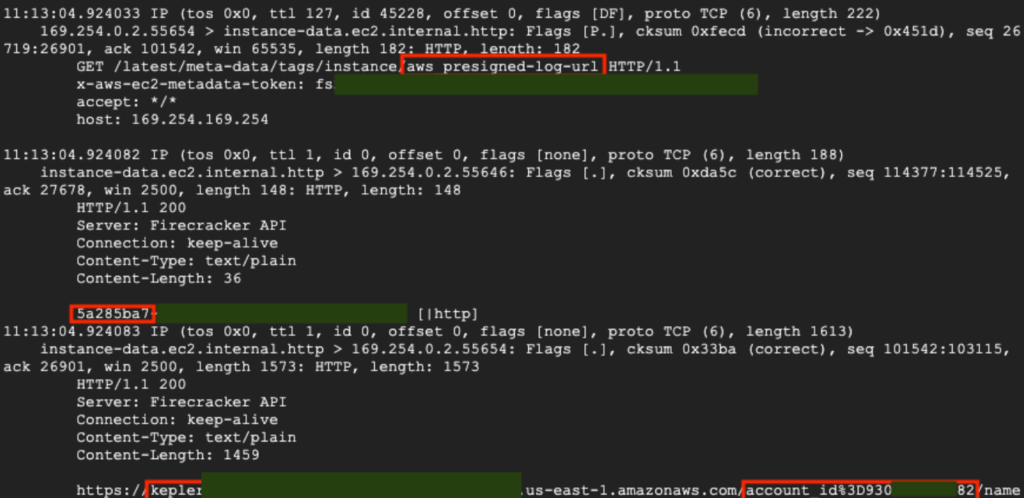
tcpdump output showing periodic GET requests for aws_presigned-log-url
Our container wasn’t alone. Something else was running inside this microVM, periodically reading the log configuration from MMDS and shipping logs to AWS’s internal S3 bucket.
The question became: who is sending these logs?
Container Escape – Breaking Out of the Box
To answer that question, we needed to see what was running outside the container and some extra privileges. That meant a container escape.
Container escapes typically require two preconditions: an exposed container runtime socket, and overly permissive Linux capabilities. We checked both.
Docker socket: Not present.

Probe for docker socket
Containerd socket: Present, with read/write permissions. And we were running as root.

Probe for containerd socket
Linux capabilities: CAP_SYS_ADMIN was present, along with a few other capabilities.

Probe for linux capabilities
Both preconditions met. The escape technique was textbook: use the containerd socket to launch a new privileged container with the host filesystem mounted.
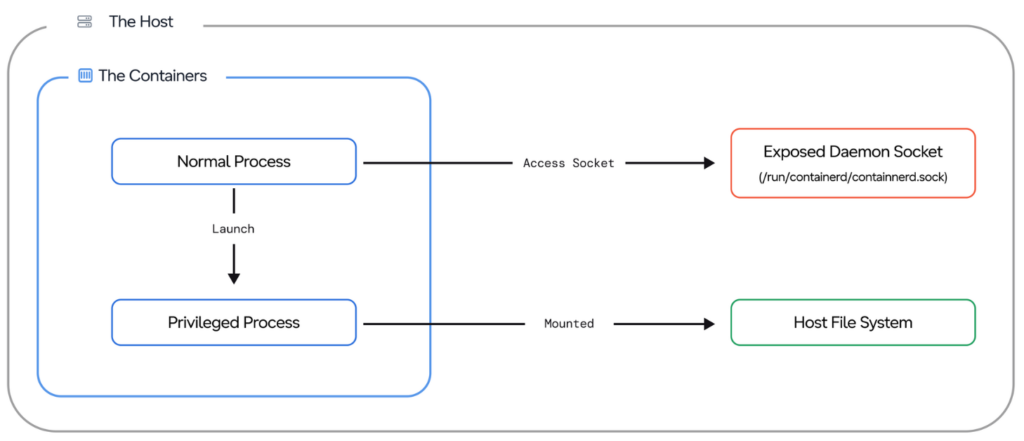
Container escape flow
This technique revealed the AgentCore platform binaries among them: Agent, Proxy, Logger, and Sandbox. These are the internal components of Project Kepler, running alongside your code in the microVM. The Logger was our periodic MMDS reader.
*Later on, AWS GA’d InvokeAgentRuntimeCommand – a public API that executes commands inside the running agent container via ctr exec. This is the same privileged context where the escape primitives live. The original escape required deploying an image with tooling baked in, this API removes that precondition. Any principal with the IAM permission can reach the escape against an unmodified agent.
Conclusion
In this post, we explored the internals of an AWS Bedrock AgentCore Runtime microVM – starting from a reverse shell, through the MicroVM Metadata Service where we discovered presigned URLs pointing to an AWS-internal S3 bucket and a hidden logging pipeline, to a container escape that revealed four platform binaries running alongside our code.
Next time, we’ll turn that foothold into something more creative – hijacking AWS’s own logging pipeline through an MMDS man-in-the-middle, intercepting the platform proxy’s TLS traffic to capture live invocation requests, and forging internal JWTs to invoke container sessions off the books.
This research was presented at Cloud Village, DEF CON, by Dan Gansel of Upwind Security.