
We’ve all been there: it’s 3:00 PM on a Friday, and you get that “quick” request for a specific security status report. Suddenly, your afternoon is gone as you juggle filters, export CSVs, and try to explain to someone outside the security team why these numbers actually matter. Reporting shouldn’t feel like a fire drill or a manual tax you pay just to do your job.
Upwind captures incredible real-time context, everything from active vulnerability exposure to workload behavior. Still, we know that the real value only happens when that data is in the right hands, in the right format, at the right time.
While our platform excels at capturing the live, runtime pulse of your environment, custom reporting is how you take that visibility and turn it into action. It’s about taking the live context we capture every second and putting it into the hands of the engineering, compliance, and leadership teams who need to move on it.
Every Team Needs Their Own Version of the Truth
Let’s be honest: the data is usually there, but it’s not always in the shape people need. Your CISO needs a high-level narrative for the board that shows trends and progress. Your engineering leads need a prioritized, scoped list of findings before their Monday standup. And your compliance folks? They just need the evidence mapped to their specific controls so they can get through an audit without a headache.
Getting security data into the right shape for the right audience is time-consuming. Filters have to be configured, exports formatted, and context translated for people who aren’t living inside the tools every day. And because it’s manual, it happens inconsistently, which means there’s no clean way to show whether things are getting better or worse over time.
Custom reporting gives every team a structured, repeatable starting point. It uses that same runtime context as the foundation, but lets you build a view that actually makes sense for the person reading it.
Reports That Fit How You Already Work
Upwind Reports lets you turn the views you already care about into saved, reusable reports. If you’ve spent months refining a board or a specific set of filters for a cluster, you shouldn’t have to do it again just to share the results.
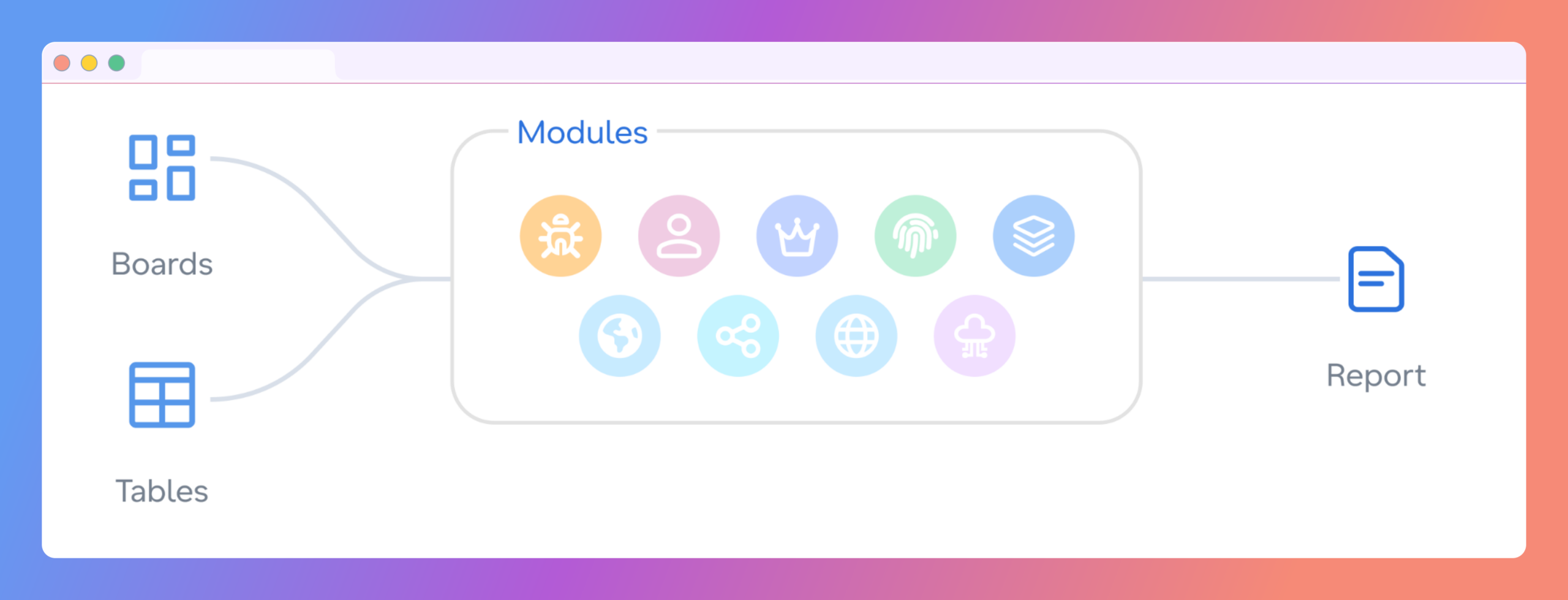
The most valuable context a security team has is the context it’s already created. The board a CISO has spent months refining. The saved view an engineer runs every morning. The filters tuned to a specific cluster or business unit. Reports are built from that existing foundation which means setup is fast and every report is consistent with the last one.
Save as Report is available directly within every table view and board view across the platform. When a team finds a view that reflects exactly what they care about, they can turn it into a saved report instantly with all relevant settings pre-populated.
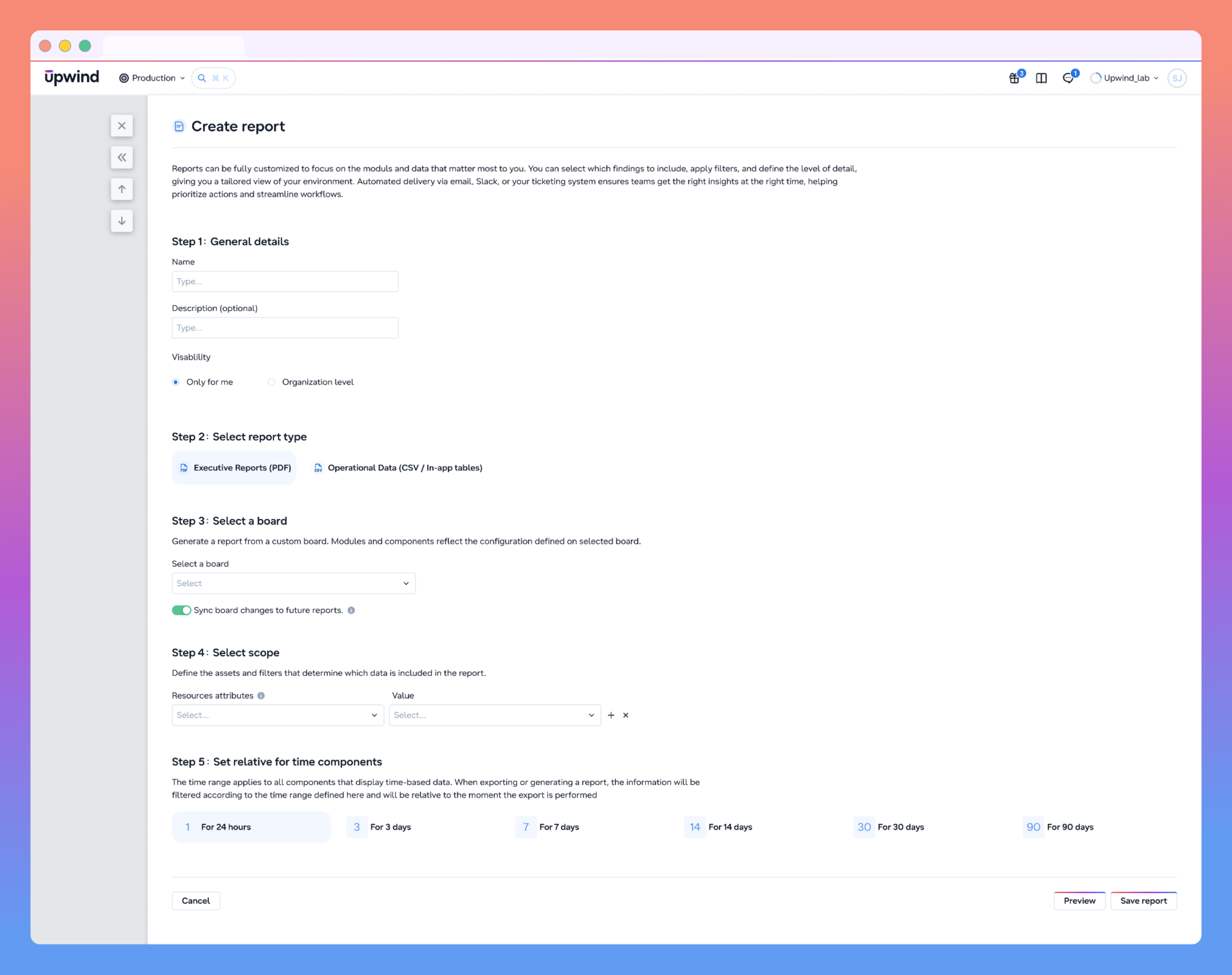
Two report types reflect the different jobs security data has to do:
Summary Reports are your go-to for leadership. You can export your existing boards as a PDF, showing trend data and risk summaries that provide the context executives need without requiring them to log into the platform.
- Export any existing custom board as a PDF, complete with trend data, risk summaries, and the context executives need without logging into the platform
- Enable “Sync board changes to future reports” and every future generation automatically reflects the latest board configuration
- Set a relative time range for time-sensitive components: last 24 hours, 7 days, 30 days, or 90 days
Operational Data Reports are for the folks on the ground. Whether you’re looking at vulnerabilities, identities, or APIs, you can pick exactly which fields matter, like CVSS scores or exploitable functions in use, and order them in a way that actually helps your team work faster.
- Select any security module: Vulnerabilities, Threats, Identities, Configurations, APIs, Data Security, Code, or Inventory
- Choose exactly which fields to include and define their order: CVSS score, EPSS score, SLA status, exploitable functions in use, known exploits, first seen, and dozens more depending on the module
- Pull from an existing saved view as the report scope, no need to reconfigure filters already in use
All reports are managed from the Components > Reports page, where teams can search, filter, and download on demand. Visibility controls let users keep reports personal or share them at the organization level. RBAC governs who can create, edit, and delete reports, and every action is captured in the audit log.
What Teams Can Do With Upwind Custom Reporting
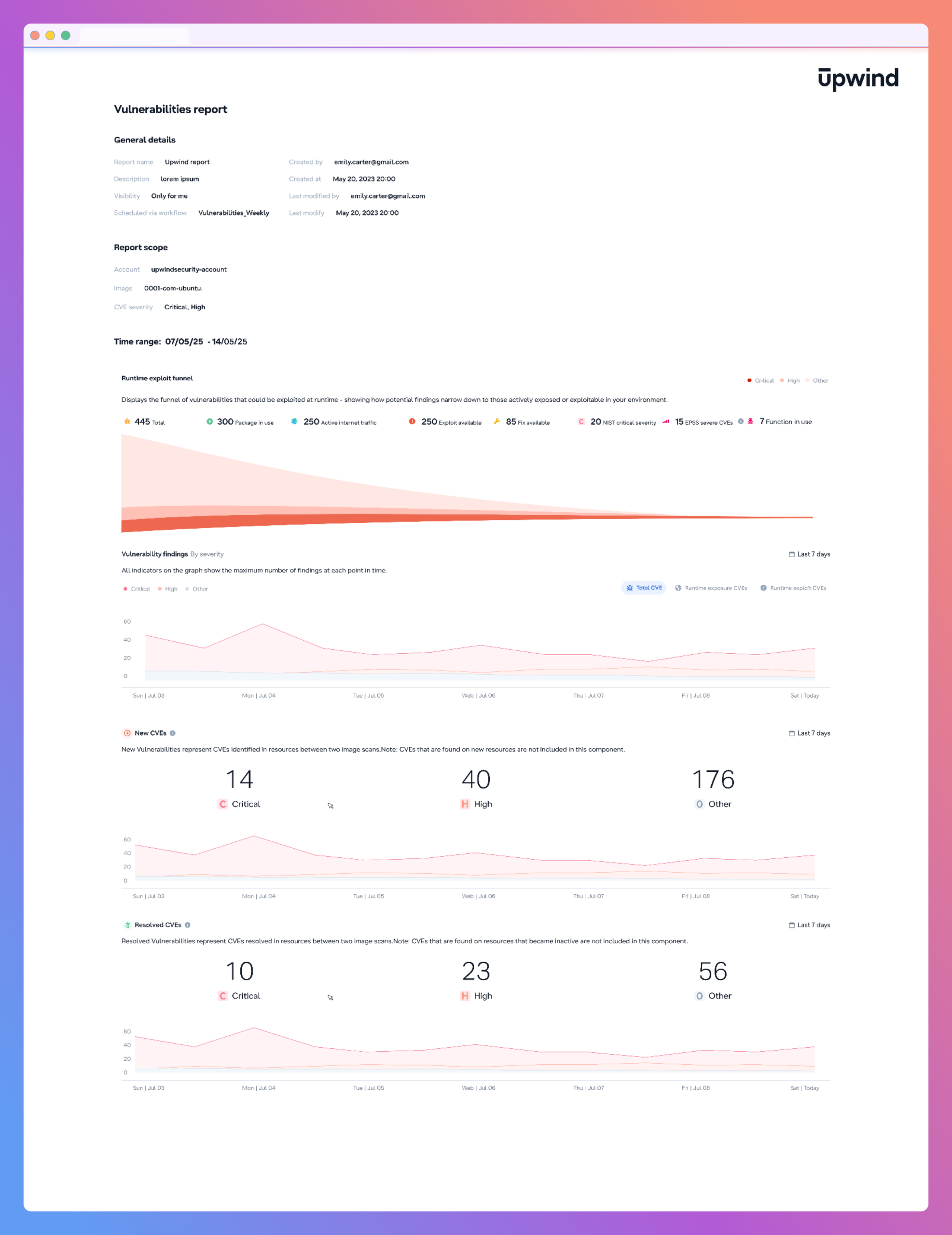
- Weekly remediation cycles stay accountable: An engineering lead runs the same scoped Vulnerabilities report every week, same cluster, same fields, same order. What’s open, what’s overdue, and what was closed are tracked consistently.
- Executive reporting stops being a fire drill: A CISO connects a Summary Report to a board tracking critical vulnerability counts, mean time to remediate, and identity risk exposure. Before every leadership review, they generate a PDF. The board evolves as the program matures. The report stays current automatically.
- Audit evidence is ready before anyone asks: A compliance engineer generates a Configurations report scoped to the accounts and frameworks under review, with columns mapped directly to control evidence requirements ready on demand.
- Identity exposure gets a consistent baseline: As AI workloads introduce new service accounts and automation roles, a monthly Identities report gives security leaders a repeatable measure of whether exposure is expanding or being contained.
Upwind Reports is available now across all security modules. Schedule a demo to see how your team can start getting the right security data to the right people.