Get a Demo
Under Attack?
Gradient background with soft orange, pink, and purple hues. The image features two logos: upwind on the left with a multicolored bar over the u, and splunk> on the right with a vertical line separating them.

Seamlessly Export Upwind Findings to Your SIEM with Upwind’s Splunk Integration

<br />
<b>Warning</b>:  Undefined variable $photo in <b>/nas/content/live/landing173/wp-content/themes/bricks/includes/elements/code.php(236) : eval()'d code</b> on line <b>33</b><br />
<br />
<b>Warning</b>:  Trying to access array offset on value of type null in <b>/nas/content/live/landing173/wp-content/themes/bricks/includes/elements/code.php(236) : eval()'d code</b> on line <b>33</b><br />
Joshua Burgin March 18, 2025

Seamlessly Export Upwind Findings to Your SIEM with Upwind’s Splunk Integration

We are excited to announce a new addition to Upwind’s built-in integrations, seamlessly connecting Upwind and Splunk. This new integration makes it easier than ever to export Upwind’s runtime-powered findings to your SIEM.

What is Splunk?


Splunk is a security information and event management (SIEM) platform designed to search, monitor, and analyze machine-generated data from various sources – including applications, systems, and IT infrastructure. Splunk gives organizations real-time insights into their operations by collecting and indexing data, allowing them to search data and create reports and alerts.
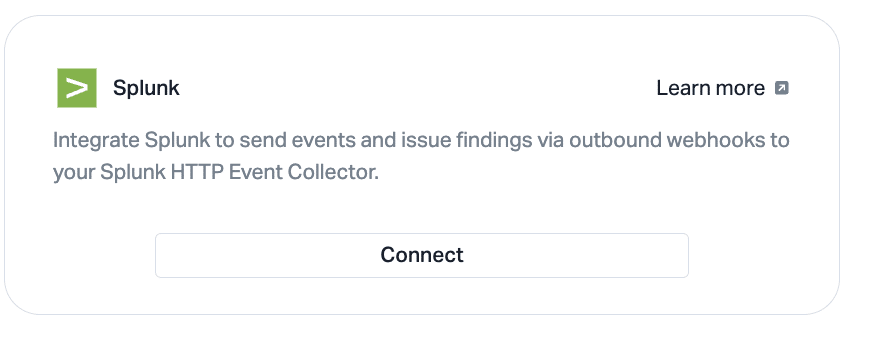
Interface screenshot with Splunk logo and text about integrating Splunk to send events via webhooks to Splunk HTTP Event Collector. Features links Learn more and a Connect button.

Upwind’s Splunk Integration

Upwind’s Splunk integration empowers users to receive additional context for security findings, helping security teams correlate Upwind’s runtime insights with other threat intelligence sources in Splunk. This enables faster incident investigation, improves alert prioritization, and enhances response workflows by linking vulnerabilities to real-time attack attempts and system behaviors. Using this integration, users can utilize Splunk’s powerful data analytics capabilities to analyze security events from Upwind, enriching security findings with real-time visibility and advanced correlation with other data sources in their environment.
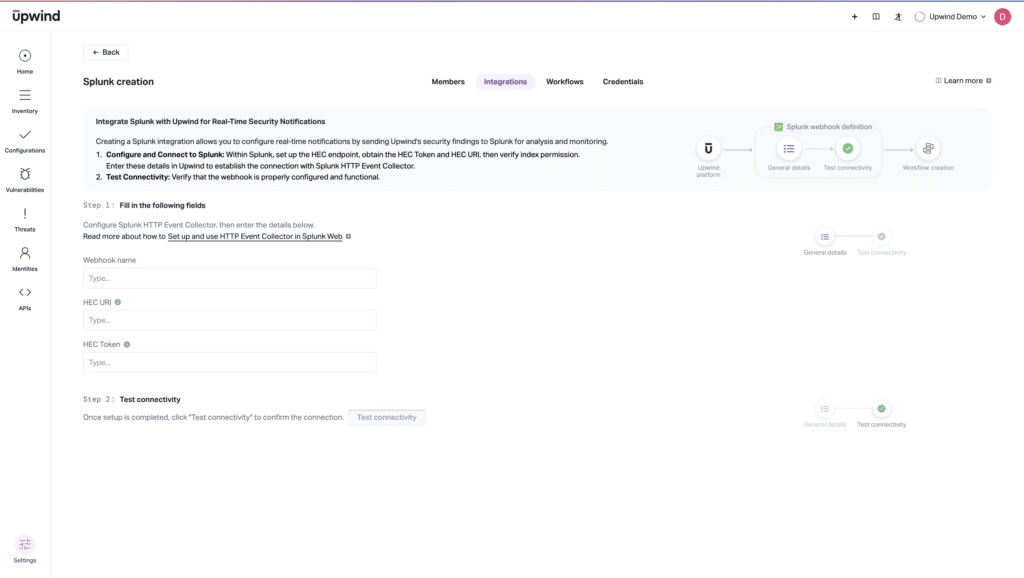
Screenshot of the Upwind interface showing the Splunk creation page. It includes instructions for integrating Splunk, fields for Webhook name, HEC URL, and Token, along with buttons for testing connectivity and saving the connector.

How to Integrate Splunk with Upwind 

Integrating Upwind with Splunk allows users to send security findings and event notifications to their Splunk deployment using the Splunk HTTP Event Collector (HEC). This integration enables real-time security insights and streamlined log management.

Users can easily set up the integration by completing the following steps:

  1. Complete the prerequisites such as setting up a HEC token and HEC URI and ensuring indexing permissions with Splunk
  2. Log into the Upwind console and navigate to the Integrations Tab.
  3. Click on the Splunk integration in the Monitoring & Logging section.
  4. Click “Connect.”
  5. Set the webhook name, HEC endpoint, and HEC token.
  6. Test connectivity.

Leverage Upwind’s Splunk integration to streamline data analytics and enrich security findings with Upwind’s real-time monitoring and contextualized insights, and reduce response times by enabling faster detection and investigation of threats. To learn more about Upwind’s Splunk integration, visit the Upwind Documentation Center (login required) or schedule a demo.
401 Authorization Required

401 Authorization Required


nginx
Contents

Further Reading

Superhuman AI

Security AI Needs an Honest Scoreboard: What It’s Superhuman At, and Where It Comes Up Short

If you follow AI at all, you know the leaderboards. Every few weeks a model takes the top spot, and we all check where our favorite landed. But a leaderboard only tells you who's ahead, and it stays quiet about where any of those models still come up short. Which, conveniently, is the part that…
Focus Mode

Find What Matters with Upwind Focus Mode

Focus Mode is now available in the Upwind platform, giving security teams a faster, more focused way to work. Instead of navigating across the platform, you can switch to Focus Mode to slice and dice the Upwind platform by Vulnerability Management, Cloud Security Posture, Attack Surface Management, Administration, or Threats, and starting next week, AI…
Early Advisories

Introducing Early Advisories: Turn Emerging Threats into Action

We’re excited to introduce Early Advisories as part of the Upwind platform. Powered by Upwind's security research team, Early Advisories notify customers about emerging threats, including zero-days and supply chain attacks, before they receive a CVE identifier. Early Advisories are published directly into the Vulnerabilities module alongside CVE-based findings and automatically correlated with your live…