
Upwind provides end-to-end network visibility for cloud environments, visualizing the entire network flow including services meshes such as Istio. This deep network visualization enhances security and performance in complex environments, providing real-time context for workload and API traffic.
What is Istio?
Istio is a service mesh that allows organizations to secure, connect and monitor traffic to their microservices. Istio has two primary modes of operation:
- Ambient mode: uses a per-node Layer 4 proxy, which reduces the overhead and complexity of deploying multiple proxies by managing traffic at a node level, and optionally a per-namespace Envoy proxy for Layer 7 features, enhancing application-level traffic control and security.
- Sidecar: deploys a proxy along with each pod that you start in your cluster, or running alongside services running on VMs.
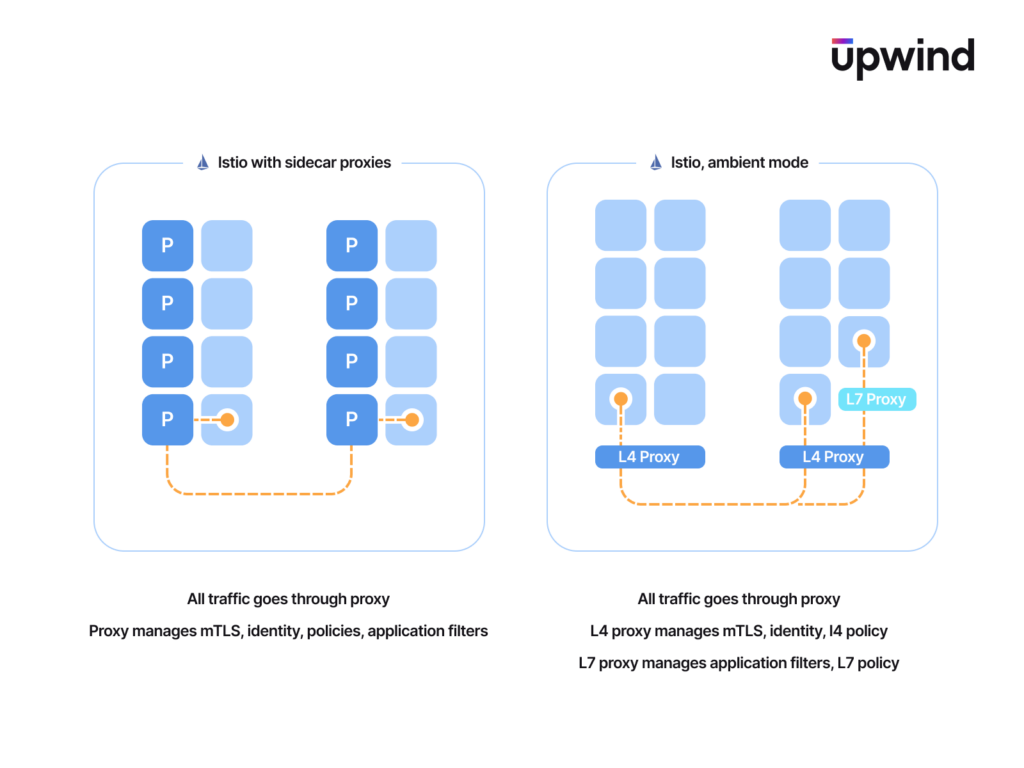
Istio’s architecture consists of a control plane and a data plane. The data plane is made up of proxies that handle network communication between microservices, as well as collect and report telemetry, which are then managed and configured by the control plane.
Istio Ambient Mode
Istio was originally built on the sidecar method, and released Ambient mode in 2022 to address key issues such as increased resource overhead, operational complexity, and application compatibility challenges associated with sidecar proxies. Ambient mesh is a new Istio data plane mode that eliminates the need for sidecar proxies, integrating the data plane directly into the infrastructure. This approach simplifies operations, improves application compatibility, and reduces infrastructure costs while still providing core Istio features like zero-trust security, telemetry, and traffic management.
How Upwind Supports Istio Ambient Mode
The Upwind Sensor monitors network traffic at layer 4 and 7 both before and after traffic enters the service mesh. In ambient mesh mode, the ztunnel proxy makes it difficult to identify the source of traffic solely from data visible at layer 4, but by connecting data from all stages of the network stack, the Upwind Sensor can attribute network traffic to the pod, container and process that originated the traffic.
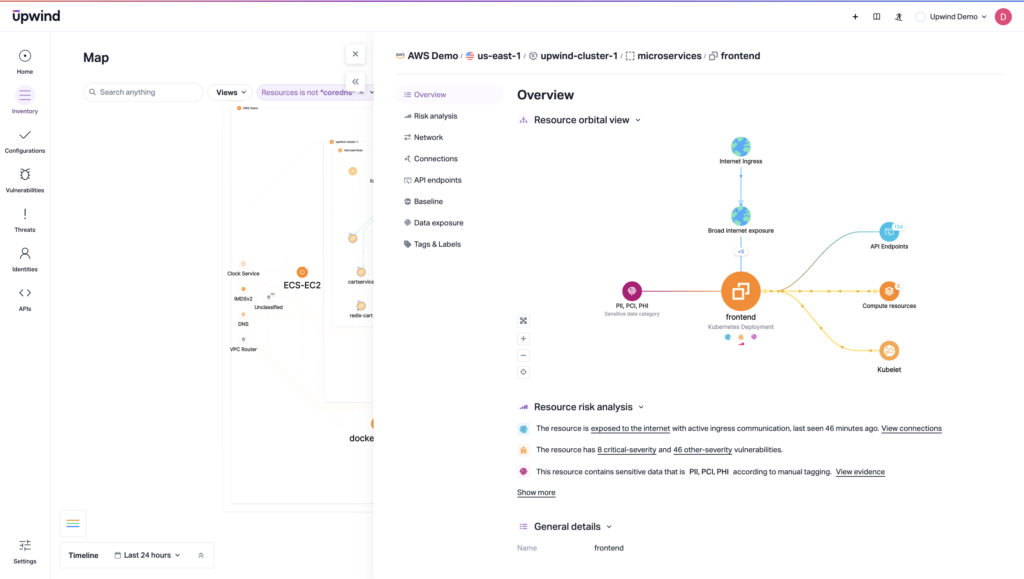
Upwind identifies both Istio sidecars and Ambient mode, leveraging context for a number of capabilities within the Upwind platform, including:
- Threat detections: Upwind monitors network traffic, including service meshes, to detect suspicious or malicious activity
- Vulnerability findings: Upwind monitors network traffic and prioritizes risk findings based on environmental context, including ingress and egress traffic
- Network visibility: Upwind provides deep visibility into network communication, including real-time reporting of traffic by port, process and protocol and visualization of the entire network exposure path
- Cloud baselines: Upwind creates network baselines for each resource based on network traffic.
Understanding what resources do and how they behave helps to secure them and spot threats early, providing pivotal insights for real-world threat detection scenarios. These insights enable forensic analysis to trace network flows, pinpoint vulnerabilities and respond swiftly to security incidents.
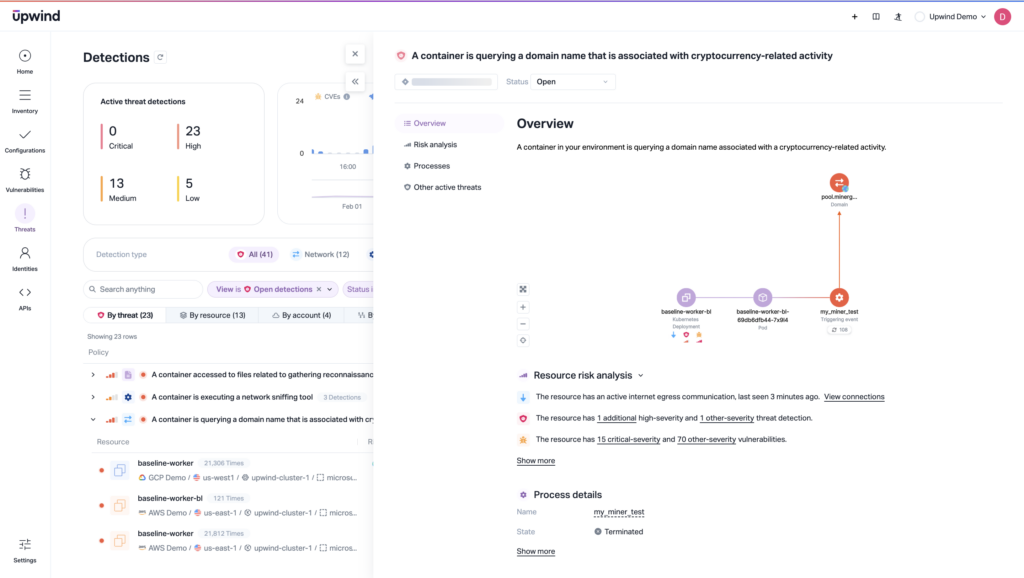
Service meshes are a critical part of securing workloads deployed in Kubernetes, but they are not the whole story – you also need runtime context and visibility. Upwind combines comprehensive runtime security with Istio awareness in both ambient and sidecar modes, leveraging end-to-end visibility of network flows for proactive cloud security. To learn more about Upwind’s support for Istio or how to leverage Upwind for proactive cloud security, schedule a demo today