By Assaf Maor
Ask a security team where the company’s most sensitive data lives and they’ll say Snowflake without pausing. Ask who can reach it and the room goes quiet, because that answer belongs to the data team.
It isn’t negligence, it’s vocabulary. Snowflake speaks in roles, grants, warehouses and schemas. Your cloud security program speaks in IAM, buckets, subnets and keys. Both descriptions are true, neither is complete, and the space between them is where the risk sits: a database role somebody granted two quarters ago that ends, four hops later, at a bucket nobody has opened since.
The account has got busier since, too. Foundation models, Cortex Search services, agents and MCP servers now run inside Snowflake, in the schemas, on the data, reachable through those same roles.
Today we’re launching Snowflake Security in Upwind: asset inventory, posture checks mapped to the CIS Snowflake Benchmark, and graph coverage down to the schema.
Upwind is a CNAPP and AI security platform, and that’s what gives this launch its reach. Snowflake lands inside the platform that already secures the infrastructure the account runs on and already inventories the AI running across your environment. Grants, the storage behind them, the network in front of them, and the models built on top are all covered in one place, and described in one language.
Visibility into Snowflake privilege
Working out who can read a table usually means asking someone with ACCOUNTADMIN. Privileges are split between account roles and database roles, inherited through role hierarchies, and scoped by schema. Reading a grant is easy. Working out where it lands takes longer.
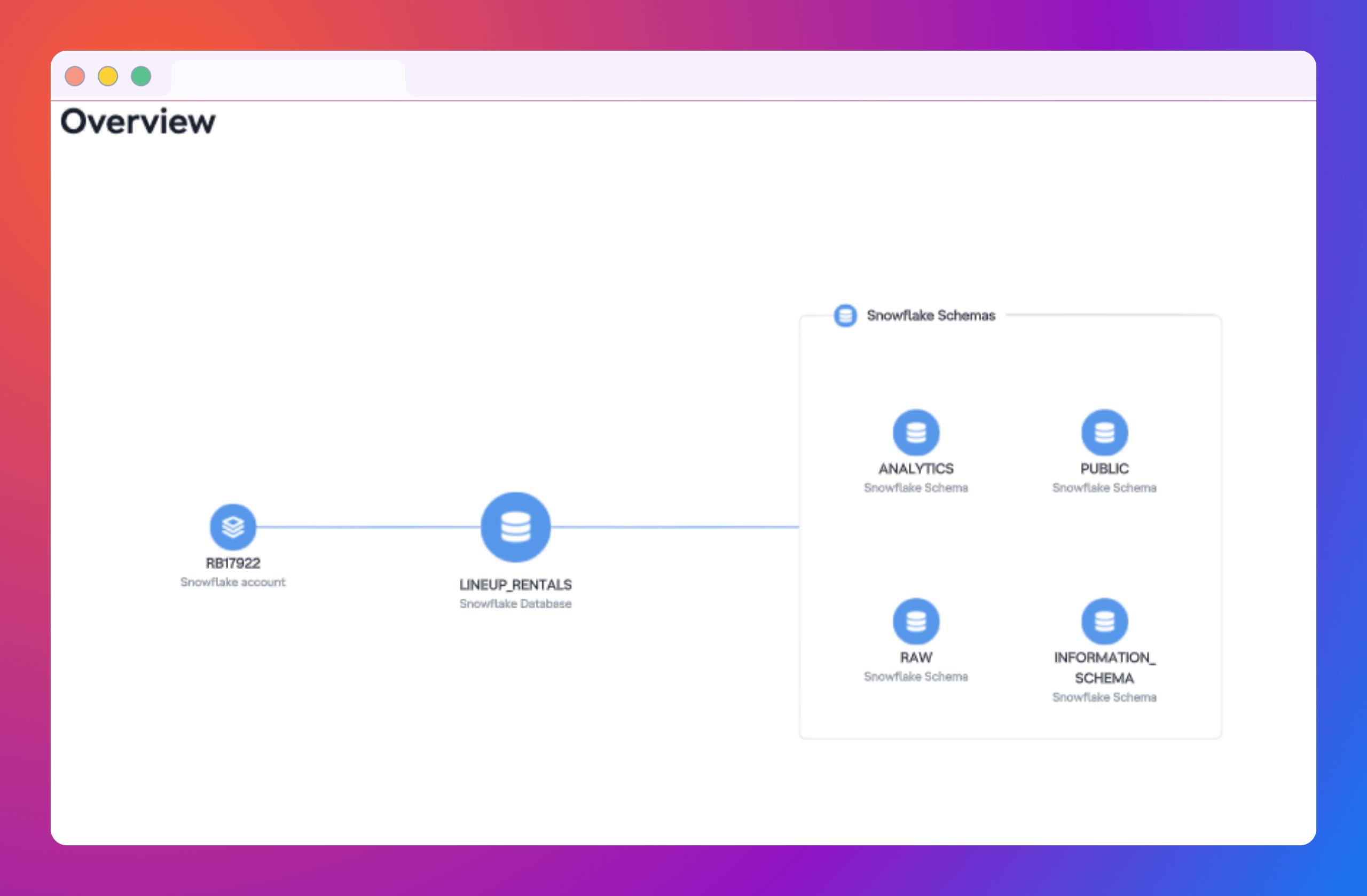
Upwind walks the account the way Snowflake is built: account first, then databases, then schemas. Warehouses, compute pools, users, account roles and network policies at the top. Database roles, secrets, network rules, stages and external volumes below. And across the schemas, the AI assets: foundation and custom models, agents, Cortex Search services, dynamic tables, notebooks and MCP servers.
The order matters. Almost every AI asset in Snowflake belongs to a schema, so a flat collection just gives you a list of names. A nested one gives you an agent with the schema it lives in, the roles that can reach it, and the data it was built on.
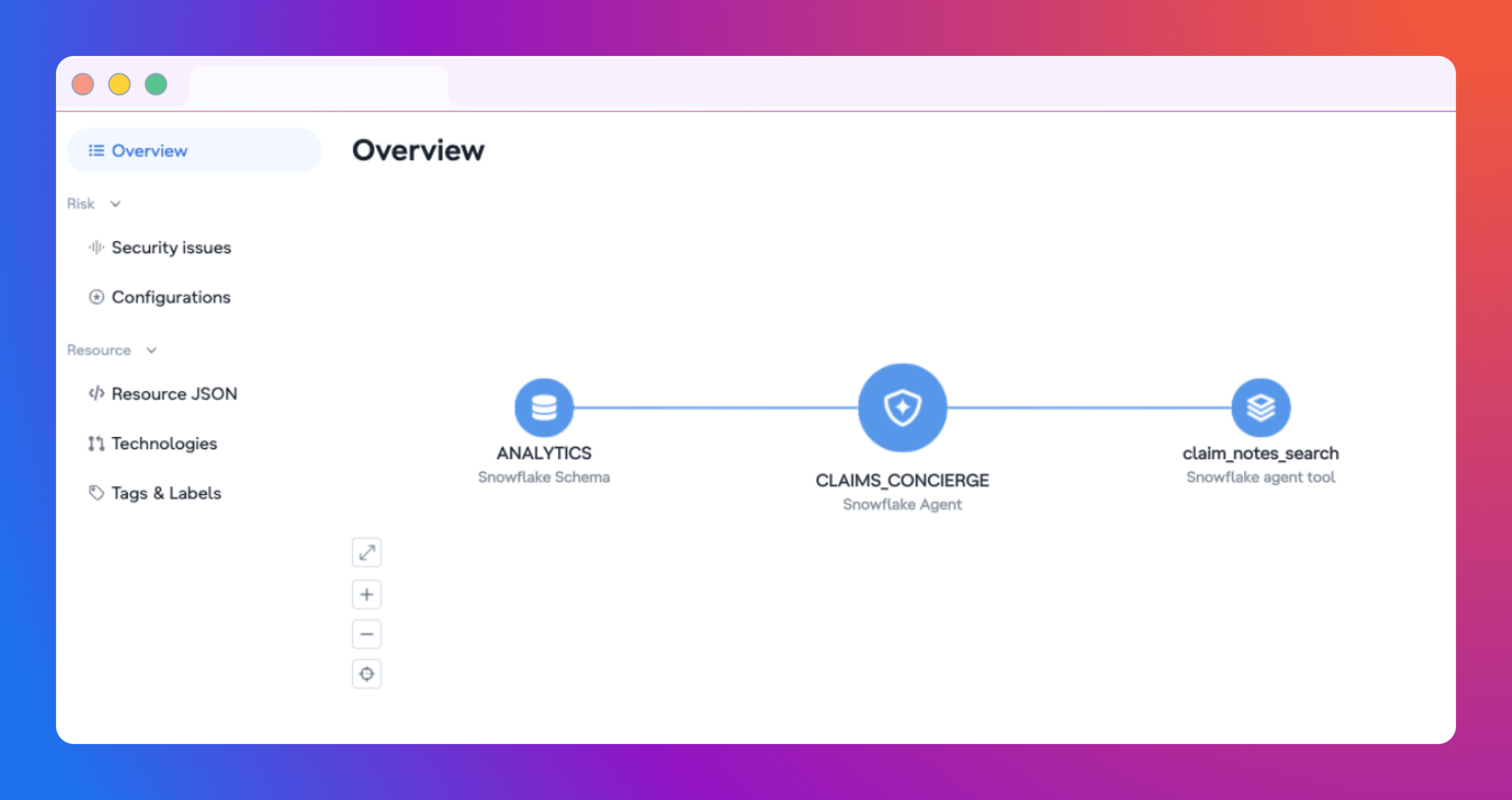
A security engineer can pick a table, or an agent, and see every role that reaches it and every user those roles resolve to, without a single SHOW GRANTS.
Posture that sits in the same queue
Snowflake findings go into the same severity queue, framework reports and workflows as the rest of your cloud, each scoped to the account, database or schema that owns the fix. Checks cover the CIS Snowflake Benchmark alongside Upwind’s own, across privileges on account and database roles, authentication and network posture, the AI assets and who can reach them, and the storage behind stages and volumes.
The practical effect is that Snowflake stops being a separate audit with a separate owner. A misconfigured account role sits in the same severity queue as the rest of your cloud, and the finding lands with whoever owns the schema rather than whoever happens to hold ACCOUNTADMIN.
One worth knowing about: an account can relax its token policy so that programmatic access tokens no longer require a network policy. That single setting weakens every token in the account at once. It is a configuration change rather than an event, so nothing raises its hand.
Upwind reports that change the way it reports everything else: continuously rather than at audit time, tied to the control it breaks, and raised when the moment the setting changes rather than the next time somebody opens the account. Snowflake becomes one more environment inside the posture program you already run, not an exception to it.
The graph from role to bucket
Every Snowflake object that touches storage crosses an account boundary. A stage points at a bucket, an external volume points at storage you own, a storage integration assumes a role in your cloud account. Snowflake can tell you the object but only your cloud provider can tell you what it reaches.
Upwind holds both. Stages and external volumes resolve to the object storage behind them, storage integrations to the roles they assume, network policies to the networks the rest of your workloads run on. A grant on a database role becomes traceable all the way to the bucket it ends at, and remediation names the role, the schema and the storage instead of leaving your team to look them up.
One review
Snowflake runs on your cloud account, reads from its storage and reaches it through its roles. It was never a separate environment, and with Snowflake in Upwind it is no longer a separate review either. A finding can start at a Snowflake role and end at the bucket it exposes, in the same queue and with the same owners as everything else in the account. The next time someone asks who can reach the data, the answer comes from the same place as every other answer about your cloud.
Snowflake Security is available today under Data sources in the Upwind console.