Get a Demo
Under Attack?
global-search

Upwind Enables a Simpler, More Efficient Way to Tame Cloud Security Complexity with Global Search

<br />
<b>Warning</b>:  Undefined variable $photo in <b>/nas/content/live/landing173/wp-content/themes/bricks/includes/elements/code.php(236) : eval()'d code</b> on line <b>24</b><br />
<br />
<b>Warning</b>:  Trying to access array offset on value of type null in <b>/nas/content/live/landing173/wp-content/themes/bricks/includes/elements/code.php(236) : eval()'d code</b> on line <b>24</b><br />
Chas Larios January 21, 2026

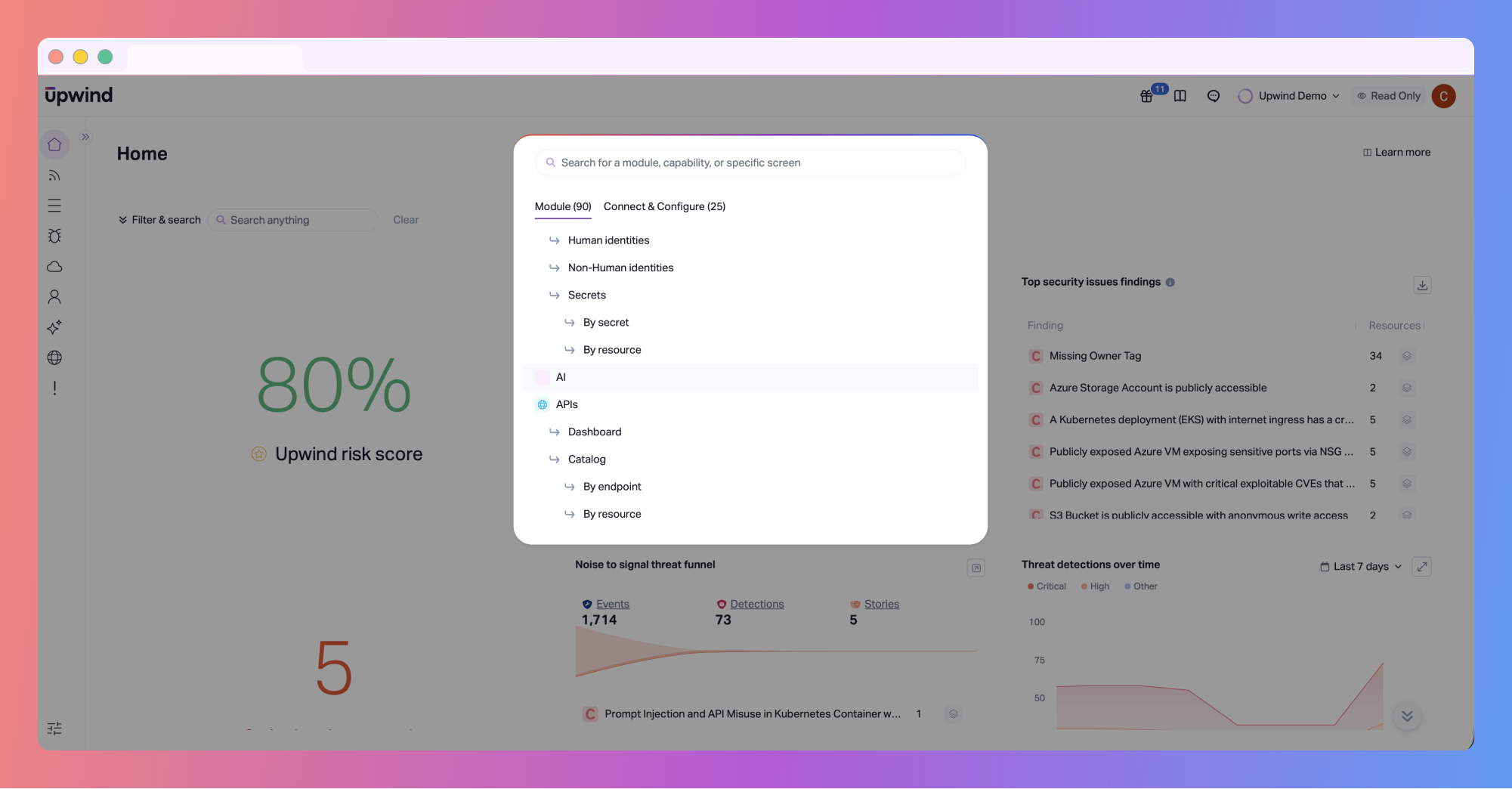
We’re excited to announce the general availability of Global Search, enabling a simpler, more efficient way for all Upwind users to tame cloud security complexity.

A More Direct Way to Navigate the Platform

Security work often involves moving between dashboards, findings, graph views, and configuration workflows. Over time, even well-designed platforms can require more clicks and mental overhead than necessary. Global Search provides users with a straightforward way to get where they need to go. From anywhere in the Upwind console, users can search and jump directly to the relevant page or action, without navigating menus or remembering exactly where something lives.

Global Search is especially useful during investigations, reviews, or routine analysis, where maintaining focus and momentum matters. Instead of interrupting your workflow to hunt for the right view, Global Search helps you get there quickly and continue working with context intact.
global-search-A

Faster Access to Insights and Setup Workflows

Upwind brings together runtime context, exposure, and relationships across cloud environments. Global Search makes it easier to reach those views when you need them.

The Modules tab allows users to find and open product areas based on page names, tabs, or views, such as dashboards, security issues, or graph views. This reduces context switching and helps teams move more smoothly between different parts of the platform as they investigate risk.
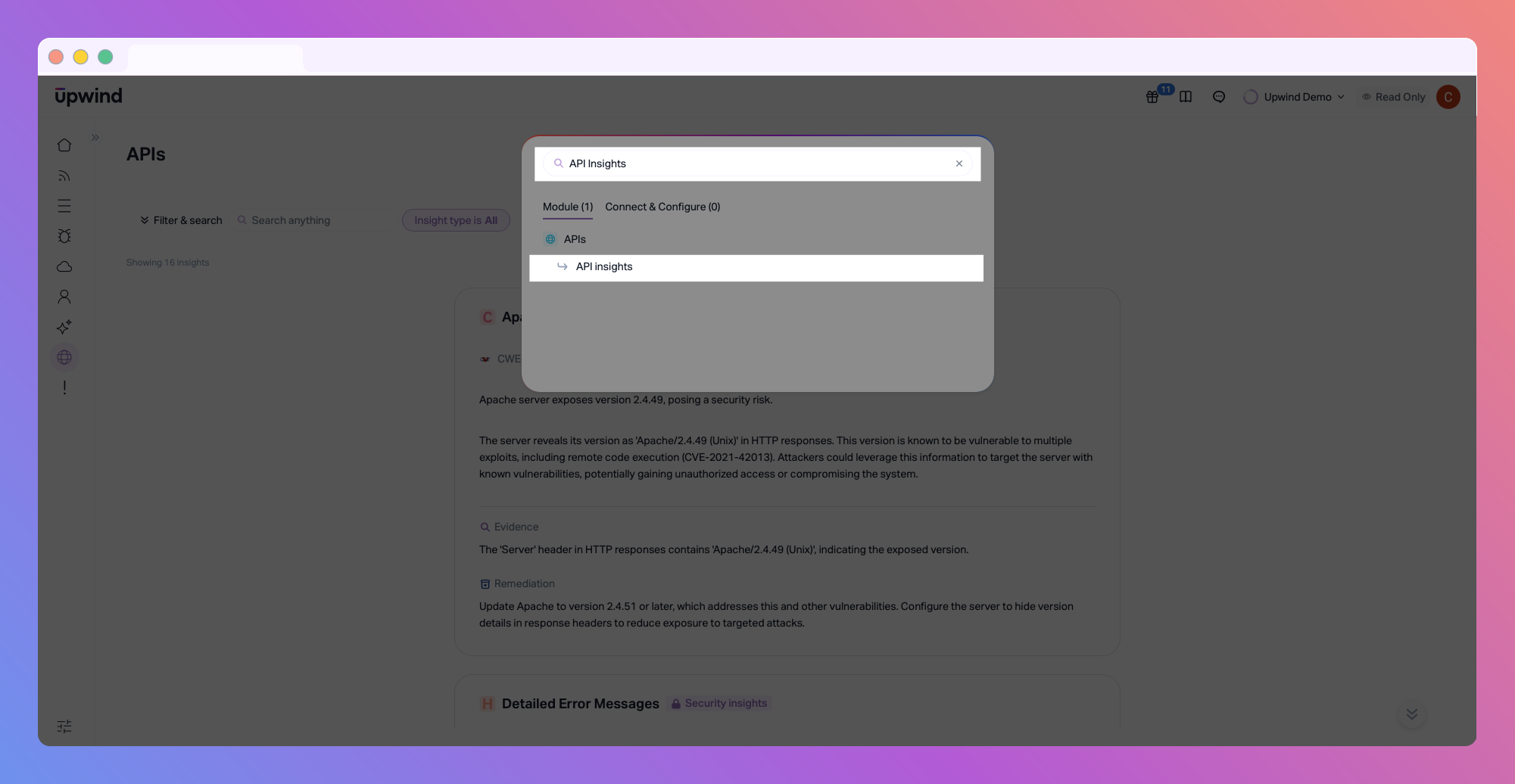
global-search-C
Access API insights instantly, by simply navigating to the ‘API insights’ section, either by scrolling, or by entering “API insights” into the Search bar.

At the same time, the Connect & Configure tab surfaces common onboarding and operational actions, including connecting cloud accounts or deploying scanners.
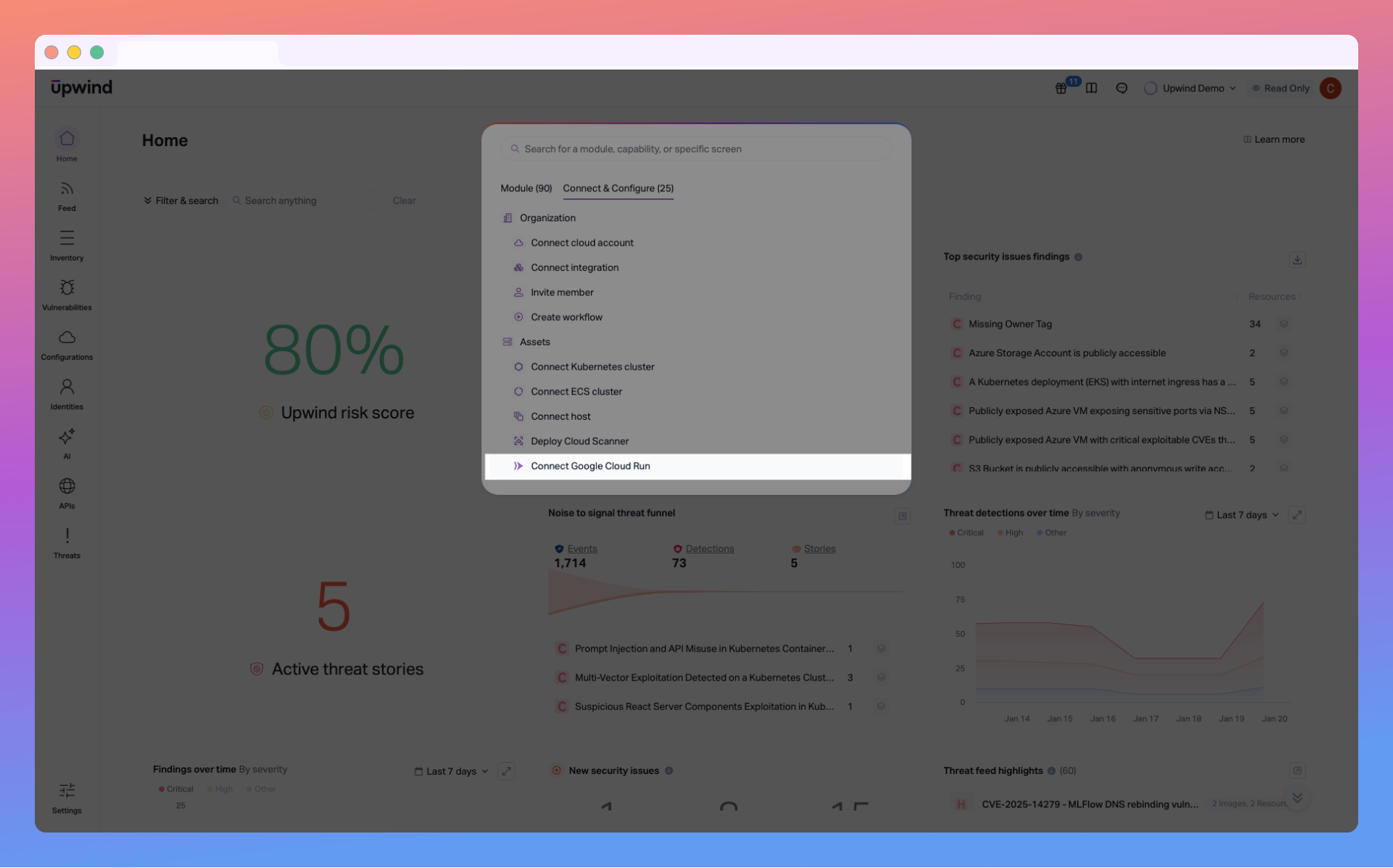
global-search-B
Global Search also works for connection and configurations. For example, to connect a Google Cloud Run instance, just navigate and select, “Connect Google Cloud Run”

Designed to Fit Naturally Into Existing Workflows

Global Search is designed to be helpful without being disruptive. Global Seach is available from anywhere in the Upwind console and can be opened using a simple keyboard shortcut:

  • Command + K on macOS
  • Control + K on Windows or Linux

For teams that prefer keyboard-driven navigation, this makes it easy to move quickly through the platform. For others, Global Search is simply there when needed, supporting efficiency without getting in the way.
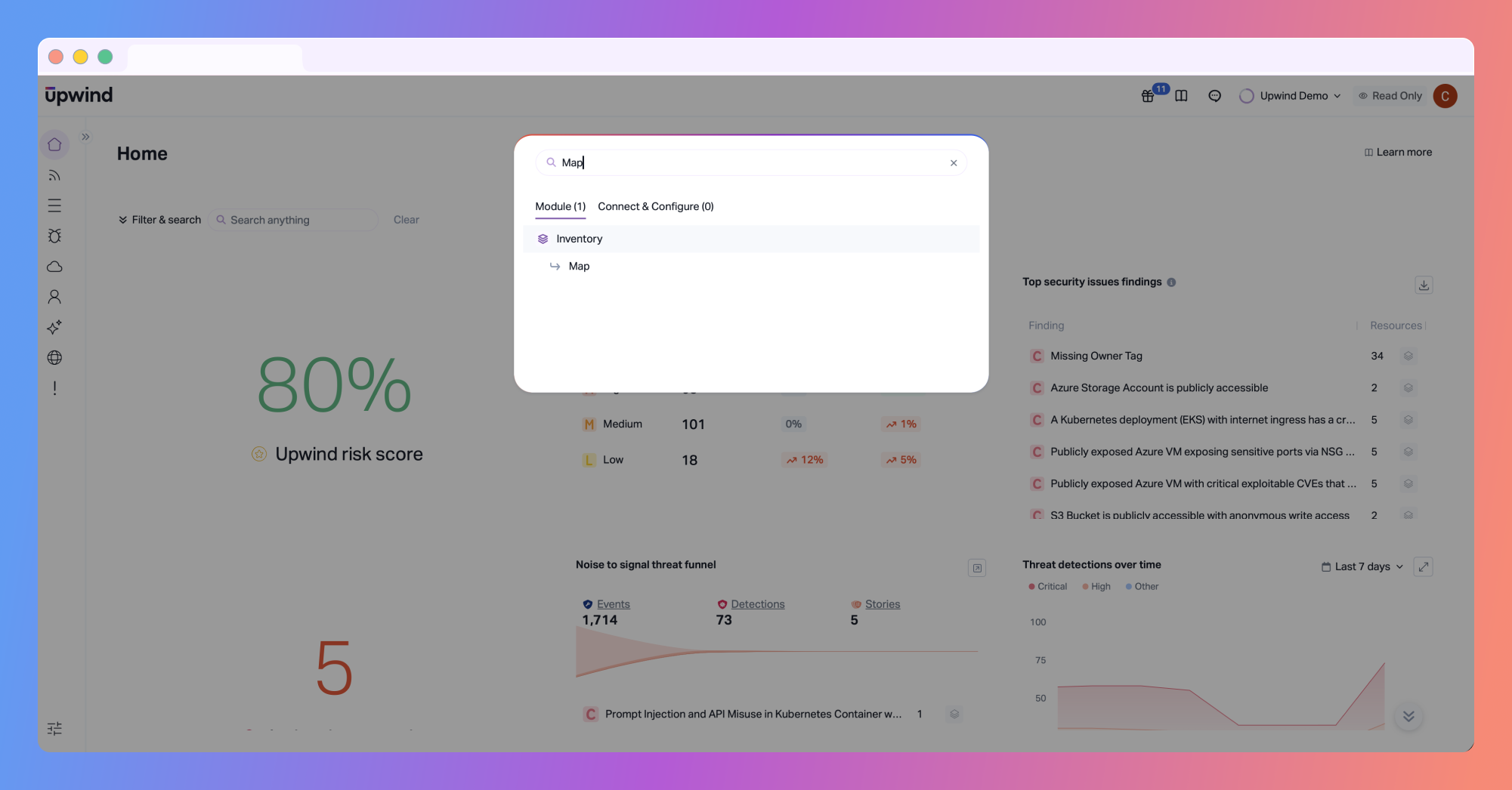
global-search-D-1
Accessing Upwind’s most powerful features, like the Live Topology Map, is as simple as using “Command + K” or “Control K” on your keyboard.

Supporting Platform Growth Without Adding Friction

As the Upwind platform continues to evolve, maintaining usability remains a priority. Global Search reflects our broader focus on keeping the Upwind platform approachable. It’s not meant to redefine cloud security workflows, but it does remove small points of friction that add up over time, especially in large or complex environments.

Want to see how Upwind helps teams simplify cloud security? Schedule a customized demo with us to see Global Search and the rest of the Upwind platform in action.
Contents

Further Reading

The Risk Isn't What You Prompt, It's What You Built.

The Risk Isn’t What You Prompt, It’s What You Built

Key Takeaways: Agentic AI security is an architecture problem, not a policy problem. Most organizations have adopted AI agents in the form of coding assistants, autonomous workflow tools, internal chatbots connected to production systems, but without establishing the foundational security frameworks those systems require. The adoption pressure is real. Telling your engineering team to stop…
Upwind is a Visionary Leader in Frost & Sullivan report

Upwind Named a Strong Visionary Leader in Frost & Sullivan’s 2026 Cloud/Application Runtime Security Radar

We're excited to share that Frost & Sullivan has recognized Upwind as a Strong Visionary Leader in the Frost Radar™: Cloud/Application Runtime Security, 2026. This recognition highlights the company's innovation, growth, and leadership in the emerging Cloud-Native Application Detection and Response (CNADR) market. For us, the recognition is meaningful not simply because of where Upwind…
API Custom Threat Detection

Upwind brings Custom Detection Policies for APIs

Every API has a different risk profile. An internal billing endpoint and a public-facing authorization endpoint don't fail the same way. They don't get attacked the same way either. A generic ruleset can't account for that. Custom rules can, and now those rules can see sensitive data too. This new release brings two things together…
Add the Upwind RSS Feed to Slack
Connect the Upwind RSS Feed to your Slack.
Follow the how-to here.
Threat RSS
Add the Upwind RSS Feed to Slack
Connect the Upwind RSS Feed to your Slack.
Follow the how-to here.
Main RSS