
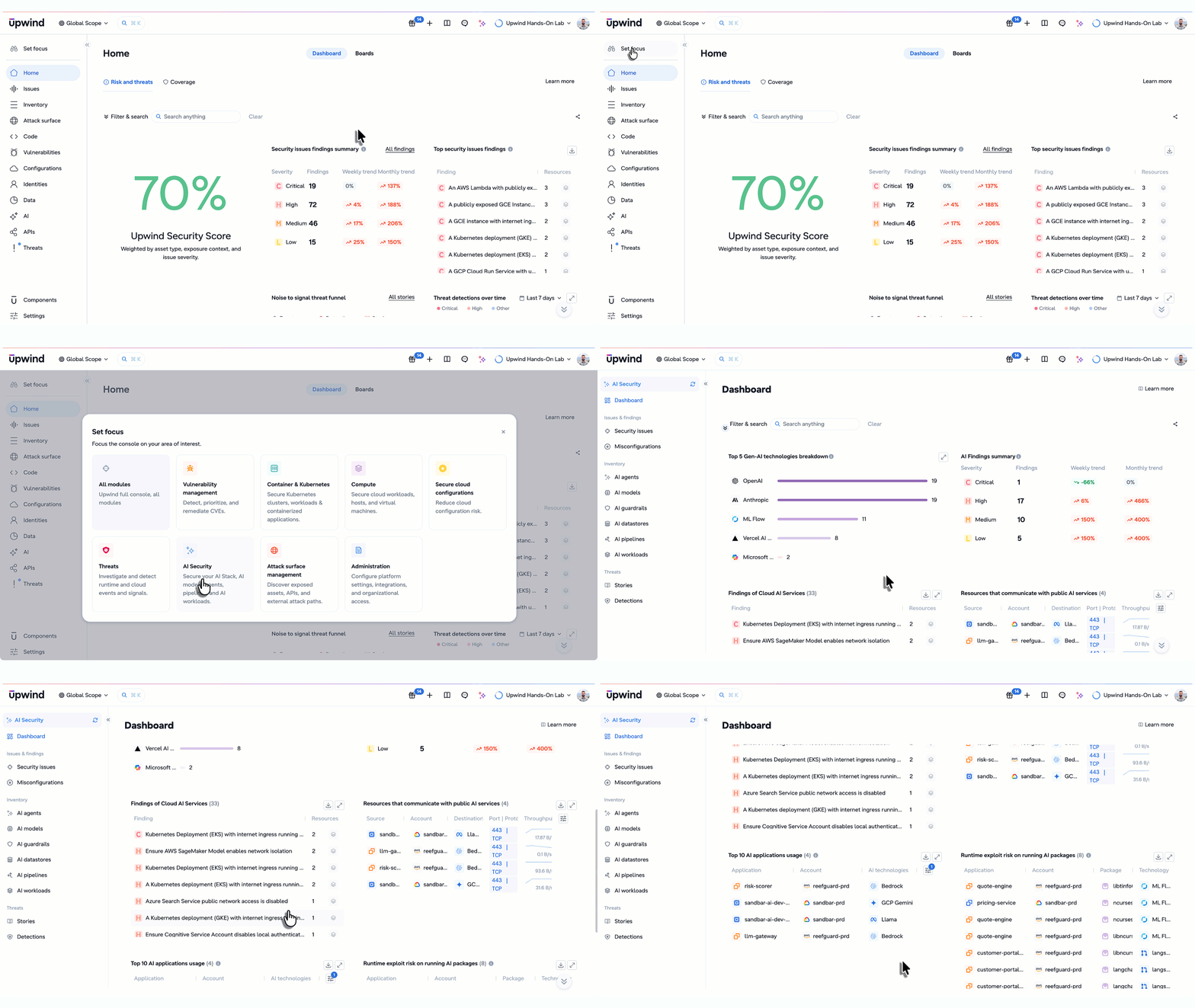
When we launched Focus Mode, we built it around the way security teams actually work: Vulnerability Management, Cloud Security Posture, Attack Surface Management, Threat Detection & Response, Administration. Each one strips away everything unrelated to the job at hand.
AI Security is the next domain in the Focus Mode lineup, and it’s built for a problem that’s grown more complex by the day. Now security teams can quickly view all their AI stack, AI models, agents, and guardrails that are actually running in their environment, and whether they present a potential security issue.
The Challenge: AI risk gets buried in general noise
GenAI adoption inside cloud environments didn’t wait for security teams to catch up. Engineering teams are spinning up SageMaker endpoints, wiring apps to Bedrock, and pulling in LangChain and PyTorch faster than security teams are able to inventory everything.
Without a dedicated view, that risk gets lost in the shuffle. A public SageMaker endpoint shows up as just another misconfiguration, indistinguishable from a stray S3 bucket, until someone manually connects it to a model in production. A workload running a vulnerable AI package looks like any other CVE, with no signal on whether it’s actually reachable or exploitable.
Security teams need direct answers: What AI frameworks are actually deployed? Which GenAI services are misconfigured? What’s talking to OpenAI or Anthropic right now? Are we seeing abnormal tool usage by an agent? Digging through dashboards to answer AI-specific questions costs valuable time.
What Focus Mode for AI Security gives you
Activating Focus Mode for AI Security reshapes the Upwind console around a single dashboard for AI Security. It pulls together a number of key findings: all filterable by cloud provider or cloud account and exportable as a PDF for reporting.
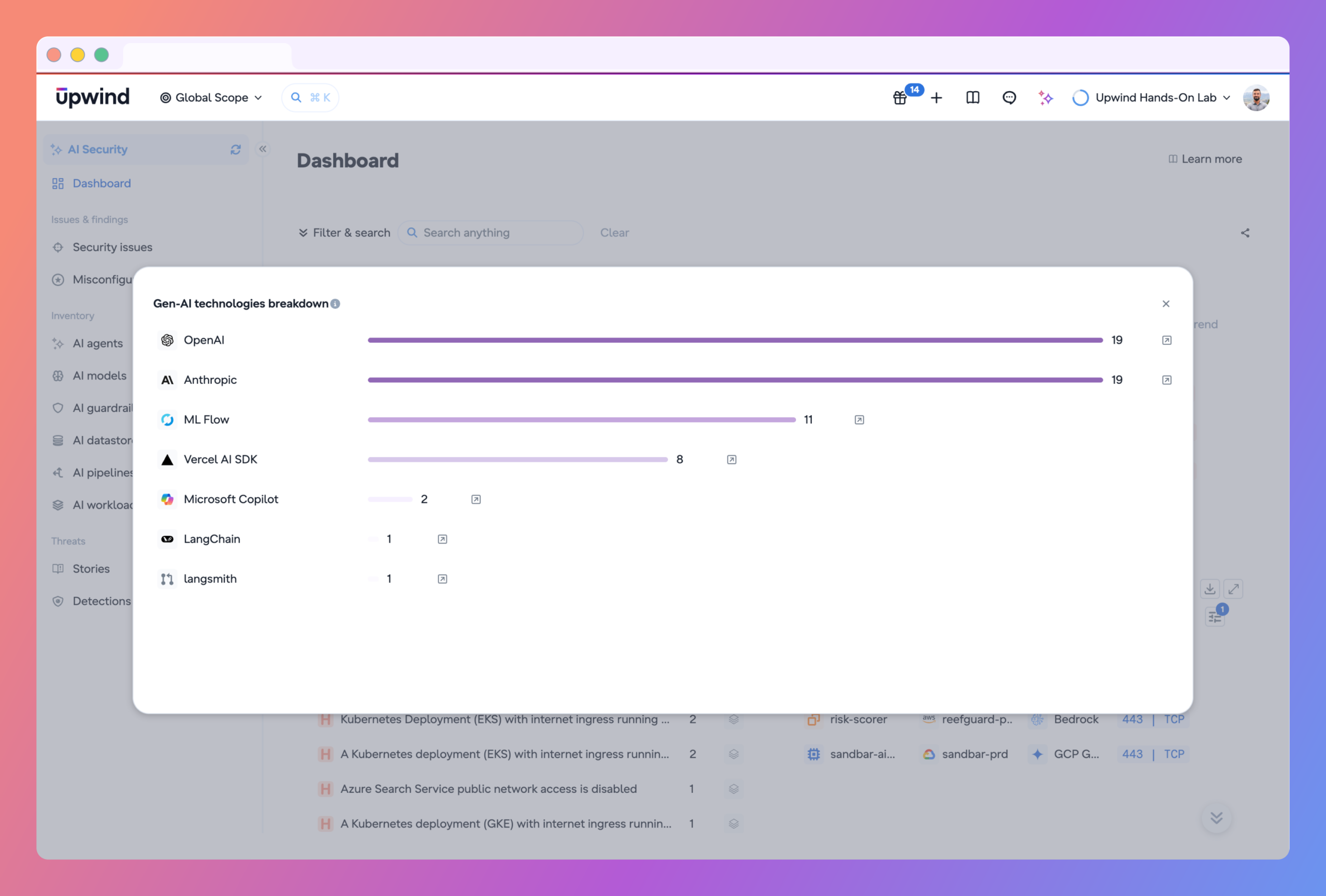
GenAI Technologies Breakdown. A full inventory of AI frameworks running across your workloads: OpenAI, Anthropic, LangChain, Vercel, and more. Know what’s actually deployed in your environment instead of guessing.
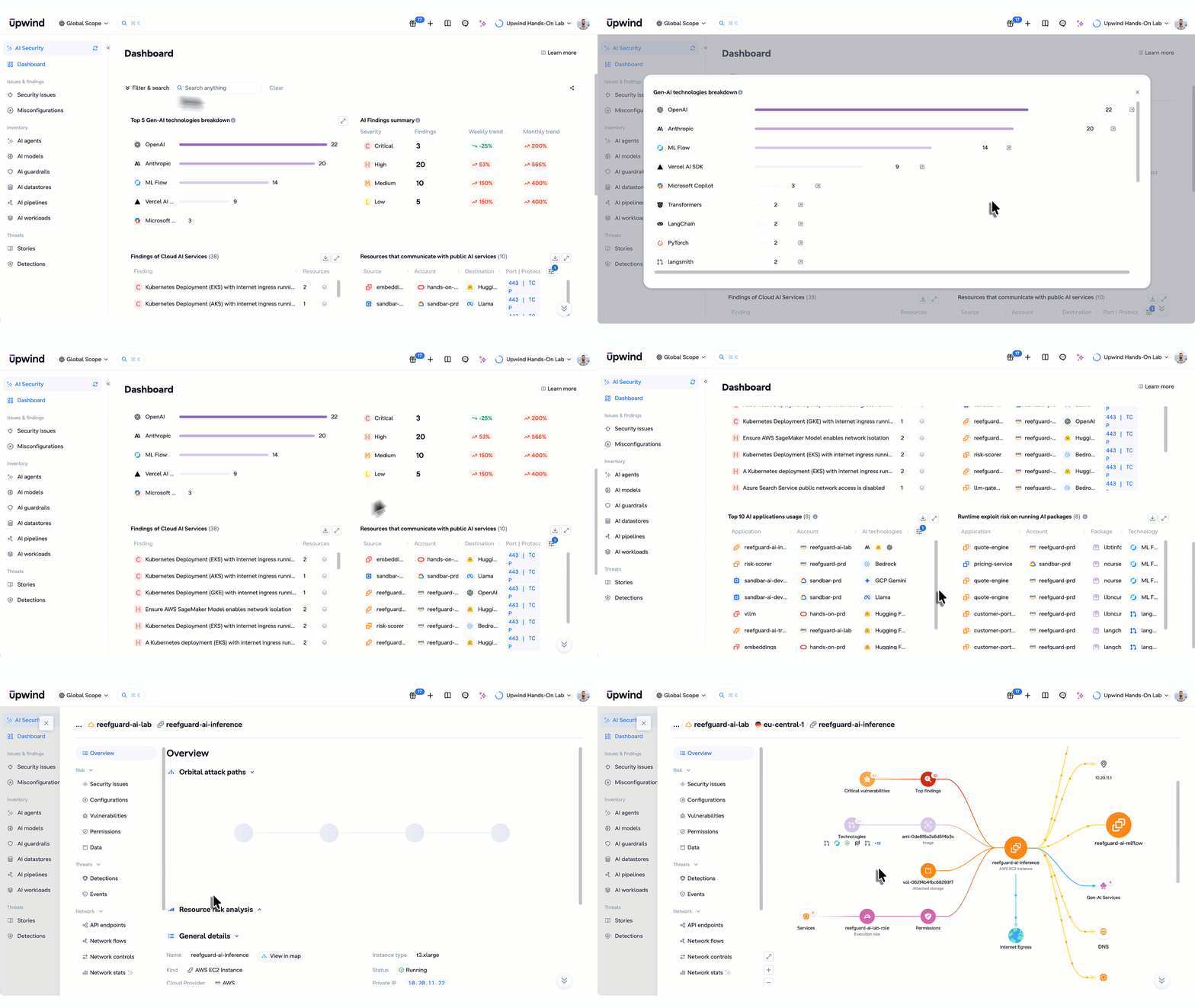
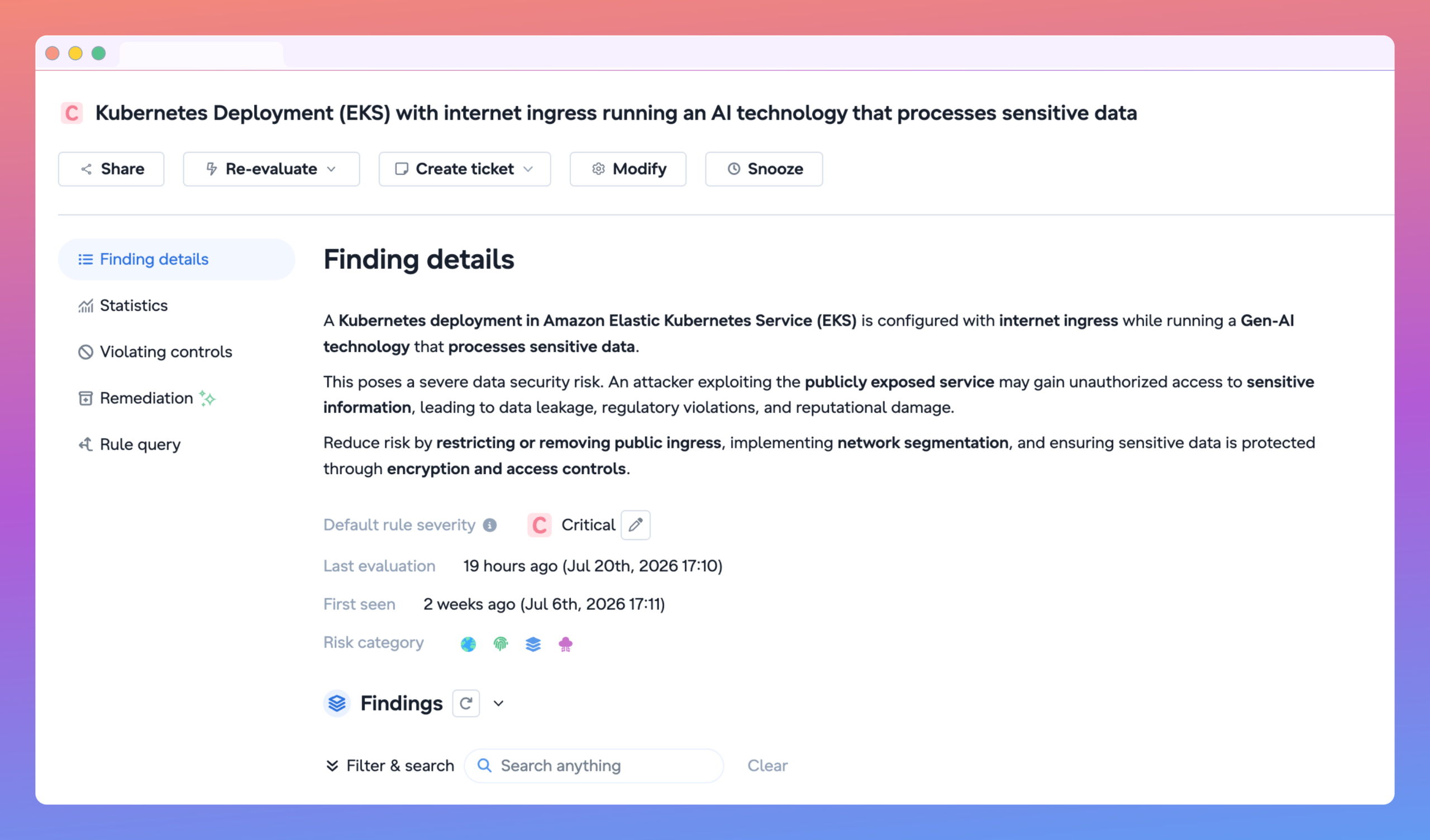
Summary of AI Risks Across Your Environment. View your AI-specific configuration findings by severity and how they’re trending over time on a weekly or monthly time horizon. This view can be used to spot spikes and track remediation progress. Easily drill into findings to identify impacted resources, view remediation steps, and create tickets.
Configuration Findings on AI Services. Identify misconfigurations, and the number of resources impacted, across SageMaker, Bedrock, and AI workloads on GKE and AKS. Public endpoints, missing IAM restrictions, shore up gaps that can turn a model into an open door for threat actors.
Resources Communicating with Public GenAI Services. View every outbound call to OpenAI, Anthropic, Bedrock, and similar services, with port, throughput, and encryption status attached.
Top 10 AI Applications Usage. Your highest-throughput AI applications, ranked, each with risk indicators attached: CVEs, public exposure, compliance violations.
Runtime Exploit Risk on GenAI Packages. Active workloads running AI packages with known critical or high-severity CVEs, scored by exploit probability. Quickly understand the application, account, package, and technology that are introducing security risks into your environment.
Beyond the main dashboard: every tab scoped to AI Security
The AI Security Dashboard is the centerpiece, but Focus Mode scopes the rest of the platform’s navigation too. The tabs you can already use for other domains stay in place, just filtered down to key AI Security use cases.
Inventory. Pull up an inventory of every AI agent, model, guardrail, datastore, pipeline, and workload running in your environment. Each list is automatically filtered down to the AI resources running in your environment, and can be shared and exported via CSV.
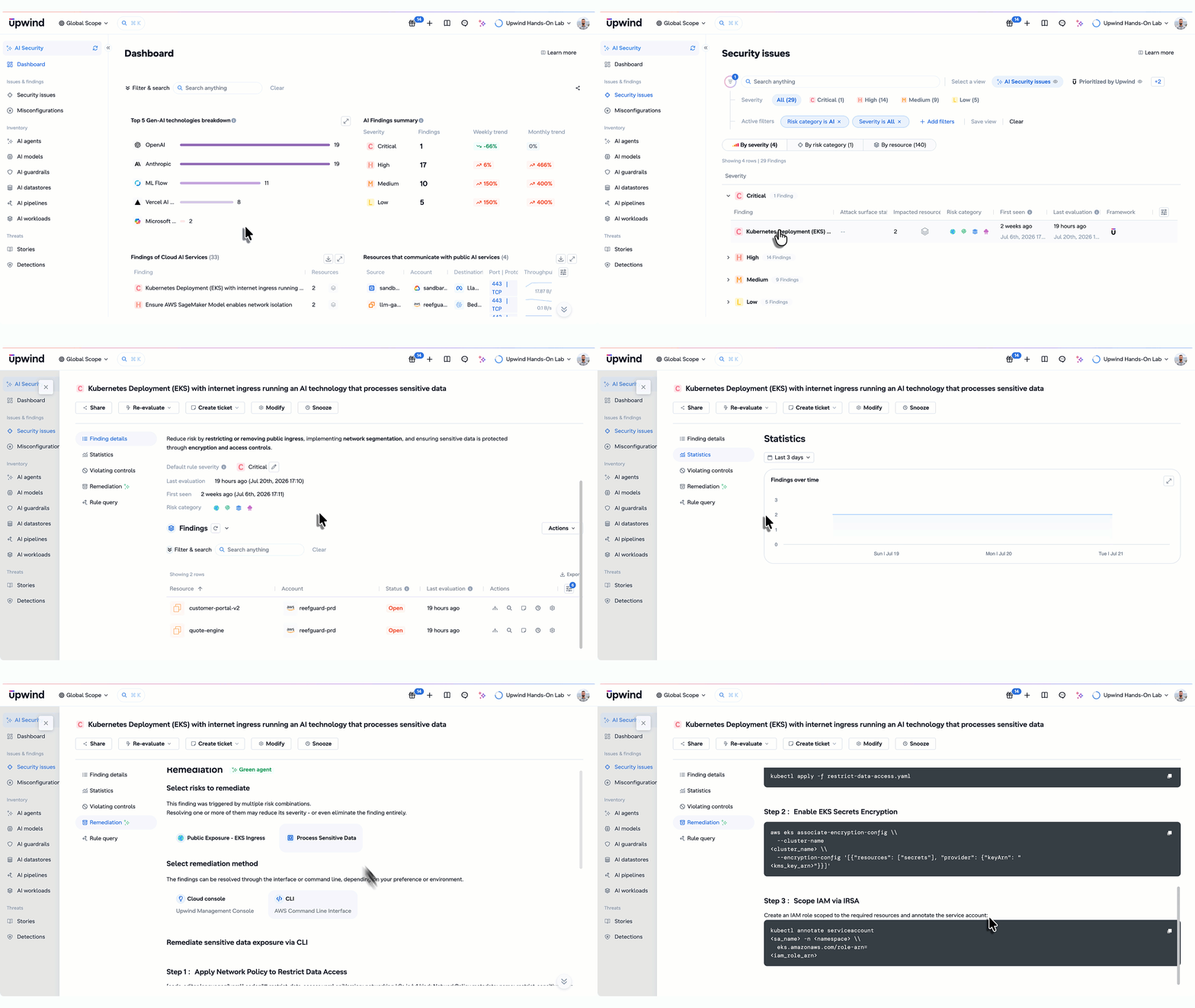
Issues & Findings. Configuration findings and compliance violations specific to AI services, the same ones surfaced on the AI Dashboard, but browsable and actionable in the standard findings workflow.
Threats. Runtime detections scoped to AI workloads: anomalous outbound calls, unexpected process executions on GenAI containers. The same threat detection engine, pointed specifically at where your models and agents run.
What this means for security teams
One inventory, no guessing. Every AI framework and package in production, in a single list.
Misconfigurations caught early. SageMaker, Bedrock, and AI workload configurations get checked continuously instead of during the next audit cycle.
Visibility into Shadow AI. View every resource talking to a public GenAI service.
Operate within one tool. No new tool to deploy, no new access to request. Just a workspace scoped to AI.
Built on the same Focus Mode foundation
AI Security Focus works exactly like the other focus areas. Switch into it whenever AI risk is the question you’re answering, switch out when it’s not. Nothing about your permissions changes, and nothing about your visibility into the rest of the platform goes away. Under the hood, it’s drawing on the same correlated runtime, identity, and vulnerability context that powers every area of the Upwind platform, just pointed at your AI stack specifically.