
Focus Mode is now available in the Upwind platform, giving security teams a faster, more focused way to work.
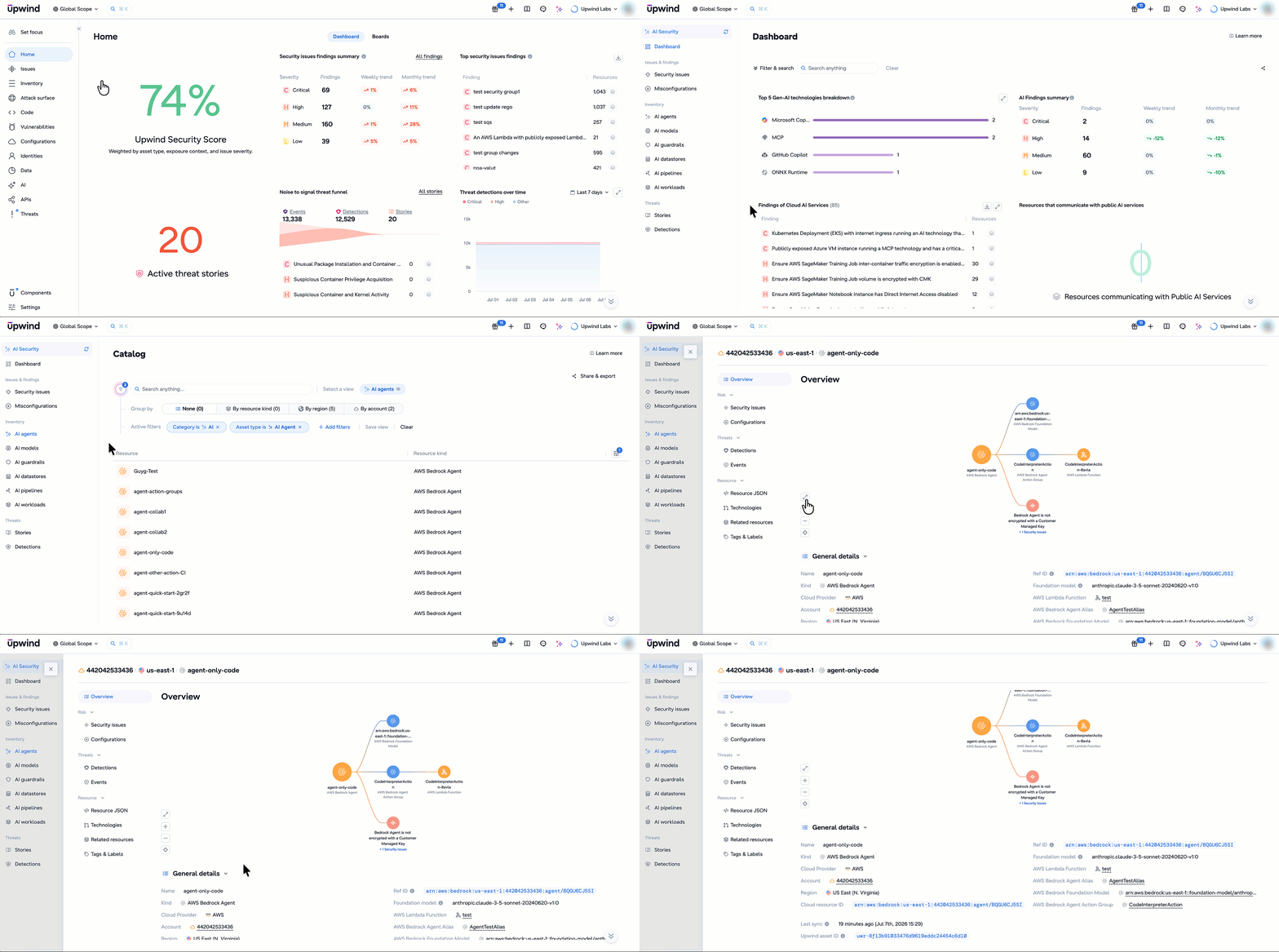
Instead of navigating across the platform, you can switch to Focus Mode to slice and dice the Upwind platform by Vulnerability Management, Cloud Security Posture, Attack Surface Management, Administration, or Threats, and starting next week, AI Security.
When you select a Focus, the platform automatically surfaces the dashboards, findings, inventory, analytics, and navigation most relevant to your work and hides what isn’t, helping you stay focused on what really matters.
The Signal Is There. The Challenge Is Finding What Matters.
Every security decision runs on context. Runtime activity, identities, vulnerabilities, attack paths, AI assets, and threat detections all tell part of the story. The more complete the picture, the better teams can investigate, prioritize, and respond.
The challenge is that every security team starts from a different question. Is this vulnerability exploitable? Is this workload exposed? Is this alert part of an active attack?
That’s why Focus Mode organizes the platform around the way security teams actually work. Instead of beginning with every capability, teams can jump directly into the domain they’re focused on while still having the full power of correlated runtime context available as they investigate.
Choose Your Security Journey with Upwind Focus Mode
Selecting a Focus Mode reshapes the Upwind experience around a specific security domain. Dashboards, findings, inventory, analytics, and navigation are tailored to the work at hand while continuing to draw on the same correlated runtime, identity, vulnerability, AI, and threat context across the platform.
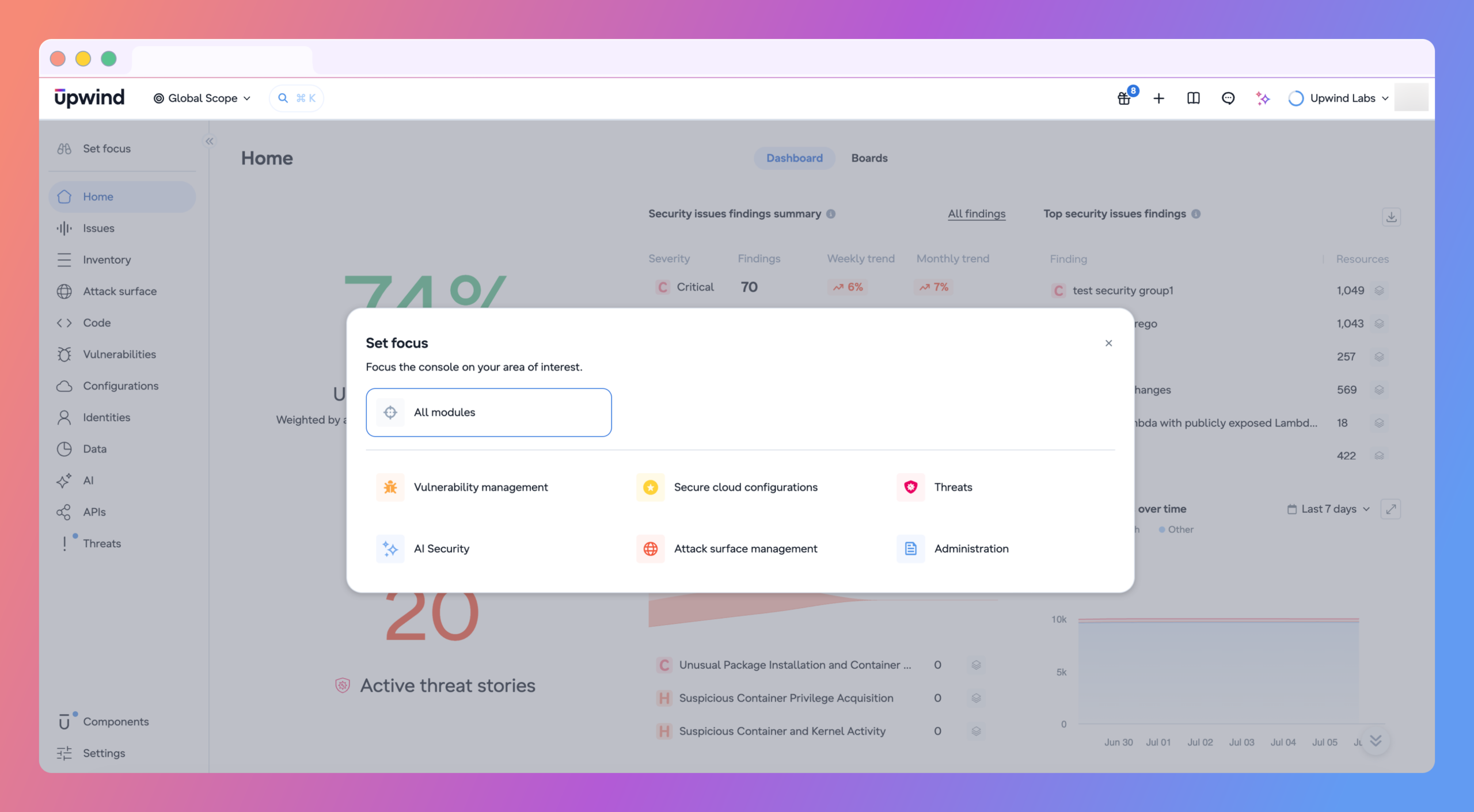
Vulnerability Management: A Backlog Scoped to What You Own
The Vulnerability Management focus provides a dedicated workspace for prioritizing and remediating vulnerabilities, bringing together CVE analysis, runtime exploitability, SBOM inventory, image security, and remediation workflows.
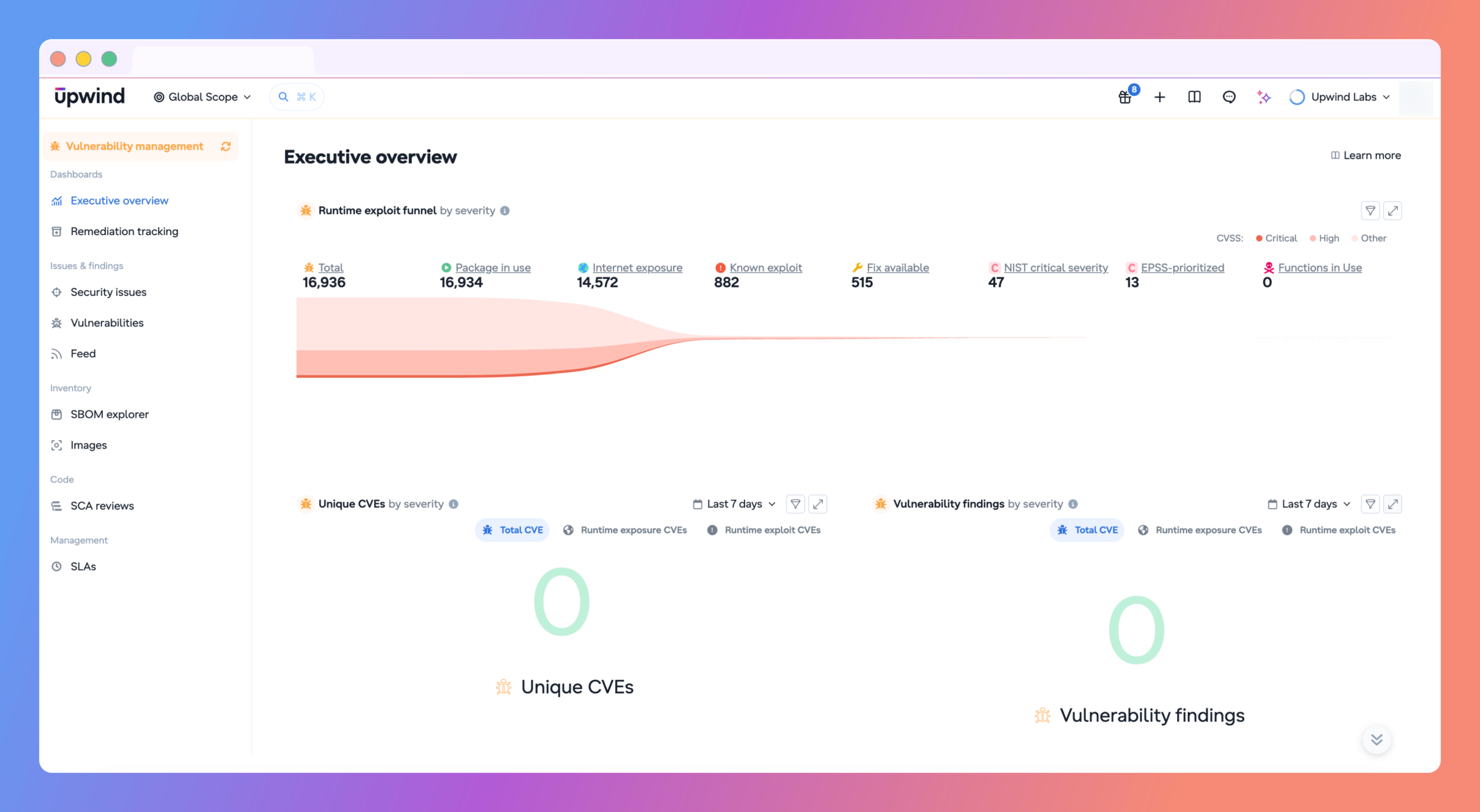
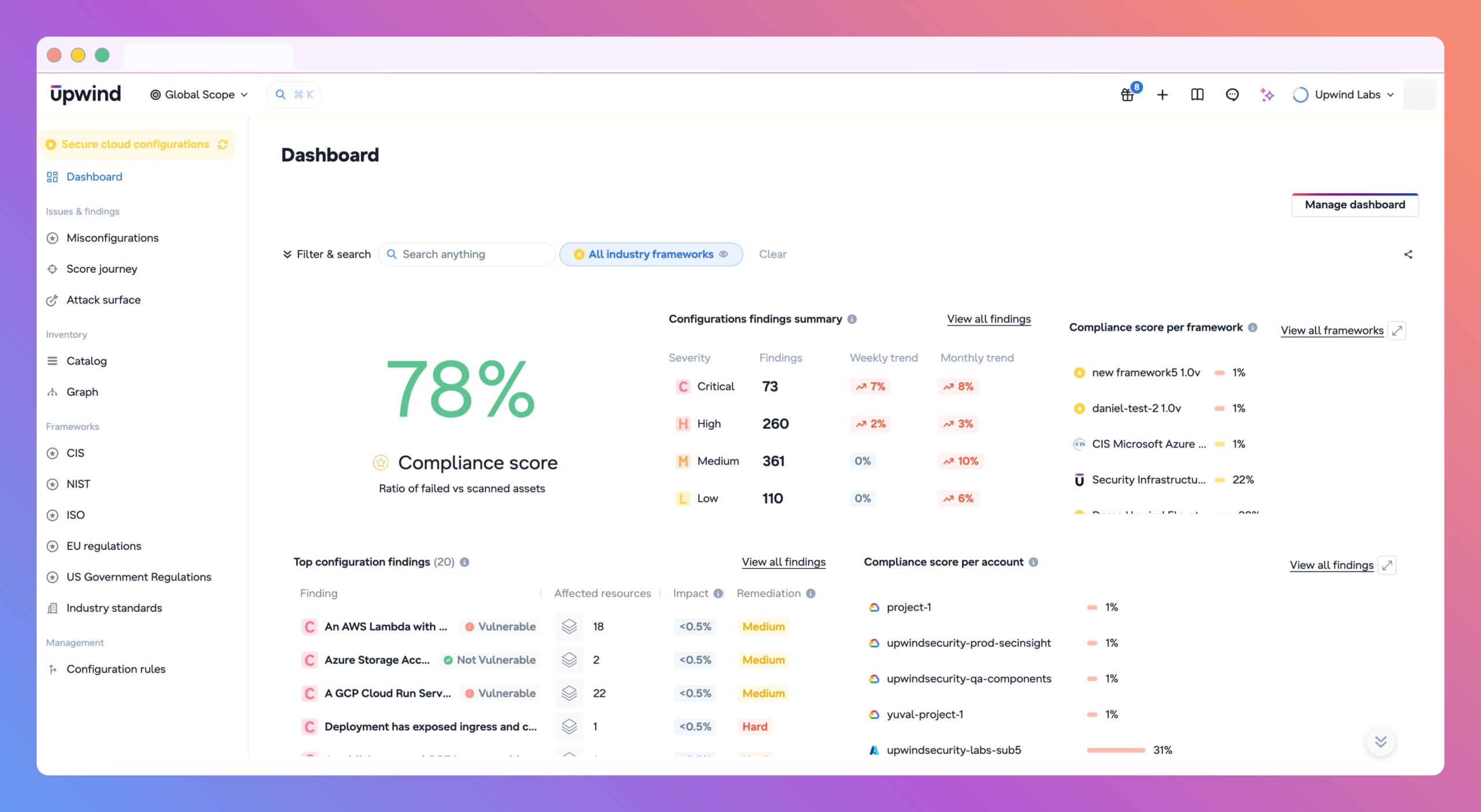
Secure Cloud Configuration: Posture Work Without Cross-Domain Noise
The Secure Cloud Configuration focus centralizes misconfigurations, compliance posture, security frameworks, cloud inventory, and resource relationships, helping teams continuously assess and improve their cloud security posture.
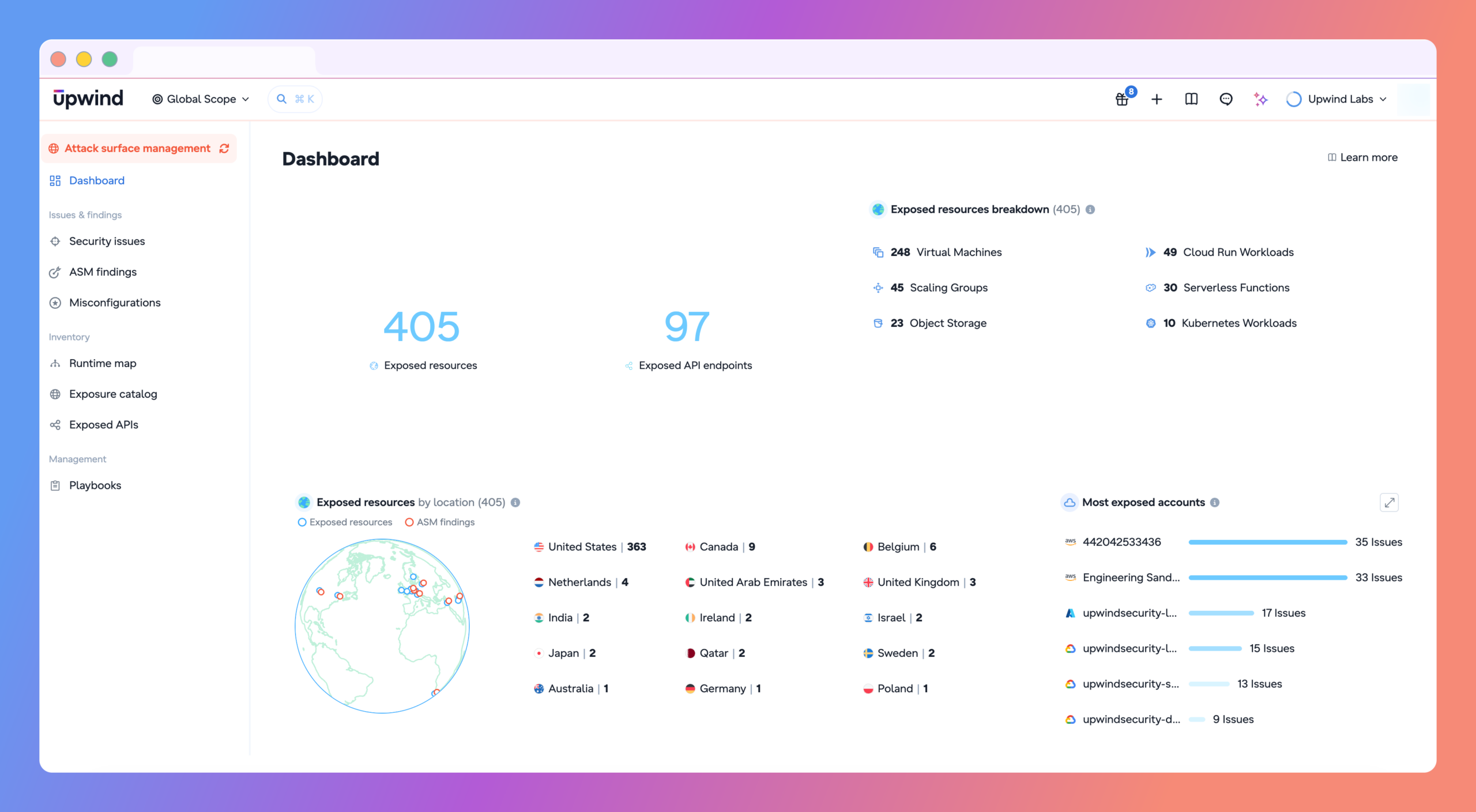
Attack Surface Management: What’s Actually Reachable From Outside
The Attack Surface Management focus provides a dedicated view of external-facing assets, exposed APIs, attack paths, runtime exposure, and related findings, making it easier to identify and reduce external risk.
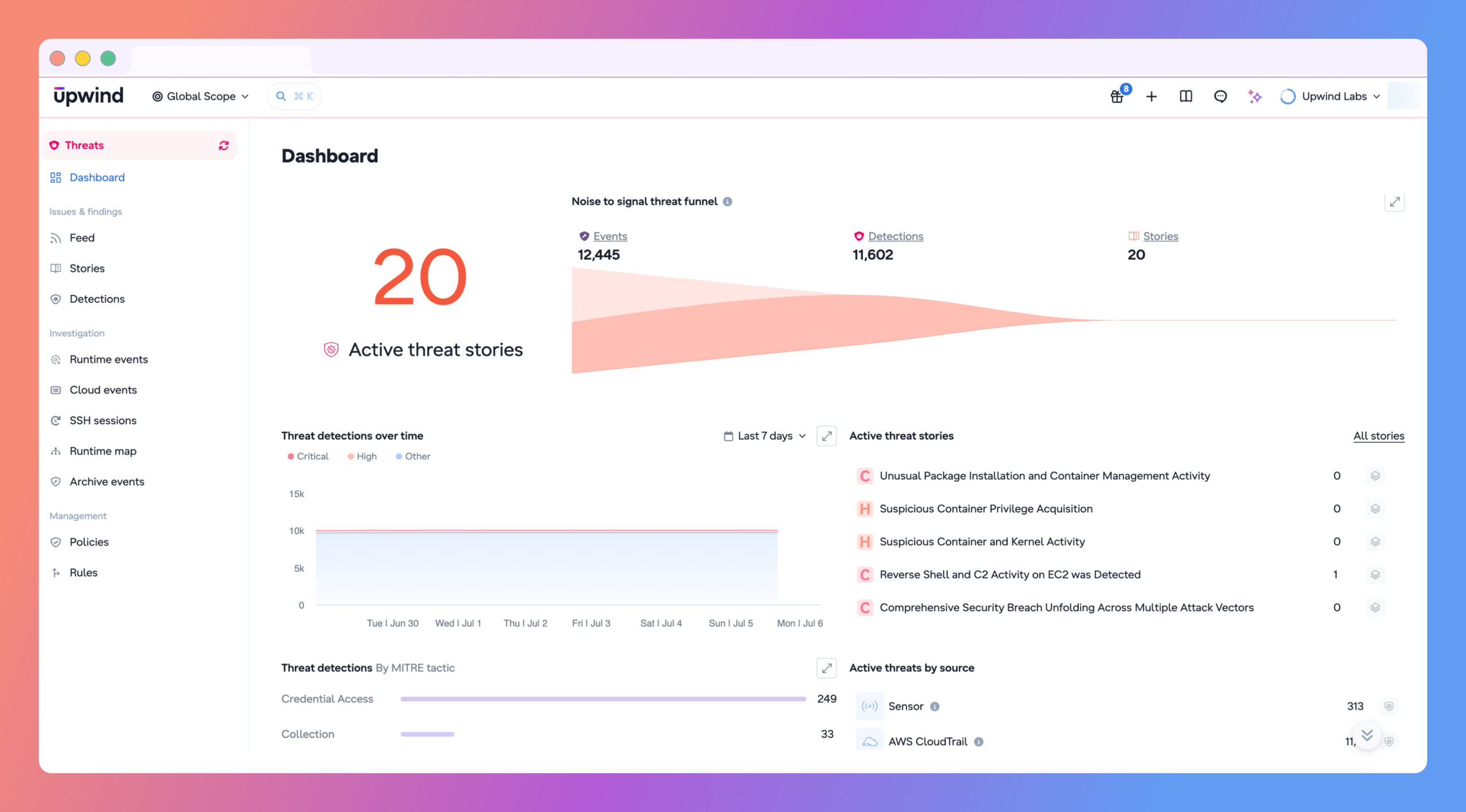
Threats: Context the Moment an Alert Fires
The Threats focus surfaces detections, investigations, alerts, and response workflows in one place, helping security teams quickly investigate and respond to active threats.
No matter which Focus Mode you’re using, you’re working from the same underlying platform and correlated security context. Teams can switch between domains or return to All Modules at any time, without changing permissions or losing visibility.
Administration: A Command Center for Your Platform
The Administration focus provides a dedicated workspace for managing your platform, bringing together user management, integrations, authentication, permissions, and system configuration.
What This Means for Security Teams
One platform, tailored experiences: Every team gets a focused view built for their workflow while working from the same correlated runtime context.
Less noise, more focus: See the information that matters most to your role without filtering through unrelated findings or workflows.
Switch without friction: Move between Focus Modes instantly without changing permissions or losing visibility.
Response-ready context: Relevant findings, inventory, dashboards, and analytics are surfaced for the security domain you’re working in, helping you move from alert to action faster.
What’s Next
The Focus Modes available today are just the beginning. We’ll continue expanding Focus Mode to additional security domains, including AI Security, bringing the same contextual, role-specific experience across the Upwind platform.
Focus, Prioritize, Respond Today
Every Focus Mode is built on the same correlated runtime, identity, vulnerability, AI, and threat context across the Upwind platform. Teams start with the context most relevant to their role, while the full picture is always available.
See how Focus Mode helps your security teams prioritize what matters, accelerate action, and respond with confidence. Schedule a personalized demo with our team.