
Security teams need a reliable way to understand what exists in their cloud environment, how assets connect, and where to investigate when risk appears. That gets harder when container clusters and Kubernetes workloads show up differently across cloud providers, services, and data sources.
Upwind normalizes container clusters and Kubernetes workloads in the Inventory graph, giving customers a more consistent way to query, analyze, and investigate these assets across cloud providers. This improves Kubernetes visibility by making key containerized assets easier to find, understand, and connect to related cloud infrastructure.
Consistent Kubernetes inventory helps teams reduce manual investigation, trust asset relationships, and understand where containerized workloads connect to the broader cloud environment before risk becomes harder to trace.
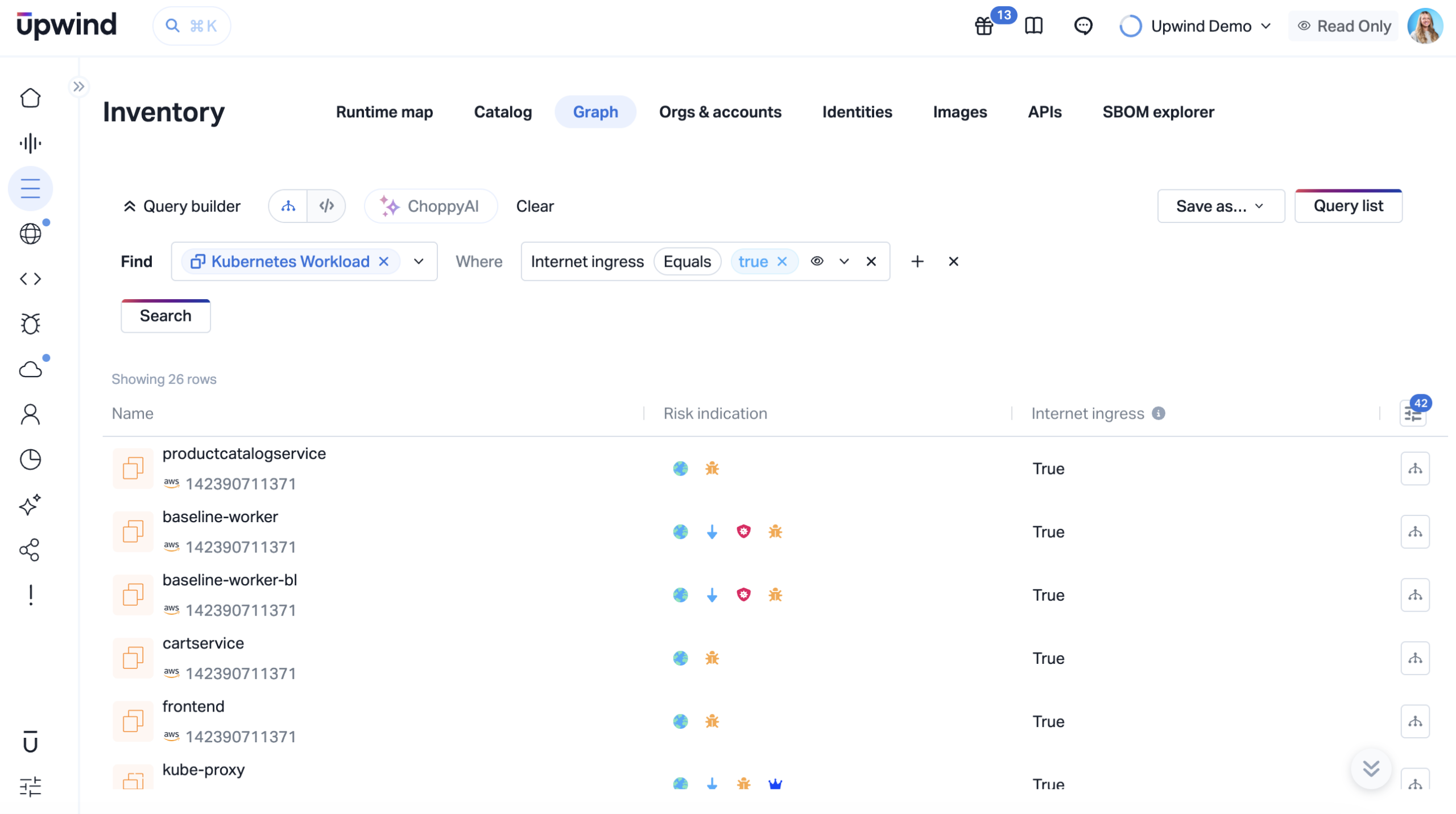
Inventory graph view showing normalized Kubernetes assets across cloud environments.
Cloud Inventory Needs Consistent Context
Containerized environments move quickly. Teams run clusters across multiple cloud providers, deploy Kubernetes workloads across dynamic infrastructure, and rely on services that describe assets in different ways.
When inventory data lacks consistency, security teams may need different query patterns for similar assets, see unclear relationships between clusters and workloads, or spend extra time validating context before they can investigate.
This slows analysis and makes inventory coverage harder to trust and report risk.
What Changed in the Inventory Graph
Container clusters and Kubernetes workloads are now generally available as normalized asset groups in the Upwind Inventory graph.
This update gives teams:
- A consistent asset model for container clusters and Kubernetes workloads across supported providers
- More predictable graph query results for these asset types
- Clearer relationship modeling between Kubernetes assets and surrounding cloud infrastructure
- A stronger inventory foundation for visibility, investigation, and future graph-based workflows
How Inventory Graph Normalization Works
Inventory graph normalization maps assets from different cloud providers and services into a unified graph model. Instead of forcing teams to interpret each provider’s asset structure separately, Upwind represents key assets with consistent semantics in the Inventory graph.
Upwind normalizes container clusters and Kubernetes workloads so teams can better understand where these assets exist, how they relate to each other, and how they connect to the broader cloud environment.
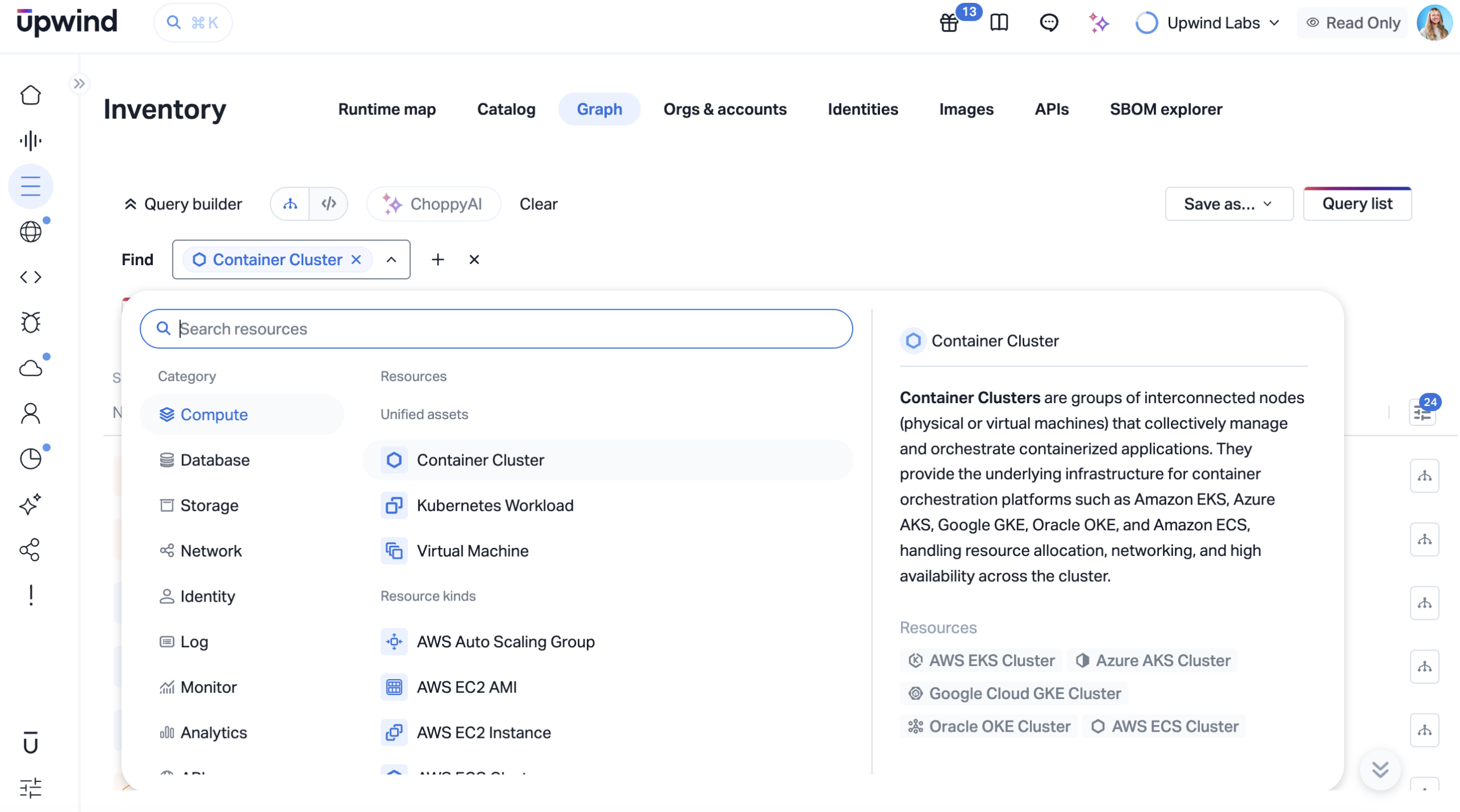
Container Cluster resource type in the Inventory Graph query builder.
Stronger Kubernetes Context Speeds Investigation
When Kubernetes assets appear consistently in the graph, teams can move faster from discovery to investigation. They can start with a containerized asset, understand where it runs, see how it connects to surrounding infrastructure, and follow relationships across the environment without translating provider-specific asset formats.
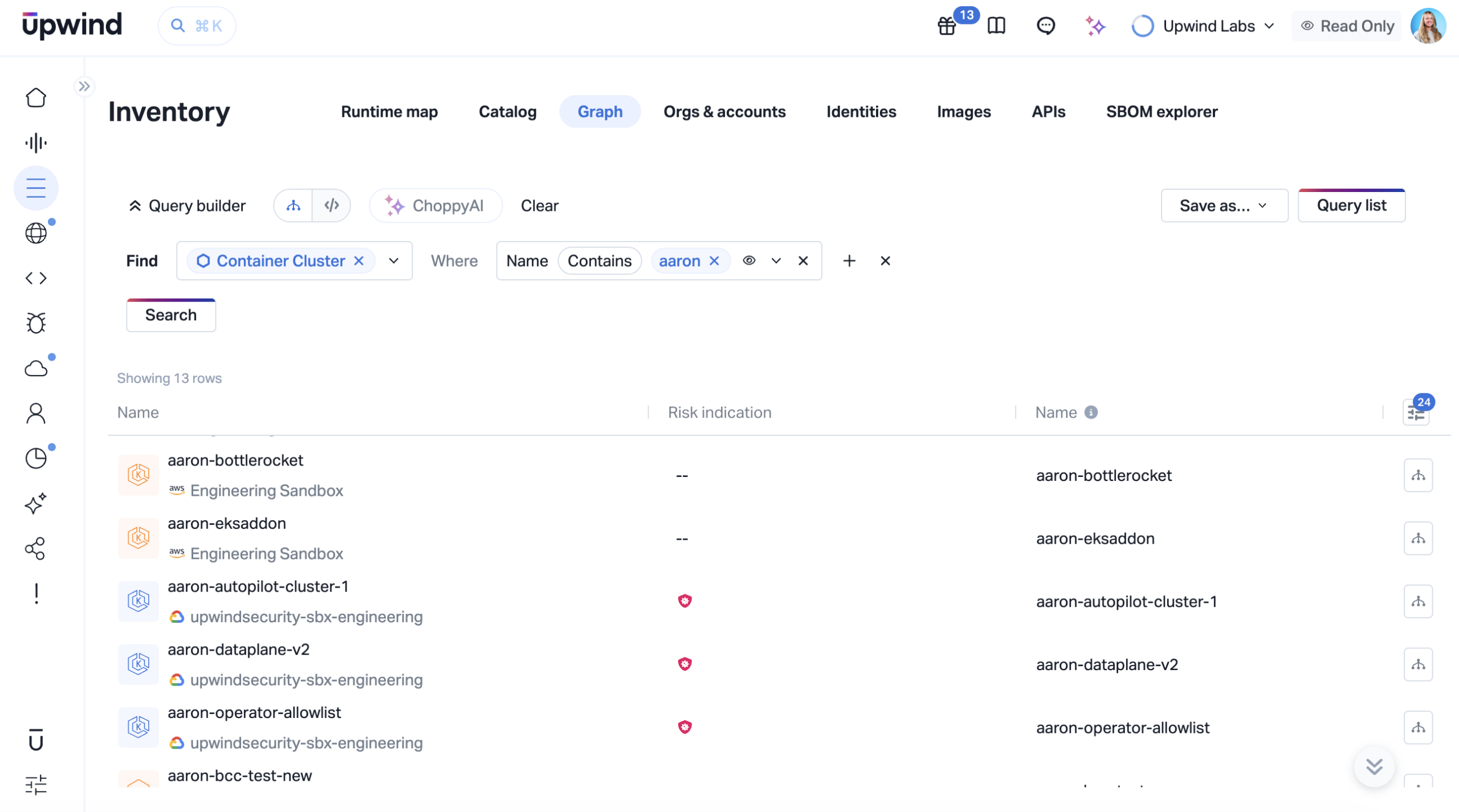
Inventory Graph query results showing normalized Container Cluster assets across cloud environments.
Expanding Inventory Graph Normalization
This release extends Upwind’s Graph Normalization effort to container clusters and Kubernetes workloads, giving customers a more consistent way to query and investigate these assets in the Inventory graph.
As additional asset types are normalized, Upwind continues to strengthen the inventory foundation for realtime intelligence, helping teams connect cloud assets, Kubernetes workloads, and surrounding infrastructure for faster investigation and risk prioritization.
Get Started
Customers can use this update today to improve Kubernetes workload visibility, simplify graph queries, and investigate containerized environments with more consistent context across cloud providers. To learn more, request a demo.