

In the previous post, we mapped 36 condition keys that the IAM engine evaluates but has never documented. The decomposition model, the service-specific resource identifiers, the organizational metadata – all of it sitting in the request context, invisible unless you probe for it.
That post was about discovery. This one is about what you can build with it.
Every IAM practitioner has hit the moment where the policy they want to write can’t be expressed with the tools AWS documents.
The secret keys we found fill some of these gaps. Here are some use-cases with concrete policies you can test today.
Caveat before we start:
- Every key in this post is undocumented. AWS could change or remove them. IAM Access Analyzer’s
ValidatePolicyAPI will flag policies that use them. We’ll address the stability question at the end – there are good reasons to believe these are durable – but you should understand the tradeoff before deploying anything. - The policies below are simplified examples to illustrate the concept, production versions would need additional scoping and testing for your environment.
aws:name – The end of thousand-line action lists
Think about how many policies in a real AWS organization are fundamentally about one intent: allow reads, deny mutations. Auditor roles, monitoring tooling, security scanners, break-glass observers, etc. Every one of them is a single idea: “read-only.”
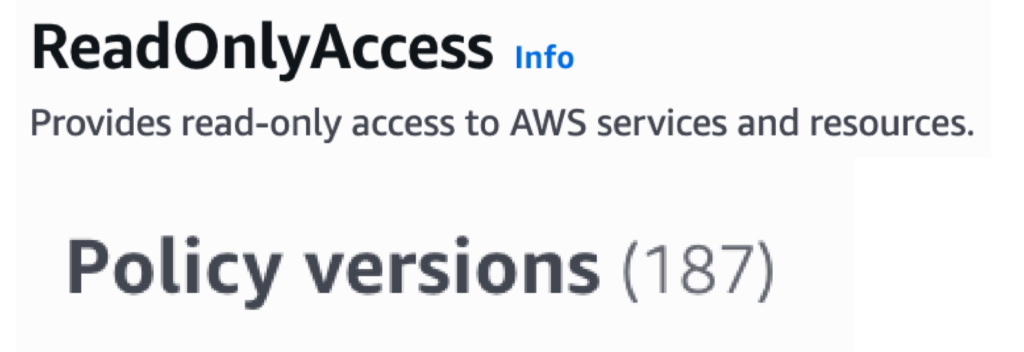
But IAM gives you no way to say “read-only.” You can only enumerate. So the intent becomes a list: s3:GetObject, ec2:DescribeInstances, lambda:GetFunction, dynamodb:GetItem… thousands of individual actions. AWS’s own ReadOnlyAccess managed policy is exactly this – 2,915 lines across 180+ policy versions and counting, maintained by AWS as new services ship. And the list is never finished: every new service that launches forces the allowlist to grow.

aws:name collapses the problem. It holds the bare operation name without the service prefix – GetObject, DescribeInstances, ListQueues – so a single StringLike condition can express intent across every service in one statement.
Case Study 1: Read-only access in one statement
Instead of 2,915 lines of enumerated actions, express the intent directly:
{
  "Effect": "Allow",
  "Action": "*",
  "Resource": "*",
  "Condition": {
    "StringLike": {
      "aws:name": ["Get*", "List*", "Describe*"]
    }
  }
}
Three patterns instead of thousands of actions. When AWS launches a new service next month with a GetWidgetProperties API, this policy covers it on day one – no update needed, no allowlist to maintain.
You can approach the same problem from the deny side too – Delete*, Remove*, Terminate*, Create*, Put*, Update* – to block mutations instead of allowing reads. Either way, the continuously-maintained policy becomes a single self-maintaining rule.
Case Study 2: Deny all credential and secret access
The enumeration problem also means there’s no clean way to express “deny all credential and secret access.” Today you’d maintain a denylist of every action across every service that returns a secret, token, or password – and hope you don’t miss one. Actions like cognito-identity:GetOpenIdToken, sts:GetSessionToken, secretsmanager:GetSecretValue are scattered across dozens of services. Tempest Security documented real cases where ReadOnlyAccess included permissions that could expose tokens and credentials – permissions that slipped through because no one can maintain a complete list. “ReadOnlyAccess is broad by design – that works for some workloads, but not all. When that breadth meets sensitive data, as Tempest Security demonstrated, the exposure is real.
aws:name reaches the highest-value operations directly:
{
  "Effect": "Allow",
  "Action": "*",
  "Resource": "*",
  "Condition": {
    "StringLike": {
      "aws:name": ["Get*", "List*", "Describe*"]
    }
  }
}
One statement that blocks every secret-reading, token-minting call across every service. A new action that hands out a credential is caught the day its service ships, not after it lands on someone’s denylist.
Verb naming across AWS services isn’t perfectly uniform – you’d tune a handful of patterns for edge cases. But that’s a handful of patterns, not thousands of actions on a list that needs updating for every AWS release.
aws:TokenAge – Session freshness without MFA
This one has no real workaround today.
You can cap a session’s total lifetime with a short max-duration on the role, but that’s all-or-nothing – the session either exists or it doesn’t, and the minimum is one hour. What you can’t express today is: “allow this sensitive action only if the session is fresh.”

aws:MultiFactorAuthAge exists, but only for MFA-authenticated sessions – it requires MFA infrastructure and has limited availability.
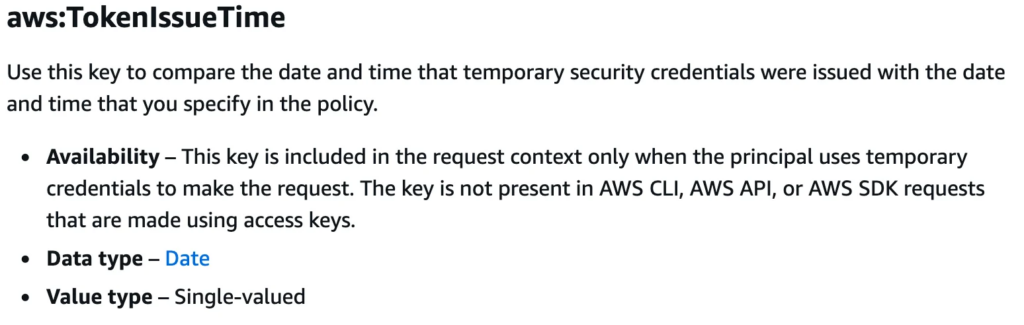
aws:TokenIssueTime is a fixed timestamp. There’s no way to say “deny if the token is older than X seconds.”
aws:TokenAge is the missing piece. It holds the number of seconds since the session token was issued, and it works with NumericGreaterThan:
{
  "Effect": "Deny",
  "Action": "*",
  "Resource": "*",
  "Condition": {
    "NumericGreaterThan": { "aws:TokenAge": "300" }
  }
}
This unlocks lightweight just-in-time privilege: gate sensitive actions on a fresh token, so elevated privilege is only usable for a few minutes after assuming the role. Using it again means re-assuming for a new token. AssumeRole becomes the access broker – no external JIT tooling required, just native IAM enforcing step-up-by-recency for any session, not just for MFA sessions.
Case Study 3: Gate sensitive operations on a 5-minute window
{
  "Effect": "Deny",
  "Action": [
    "iam:Create*",
    "iam:Delete*",
    "iam:Put*",
    "kms:ScheduleKeyDeletion",
    "organizations:*"
  ],
  "Resource": "*",
  "Condition": {
    "NumericGreaterThan": { "aws:TokenAge": "300" }
  }
}
Assume the admin role, do what you need, and within five minutes the sensitive permissions expire – without anyone revoking the session, modifying the role, or running an access broker.
Case Study 4: Protect sensitive data paths with token freshness
The same pattern works in resource policies. A bucket with sensitive data – tax documents, PII exports, encryption keys – can deny access to stale sessions directly:
{
  "Version": "2012-10-17",
  "Statement": [
    {
      "Sid": "",
      "Effect": "Deny",
      "Principal": "*",
      "Action": "s3:*",
      "Resource": "arn:aws:s3:::my-token-protected-bucket/*",
      "Condition": {
        "NumericGreaterThan": {
          "aws:TokenAge": "300"
        }
      }
    }
  ]
}
The data protects itself. No identity policy changes, no access broker in the loop – the resource enforces its own freshness requirement. Anyone accessing the sensitive path must have assumed their role within the last five minutes.
aws:PrincipalOrgMasterAccountId – Dynamic management account reference
Today, pointing a policy at the organization’s management account means baking its 12-digit account ID into every policy that references it. It’s passed as a CloudFormation parameter or Terraform variable and hardcoded at deployment time. It works – but the value ends up as static text, duplicated everywhere, and it doesn’t scale across multiple organizations:
{
  "Version": "2012-10-17",
  "Statement": [
    {
      "Sid": "IAMRoleProvisioningActionsHardCoded",
      "Effect": "Allow",
      "Action": [
        "iam:AttachRolePolicy",
        "iam:CreateRole",
        "iam:PutRolePolicy",
        "iam:UpdateRole",
        "iam:UpdateRoleDescription",
        "iam:UpdateAssumeRolePolicy",
        "iam:PutRolePermissionsBoundary",
        "iam:DeleteRolePermissionsBoundary"
      ],
      "Resource": [
        "arn:aws:iam::*:role/aws-reserved/sso.amazonaws.com/*"
      ],
      "Condition": {
        "StringNotEquals": {
          "aws:PrincipalAccount": "MANAGEMENT_ACCOUNT_ID"
        }
      }
    }
  ]
}
Case Study 5: SSO can provision roles in all accounts except the management account
aws:PrincipalOrgMasterAccountId resolves dynamically to the caller’s management account ID. Combined with ${aws:PrincipalAccount} as a policy variable, you can express “everyone except the management account” with zero hardcoded values:
{
  "Condition": {
    "StringNotEquals": {
      "aws:PrincipalOrgMasterAccountId": "${aws:PrincipalAccount}"
    }
  }
}
This isn’t hypothetical. It’s exactly the pattern AWS ships in their own AWSSSOServiceRolePolicy (v18) – the service-linked role for IAM Identity Center. That policy uses aws:PrincipalOrgMasterAccountId to say “SSO can provision roles in all accounts except the management account,” with no hardcoded values. If AWS trusts this key in production for their own identity infrastructure, it means that it’s probably stable, though it’s still undocumented.
The same pattern works for resource policies on centralized audit buckets, Control Tower landing zone resources, or any shared resource that should only be managed by the management account – all without knowing the account ID at policy-authoring time.
s3:CurrentPolicyStatus – Realtime public exposure control
Every other key in this post conditions on something about the request – who’s calling, what they’re calling, how old their session is. s3:CurrentPolicyStatus is different. It conditions on the state of the resource itself.
The key reports whether a bucket’s policy currently evaluates as public or nonpublic. It’s live policy state exposed as a condition key – the value changes dynamically and immediately when you modify a bucket policy. We validated this live: the value transitions from nonpublic to public the moment you apply a public bucket policy, and back when you remove it.
This matters in environments where Block Public Access is off by design. Static website hosting, public datasets, CDN origins – these are buckets that are intentionally public. The problem isn’t that they’re public; it’s that you can’t easily distinguish “intentionally public” from “accidentally public” in policy. Without this key, preventing sensitive operations on public buckets requires hardcoding bucket ARNs, maintaining tagging discipline, or relying on detective controls that fire after the damage is done.
Case Study 6: Prevent writes to public buckets
{
  "Effect": "Deny",
  "Action": "s3:PutObject",
  "Resource": "*",
  "Condition": {
    "StringEquals": { "s3:CurrentPolicyStatus": "public" }
  }
}
Any bucket with a public policy is automatically write-protected. No list of bucket ARNs to maintain, no tags to enforce. If someone makes a bucket public – intentionally or not – writes are blocked until the exposure is resolved. If they make it private again, writes resume immediately. The control tracks the actual exposure state, not a static label that might drift from reality.
This is a different category from the other keys: not “express intent more concisely” but “condition on live platform state that nothing in the documented IAM model can see.”
Are these stable enough to use?
The obvious question: should you build on undocumented behavior?
The honest answer is that it depends on your risk tolerance. But there’s strong evidence these aren’t transient implementation details that might disappear:
AWS uses them internally. aws:PrincipalOrgMasterAccountId appears in AWS’s own managed policies. lakeformation:GlueARN is used in Lake Formation managed policies. AWS is building on these keys – they’re just not documenting them for customers.
The patterns are systemic. {service}:{ResourceName} is confirmed across 19+ services. The action and resource decomposition model (aws:action, aws:name, aws:service, aws:type, aws:resource) reflects how the engine internally represents every request. These are the building blocks of policy evaluation itself, not optional metadata bolted on.
Historical stability. Some of these keys have likely been present since the services launched – the IAM engine has always needed to decompose actions and resources internally. We’re observing infrastructure, not a feature flag.
The removal cost is high. Removing a key that’s populated on every request across 19+ services would be a significant engine change. Removing one that’s used in AWS’s own managed policies would break their own service-linked roles.
None of that is a guarantee. These keys could change. IAM Access Analyzer will flag policies that use them. And there are practical unknowns: a key may behave differently across services, regions, or API call patterns in ways we haven’t encountered. Our testing confirmed behavior at a point in time against specific operations – we haven’t validated these policies over months of production use across all edge cases. Undocumented means untested at scale by anyone but AWS.
But even if you don’t deploy policies on these today, understanding what they enable reveals gaps in the documented IAM model – things practitioners need and can’t express. These are capabilities AWS should document. In the meantime, the patterns show what’s possible, and for organizations willing to accept the undocumented-key tradeoff, they’re usable right now.
What we haven’t covered yet
This post focused on the global keys – aws:name, aws:TokenAge, aws:type, aws:PrincipalOrgMasterAccountId – because they have the broadest reach. But 23 of the 36 keys we found are service-specific, and the largest group follows a single pattern: {service}:{ResourceName}.
s3:BucketName, lambda:FunctionName, dynamodb:TableName, sqs:QueueName, iam:RoleName, kms:KeyId – 19 services, one convention. Each key holds the primary resource identifier for that service, populated on every resource-targeting operation. These enable resource-name-based policies without ARN pattern matching: allow operations only on tables starting with prod-, deny access to functions matching *-legacy-*, restrict KMS usage to specific key IDs – all with StringLike conditions on the resource name directly.
We also haven’t validated whether these keys work as policy variables – the ${aws:name} syntax that lets you reference a key’s value dynamically inside a condition or resource element. If they do, it would unlock tag-driven access control patterns where the allowed operations, services, or resource types are declared in principal or resource tags rather than policy text. Promotion from read-only to read-write would be a tag update, not a policy change.
Both are areas we’re actively exploring. If the patterns hold up, they’re worth their own post.
Conclusion
The policies in this post aren’t theoretical. They work today, right now, against the live IAM engine. Each one solves a problem that practitioners have been working around for years – with thousand-line action lists, hardcoded account IDs, external tooling, or detective controls that fire after the fact.
That said, every key here is undocumented. Using them is a tradeoff between capability and supportability, and that tradeoff isn’t the same for every organization. Some will deploy these tomorrow. Others will wait for AWS to document them – and now they know what to ask for.